
Alienware 34 240Hz QD-OLED Curved Gaming Monitor AW3425DW
4.5Editor score
240Hz QD-OLED
1800R curve
TrueBlack 400 HDR
Infinite contrast ratio
Finding the right display can transform your gaming experience entirely. Alienware offers a diverse lineup catering to competitive shooters, immersive simulators, and everything in between. Each model balances speed, color accuracy, and design uniquely for specific player needs.
We evaluated each monitor based on refresh rates, response times, panel technologies, and ergonomic features. Our analysis focuses on real-world performance metrics like motion clarity, color gamut coverage, and sync technology compatibility for seamless gameplay across different platforms.
Every pick highlights key strengths and potential trade-offs to suit various setups. Remember that pricing and availability fluctuate frequently, so check current listings before purchasing to ensure you get the best value for your specific gaming requirements.
4.5Editor score

4.6Editor score

4.6Editor score
As an Amazon Associate we earn from qualifying purchases.
This table provides a side-by-side overview of specifications and features across all ten monitors to help you quickly compare performance metrics and design elements.




This model offers a strong balance of speed and visual fidelity ideal for mixed gaming libraries. It achieves high marks for smooth motion and accurate color representation across various genres without excessive cost or complexity.
We may earn a commission when you buy through this link, at no additional cost to you.
The Fast IPS panel delivers vivid colors with 95% DCI-P3 coverage ensuring games look rich and detailed. Combined with a 180Hz refresh rate and 1ms response time it handles competitive titles and single-player adventures with equal ease.
While HDR performance is limited by DisplayHDR 400 certification compared to OLED options the overall experience remains engaging. The console mode helps optimize settings for non-PC gaming while the low blue light feature aids comfort during long sessions.
Gamers seeking a reliable high-performance monitor for both console and PC use will find it stands out. It meets the needs of most players looking for fluid visuals and precise colors without premium OLED pricing or burn-in concerns.
The QHD resolution provides sharp details making worlds look immersive while the wide color gamut enhances realism.
Integrated low blue light technology reduces eye strain allowing extended play without sacrificing image quality.
We may earn a commission when you buy through this link, at no additional cost to you.
This monitor delivers the pinnacle of visual immersion with its QD-OLED technology and ultrawide curved design. It combines stunning color accuracy with extreme speed making it perfect for players who prioritize picture quality alongside performance.
We may earn a commission when you buy through this link, at no additional cost to you.
The 0.03ms response time ensures virtually no motion blur while the infinite contrast ratio makes dark scenes look breathtaking. With 99.3% DCI-P3 coverage and FreeSync Premium Pro support it offers stunning smoothness and color precision across compatible setups.
Despite the higher price point the visual benefits justify the investment for enthusiasts. The curved screen fills your peripheral vision creating a cinematic feel that flat panels cannot match especially during open world exploration.
Ideal for content creators and gamers wanting the best possible display experience it excels in every metric. Those willing to invest in top-tier hardware will appreciate its unmatched clarity speed and color fidelity.
The near-instantaneous response time eliminates ghosting ensuring fast action remains crisp and clear at any speed.
The 1800R curve wraps around your vision enhancing engagement by drawing you deeper into the game world.
We may earn a commission when you buy through this link, at no additional cost to you.
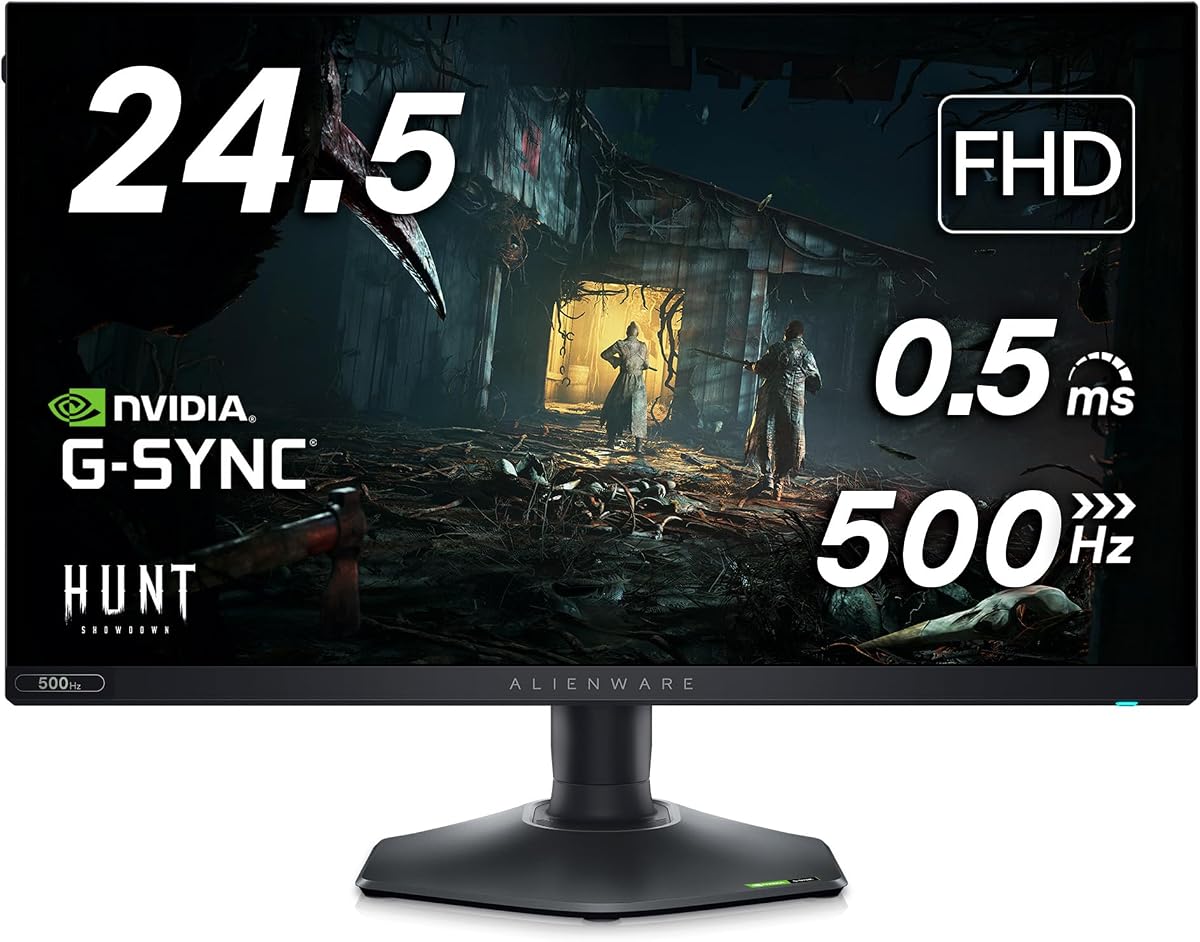
Designed for esports professionals and competitive players this monitor prioritizes speed above all else. It offers the fastest refresh rate available enabling split-second reactions that can determine victory or defeat in intense matches.
We may earn a commission when you buy through this link, at no additional cost to you.
The 0.5ms response time paired with AMD FreeSync Premium ensures tear-free gameplay even in chaotic action sequences. The redesigned hexagonal base saves desk space allowing room for keyboard and mouse movement while maintaining stability during use.
While 1080p resolution might seem lower than QHD or OLED options it suits high frame rate gaming where clarity and speed matter most. Fast IPS panel retains decent color accuracy making it a versatile choice beyond purely competitive titles.
Any gamer focused on shooters or esports will find this model delivers tangible performance advantages. Its ability to reduce motion blur and latency makes it a smart investment for serious players prioritizing reaction time.
Ultra high refresh rates and fast response times help track moving targets with unmatched clarity and speed.
The hexagonal base footprint creates more space for peripherals which is vital during intense competitive matches.
We may earn a commission when you buy through this link, at no additional cost to you.
This monitor showcases QD-OLED technology with a curved design for rich color and deep blacks. It offers G-SYNC Ultimate certification ensuring maximum compatibility with NVIDIA GPUs for smooth performance and minimal stutter.
We may earn a commission when you buy through this link, at no additional cost to you.
Its Creator Mode allows precise color calibration for both gaming and content creation work. The Legend 2.0 design adds customization with stadium loop lighting and robust ventilation ensuring the monitor stays cool during extended use.
The 0.1ms response time keeps motion sharp and ghosting free across most game types. With excellent color accuracy and HDR support it remains a strong choice for those who value visual fidelity over raw speed.
Gamers and creators who prioritize color accuracy and OLED visuals will appreciate its performance. It serves as a versatile display capable of handling both high-end gaming and professional tasks effectively.
Creator Mode provides flexible color space options for accurate editing alongside stunning game visuals.
360-degree ventilation maintains optimal operating temperatures ensuring consistent performance over long periods.
We may earn a commission when you buy through this link, at no additional cost to you.
This monitor combines QD-OLED technology with a high 240Hz refresh rate for fast gaming. It delivers smooth motion and deep contrast making it ideal for players seeking OLED quality without sacrificing speed.
We may earn a commission when you buy through this link, at no additional cost to you.
The Quantum Dot technology enhances color brightness and range ensuring games look vivid and accurate. Its compact 27-inch form factor fits well on most desks while providing immersive visuals for both games and media.
Performance is top-tier with minimal input lag and ghosting thanks to OLED pixel response. The monitor requires a capable graphics card to reach full potential but rewards users with exceptional visuals.
Those wanting high refresh OLED visuals for competitive or casual play will find it appealing. It balances speed and image quality effectively for a high-end experience without larger screen costs.
High refresh OLED panels enable smooth motion clarity rare in traditional OLED gaming monitors.
Quantum Dot tech expands color gamut making scenes look richer and more realistic than standard panels.
We may earn a commission when you buy through this link, at no additional cost to you.
This renewed unit offers rare 4K resolution combined with OLED speed for unmatched pixel clarity. It provides the highest density of any Alienware monitor delivering stunning detail and vibrant color across the screen.
We may earn a commission when you buy through this link, at no additional cost to you.
With Dolby Vision support and DisplayHDR True Black 400 the monitor enhances contrast and brightness effectively. The renewed status offers potential savings while retaining the core visual performance and reliability of the original model.
Its design features improved ventilation and cable management keeping setups tidy and efficient. The 166 PPI ensures text and game assets appear crisp without needing scaling adjustments for most use cases.
Gamers wanting the sharpest image possible with OLED speed should consider this model carefully. It balances high resolution and fast performance in a compact package that looks great on any desk.
High pixel density delivers exceptionally crisp images ideal for text readability and detailed game textures.
Dolby Vision and advanced HDR support bring out subtle details in dark and bright scene areas.
We may earn a commission when you buy through this link, at no additional cost to you.
This model sets a new standard for motion clarity with its 480Hz refresh rate. It targets competitive shooters where fluid motion and quick reactions are essential for success in ranked matches.
We may earn a commission when you buy through this link, at no additional cost to you.
NVIDIA Reflex Latency Analyzer helps players optimize system settings for lowest possible latency during gameplay. The Fast IPS panel ensures colors remain vivid and accurate across viewing angles while anti-glare coating reduces distracting reflections.
While HDR performance is minimal the focus on speed and clarity makes up for it. The monitor offers consistent sRGB coverage ensuring colors look correct in games and general use.
Competitive gamers seeking the absolute fastest motion handling will find it stands out. Its specialized features provide measurable advantages in tournaments or intense multiplayer sessions.
Reflex technology provides real-time latency tracking helping users fine-tune settings for peak responsiveness.
Anti-glare coating maintains image visibility even in bright rooms preventing distracting light interference.
We may earn a commission when you buy through this link, at no additional cost to you.
This version includes HEX accessories such as a USB hub and LED light enhancing desk functionality. It retains the core strengths of the AW2523HF with 360Hz refresh and excellent motion handling.
We may earn a commission when you buy through this link, at no additional cost to you.
The included hub supports various connections and power delivery reducing cable clutter around your setup. The USB LED light provides customizable ambient lighting that can sync with your gaming mood or brand identity.
Performance matches the standard model with solid colors and fast refresh rates. Adding accessories increases value making it a smart choice for those wanting a ready-to-use competitive setup.
Gamers seeking both performance and convenience will appreciate the bundled extras. It saves time and cost while delivering the speed needed for competitive play.
Included USB hub expands connectivity options keeping your workspace organized and efficient.
Integrated LED light adds customizable lighting effects that complement the monitor's gaming aesthetic.
We may earn a commission when you buy through this link, at no additional cost to you.
This monitor stands out with DisplayHDR 600 certification offering brighter highlights and better contrast. It uses Nano Color technology to deliver accurate and vibrant colors while maintaining high speed for smooth gameplay.
We may earn a commission when you buy through this link, at no additional cost to you.
Triple sync certification ensures seamless compatibility across NVIDIA AMD and other GPUs without issues. The fully adjustable stand allows perfect positioning while AlienFX lighting adds customizable personal touches to your setup.
High refresh rates up to 280Hz overclocked reduce motion blur enabling competitive edge in fast games. With wide color gamut coverage it handles media and games with excellent fidelity.
Players valuing HDR quality alongside speed and color accuracy will find it ideal. It provides a balanced feature set that supports both high-end gaming and creative content.
HDR 600 certification ensures brighter peaks and deeper shadows enriching scene depth and impact.
RGB lighting and ergonomic adjustments personalize the monitor to fit specific gaming environments.
We may earn a commission when you buy through this link, at no additional cost to you.
This model established the ultrawide standard with reliable G-SYNC performance and rich color. Its curved screen and WQHD resolution offer broad immersion that remains appealing for many users today.
We may earn a commission when you buy through this link, at no additional cost to you.
With 98% DCI-P3 coverage it delivers cinematic color accuracy ideal for immersive single-player games. The 120Hz refresh rate ensures smooth gameplay and G-SYNC sync prevents tearing effectively across supported titles.
Though refresh rates are lower than newer models its proven reliability and image quality hold up. Anti-glare coating and robust stand adjustments ensure long-term comfort and viewing flexibility.
Gamers seeking proven ultrawide immersion at a lower cost will appreciate this model. It delivers core performance features that remain relevant for many game genres and work tasks.
Decades of testing confirm its reliability for consistent smooth gaming across diverse software titles.
Curved 34-inch panel expands field of view drawing users deeper into game environments naturally.
We may earn a commission when you buy through this link, at no additional cost to you.
Selecting the ideal monitor depends on balancing your gameplay needs with display features and budget constraints.
Refresh rate determines how many frames per second the screen can display with higher numbers reducing motion blur. Competitive players often prefer 240Hz or above while casual gamers may find 144Hz to 180Hz sufficient for smooth gameplay.
Higher refresh rates deliver faster visuals that improve reaction times in competitive titles significantly.
IPS panels offer wide viewing angles and consistent color but OLED and QD-OLED provide deeper blacks and faster response. Nano color technology enhances vibrancy and accuracy making games look more lifelike.
Choose IPS for longevity and color balance or OLED for superior contrast and speed at premium cost.
Resolution impacts image sharpness with 4K delivering finer detail and QHD balancing clarity with performance. Higher pixel density helps prevent screen tearing and improves text readability during multitasking.
QHD and 4K offer the best clarity for modern gaming and content consumption needs.
Sync tech like G-SYNC and FreeSync prevents screen tearing by matching GPU and monitor output rates. Ensure compatibility with your graphics card to maintain smooth frame rates without stuttering.
Sync certification ensures seamless synchronization for stutter-free gameplay across different hardware setups.
HDR certification affects brightness levels and contrast making scenes look more dynamic and vibrant. Look for DisplayHDR ratings like 400 or 600 to ensure meaningful contrast differences in bright and dark scenes.
Higher HDR ratings provide better brightness and contrast for more immersive visual experiences.
Adjustable stands let you customize height tilt and rotation to fit your posture and desk layout properly. Comfort features like low blue light reduce eye strain during extended gaming sessions effectively.
Full adjustability and comfort features improve health and usability during long play periods.
Sufficient HDMI and DisplayPort inputs ensure you can connect consoles PCs and peripherals without adapters. Additional USB hubs simplify cable management and expand functionality across devices easily.
Multiple ports and built-in hubs streamline connections and reduce clutter around your gaming station.
AlienFX lighting and unique design elements let you personalize your setup to match your aesthetic preferences. Ventilation and cable management features help keep your system cool and organized effectively.
Design features add style and practicality enhancing both looks and long-term usability.
Calibrate your display settings using the OSD menu to match your preferred color and brightness levels accurately. This ensures consistent image quality and reduces eye strain during long gaming sessions effectively.
Use protective settings like low blue light and adaptive brightness to maintain comfort during extended play hours. These built-in features help manage screen output based on ambient lighting conditions automatically.
Clean the screen with a soft microfiber cloth to avoid scratches and preserve the coating. Keeping vents clear ensures proper airflow maintaining optimal performance and preventing overheating issues over time.
Most Alienware gaming monitors support consoles like Xbox and PlayStation via HDMI inputs. Ensure you choose models with high refresh rates and adaptive sync for optimal console performance.
Many models feature DisplayHDR 400 to 600 certification which improves contrast and brightness for HDR games. OLED monitors offer superior HDR performance with true black levels and infinite contrast.
Competitive players typically prefer 240Hz or higher to minimize motion blur and input lag. Models with 360Hz and 480Hz provide the fastest response for precise aiming and tracking.
QD-OLED combines quantum dots with OLED technology for brighter colors and higher peak brightness. It delivers better color gamut while maintaining OLED's fast response and deep black levels.
Yes many models offer wide color gamut coverage and accurate calibration useful for video and photo editing. Creator Mode provides precise control over color spaces and gamma for professional workflows.
All models work well for productivity and office tasks with clear text and good viewing angles. Adjustable stands and low blue light features help maintain comfort during long work hours.
Whether you need speed immersion or balanced performance Alienware offers a monitor suited to your playstyle. Top picks like the AW2725DM and AW3425DW provide excellent value across different categories and budgets.
Prioritize refresh rates and panel type based on your favorite game genres and hardware capabilities. Consider HDR and ergonomic features to ensure comfort and visual fidelity during extended use.
Check current pricing and availability to secure the best deal since models and offers change regularly. With careful selection you will enhance your gaming setup with a display that delivers years of performance.