
WINSINN 40mm 12V Fan
4.4Editor score
Hydraulic bearing
Low power draw
Multi-pack value
This guide compares the top 40mm cooling fans for 3D printers, servers, and electronics based on performance, noise, and reliability in October 2026.
Choosing the right 40mm cooling fan is essential for maintaining optimal operating temperatures in compact electronics. Whether you are upgrading a 3D printer or cooling a server rack, these small fans deliver significant thermal relief without taking up much space.
We evaluated ten leading models based on airflow efficiency, noise levels, bearing types, and build quality. Each product was selected for its reputation in reliability and its ability to handle specific thermal loads in tight enclosures effectively.
Each pick below highlights key specifications and ideal use cases to help you match the fan to your device. Please note that pricing and availability may change over time, so always check the latest details before purchasing.
4.4Editor score
4.8Editor score

4.8Editor score
The following table provides a side-by-side comparison of all ten selected fans. It highlights key specifications like voltage, size, and bearing type to help you quickly identify the best fit for your application.


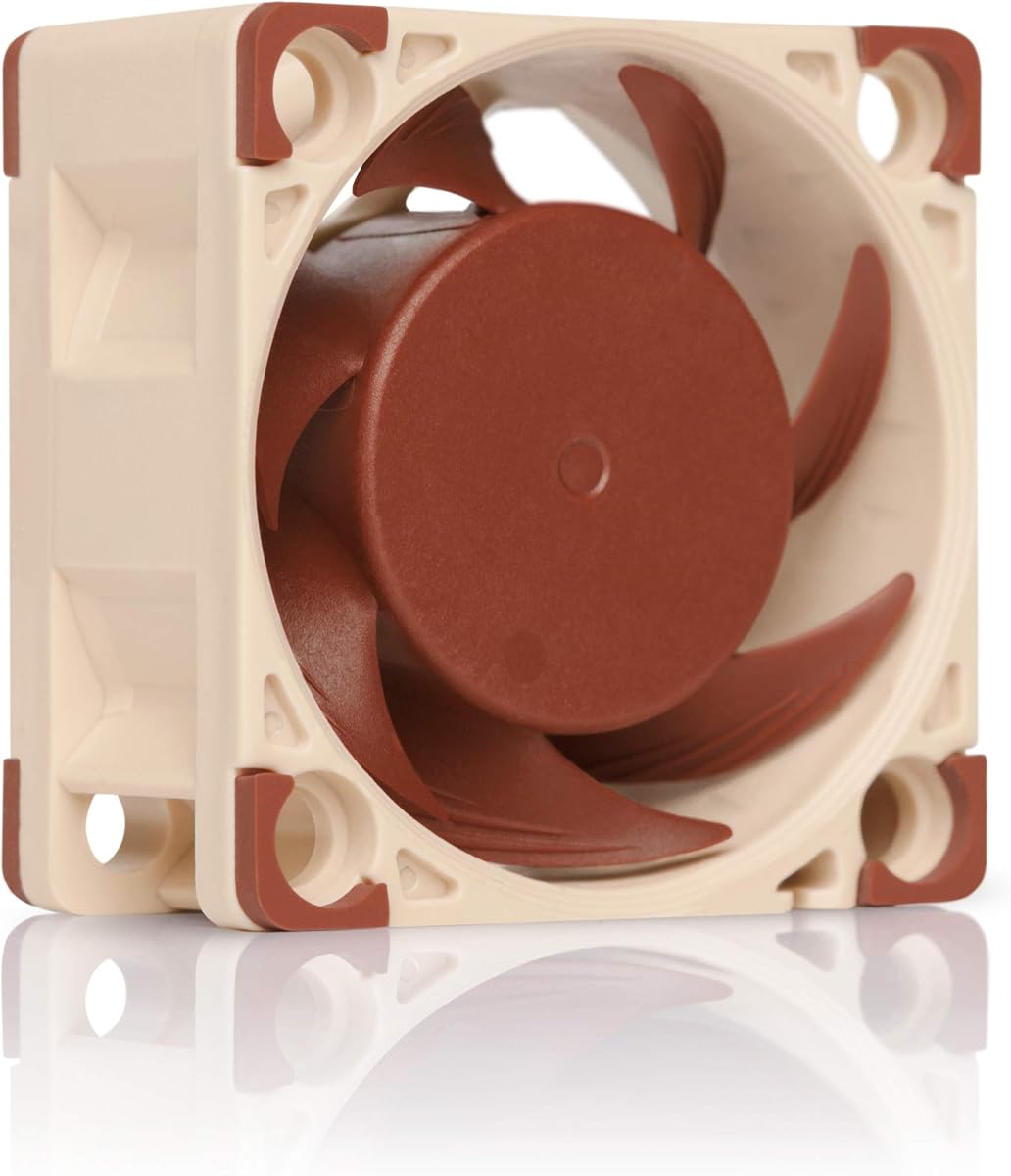
The Noctua NF-A4x20 PWM is a premium quiet fan designed for high-performance cooling. It holds a 4.8 rating due to its award-winning A-series design and superior acoustic optimization.
We may earn a commission when you buy through this link, at no additional cost to you.
It features Flow Acceleration Channels and a 4-pin PWM interface for automatic speed control. This allows for 5000 RPM maximum speed while maintaining low noise levels up to 14.9 dB(A).
While it is more expensive than generic fans, the quality justifies the cost for critical cooling tasks. The 150,000 hour MTTF ensures it will last significantly longer than budget alternatives.
This fan is best for users needing reliable, silent cooling for servers or high-end electronics. If you value silence and longevity over initial cost, this is the top recommendation.
The Advanced Acoustic Optimisation frame reduces noise without sacrificing cooling efficiency for silent operation.
The 4-pin PWM connection allows your system to adjust fan speed based on thermal demands automatically.
We may earn a commission when you buy through this link, at no additional cost to you.
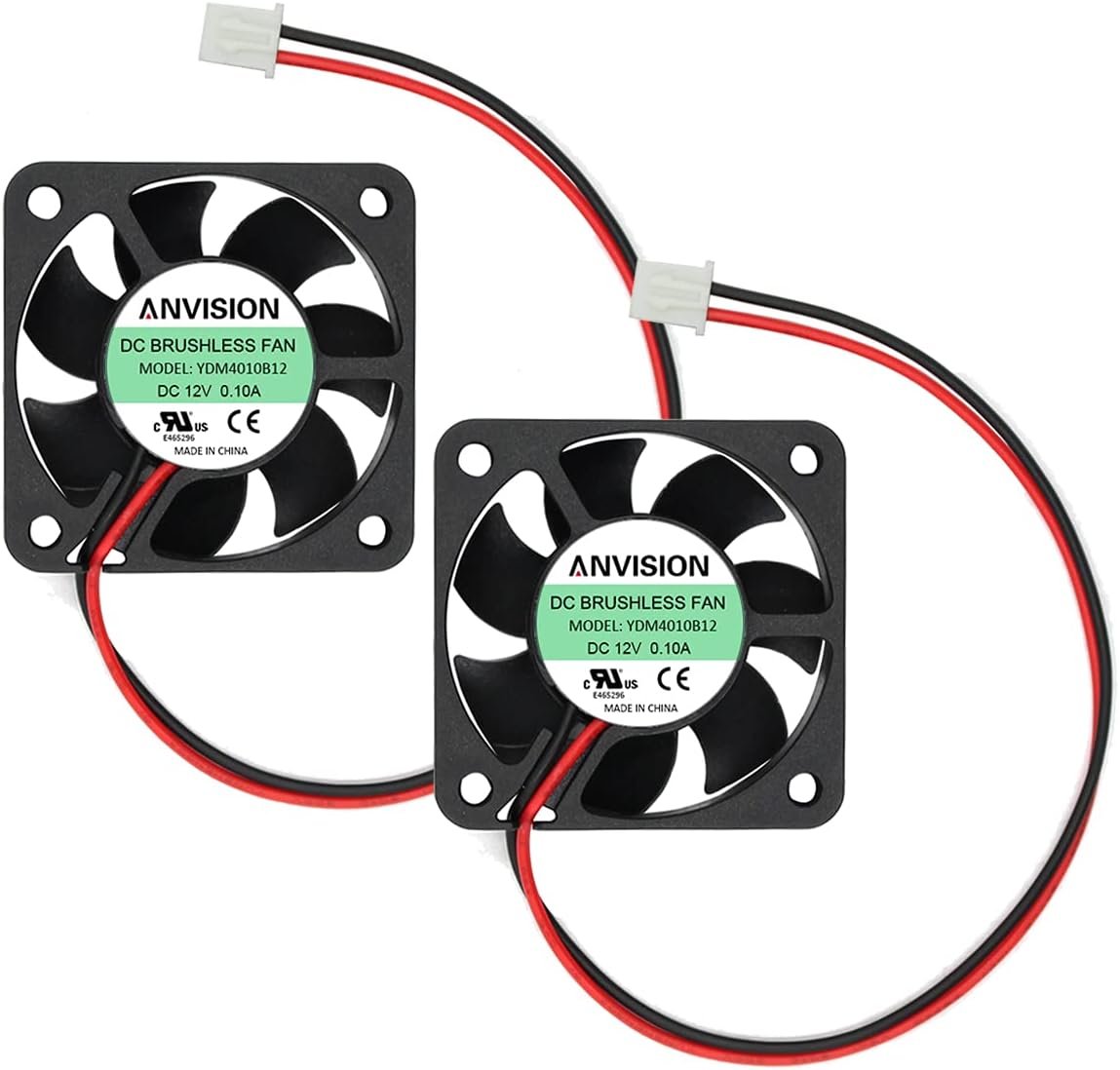
The ANVISION 2-Pack offers a budget-friendly solution for replacing multiple small cooling fans. With a 4.5 rating, it balances performance and cost effectively for general electronics cooling.
We may earn a commission when you buy through this link, at no additional cost to you.
It features Dual Ball Bearings which provide a long service life of over 40,000 hours. The 6200 RPM speed ensures strong airflow even in slim 10mm form factors.
The trade-off is slightly higher noise levels compared to premium brands when running at full speed. However, the 27.50 dBA rating remains acceptable for many industrial applications.
This pack is ideal for those needing to replace several fans in routers or switches without breaking the bank. It offers solid performance for standard voltage requirements.
The dual ball bearing construction helps resist wear and tear better than standard sleeve bearings.
The 10mm thickness allows it to fit into tight spaces where thicker 20mm fans cannot.
We may earn a commission when you buy through this link, at no additional cost to you.
The Noctua NF-A4x10 FLX is designed specifically for slim applications like 3D printers and storage devices. It shares the premium build quality of the NF-A4x20 but in a 10mm profile.
We may earn a commission when you buy through this link, at no additional cost to you.
It uses Low-Noise Adaptors to adjust speeds between 4500 and 3700 RPM for custom tuning. This flexibility allows you to prioritize either airflow or near-silent operation based on need.
Because it uses a 3-pin connector, it does not support automatic PWM speed control by default. You may need additional controllers if you want dynamic speed adjustment.
This fan is perfect for tight spaces in networking equipment or 3D printers where thickness is limited. Its reliability and quiet nature make it a favorite among hobbyists.
The included Low-Noise Adaptors let you manually reduce speed for quieter operation without buying new parts.
Despite being only 10mm thick, it maintains high airflow capabilities typical of Noctua fans.
We may earn a commission when you buy through this link, at no additional cost to you.
The Surpass Hobby 40mm cooling fan is specifically designed for RC car motors. It offers an impressive 16000 RPM to prevent overheating during high-speed racing sessions.
We may earn a commission when you buy through this link, at no additional cost to you.
Constructed from high-quality metal, it ensures durability and longevity under the stress of rough terrain. The reverse polarity protection prevents damage if the wires are connected incorrectly.
It is not suitable for standard electronic cooling due to its high speed and specialized design. You should only use this with compatible 1/8 or 1/10 scale brushless motors.
This fan is the go-to choice for RC enthusiasts needing robust motor cooling. Its design addresses the unique thermal demands of electric RC vehicle motors effectively.
The high RPM speed provides excellent heat dissipation to keep your RC motor running cool.
Reverse polarity protection ensures that accidental wire swaps do not burn out the fan or motor.
We may earn a commission when you buy through this link, at no additional cost to you.
The GDSTIME 40mm fan is tailored for 24V applications like modern 3D printers. It fits printers such as the Ender 3 and is sold in a convenient 2-pack.
We may earn a commission when you buy through this link, at no additional cost to you.
It runs on 24V DC with a hydraulic bearing that provides quiet operation and a long life of 40,000 hours. The 6000 RPM speed delivers 6.78 CFM of airflow for cooling hotends.
The 2-pin JST XH connector is standard for many printer boards, making installation straightforward. However, it cannot be used with standard 12V PC headers without adapters.
This fan is ideal for upgrading or replacing fans in Creality printers or 24V network gear. It offers reliable performance at a competitive price point for DIYers.
Designed specifically to replace the hotend cooling fan on popular Ender 3 series printers.
The hydraulic bearing reduces friction and noise while maintaining a high service life.
We may earn a commission when you buy through this link, at no additional cost to you.
The WINSINN 40mm fan is a budget-friendly option sold in a pack of five. It is excellent for projects requiring multiple fans across different small electronic devices.
We may earn a commission when you buy through this link, at no additional cost to you.
It uses a hydraulic bearing which offers maintenance-free operation and a lifespan of 35,000 hours. The noise level is kept low at 26dBA, making it suitable for quiet environments.
The main trade-off is the lifespan compared to ball bearing models. However, for non-critical applications like DIY cases or hobby projects, the value is unbeatable.
This pack is perfect for bulk replacements in small electronics or Raspberry Pi projects. The long cable and low price make it highly versatile for custom builds.
The hydraulic bearing eliminates the need for oiling or frequent maintenance during its lifespan.
The 30cm cable provides enough length to route the fan away from tight connector ports.
We may earn a commission when you buy through this link, at no additional cost to you.
The Noctua NF-A4x10 24V PWM is designed for 24V systems needing advanced speed control. It is a direct upgrade for 3D printers that use 24V cooling.
We may earn a commission when you buy through this link, at no additional cost to you.
It includes the NA-AC9 adapter cable for popular printers like Ender 3. This makes it easy to install on systems with JST XHP-2 headers without extra wiring.
The SSO2 bearing ensures reliable operation for over 150,000 hours. It offers automatic speed control via PWM, balancing cooling power and noise effectively.
This fan is best for 3D printers or industrial 24V gear needing silent, controllable cooling. The included adapter adds significant value for printer enthusiasts.
The included NA-AC9 adapter cable makes installation on Creality and Anycubic printers seamless.
The 4-pin PWM connector allows for intelligent speed adjustments based on system heat.
We may earn a commission when you buy through this link, at no additional cost to you.
The Noctua NF-A4x20 FLX is a 3-pin version of their premium fan line. It uses Low-Noise Adaptors to offer three speed settings for different cooling needs.
We may earn a commission when you buy through this link, at no additional cost to you.
At 20mm thick, it provides more airflow than 10mm models while maintaining the silent profile Noctua is known for. This makes it great for 1U servers needing quiet cooling.
While it lacks PWM, the FLX manual control is effective for static cooling scenarios. The high-quality frame ensures it operates quietly even at maximum speed.
This fan is ideal for users who need reliable cooling without complex controller wiring. The included adaptors give you flexibility for balancing noise and speed.
The included Low-Noise Adaptors let you switch between three speed settings easily.
The 20mm thickness allows for larger blades and more airflow than thinner alternatives.
We may earn a commission when you buy through this link, at no additional cost to you.
The ARCTIC S4028-15K is designed for high static pressure applications. With a max RPM of 15000, it is one of the strongest 12V fans available in the 40mm size.
We may earn a commission when you buy through this link, at no additional cost to you.
It features dual ball bearings for durability against dust and heat. The wide speed range allows regulation via PWM or voltage for different use cases.
Its thicker 28mm profile may not fit all slim enclosures. However, for applications needing to push air through dense radiators or filters, it excels.
This fan is best for users needing extreme cooling power in restricted spaces. The high static pressure ensures it can overcome airflow resistance effectively.
The high static pressure allows this fan to push air through restricted vents better than standard fans.
The dual ball bearing system makes it resistant to dust and long-term wear.
We may earn a commission when you buy through this link, at no additional cost to you.
The Noctua NF-A4x10 PWM combines the slim profile of the FLX with automatic PWM control. It is the ideal choice for those needing silence and speed management.
We may earn a commission when you buy through this link, at no additional cost to you.
It uses the award-winning A-series design with Flow Acceleration Channels to minimize noise. The 4-pin connector allows full integration with motherboard or controller headers.
The trade-off is the 10mm size limiting maximum airflow compared to thicker models. However, for small electronics, this balance of performance and size is often necessary.
This fan is best for premium builds where silence and control are top priorities. It offers the most advanced features available in the 40mm slim category.
The 4-pin PWM interface ensures the fan spins only as fast as needed to save noise.
The Flow Acceleration Channels ensure smooth airflow with reduced turbulence noise.
We may earn a commission when you buy through this link, at no additional cost to you.
Selecting the right 40mm cooling fan depends on specific voltage, size constraints, and noise requirements. This guide outlines the key factors to consider before purchasing.
Ensure the fan voltage matches your device. Most use 12V DC, but 24V models exist for 3D printers and servers. Using the wrong voltage can damage the fan.
Check your device's label or manual for the correct voltage rating.
40mm fans come in varying thicknesses like 10mm, 20mm, or 28mm. Measure your available space to ensure the fan fits. 10mm models are for tight spots.
Thickness is as important as width and height when selecting a replacement.
Bearing types affect lifespan and noise. Dual ball bearings last longer and handle heat better than hydraulic bearings. Sleeve bearings are cheap but wear faster.
For critical applications, choose ball or hydraulic bearings for durability.
Connectors vary from 2-pin to 4-pin PWM. Ensure your motherboard or controller matches the fan's connector. Adapters are available for many header types.
Mismatched connectors may require soldering or adapters.
Noise is measured in decibels (dB). Premium fans often stay under 15 dB, while others reach 27 dB. Consider your tolerance for noise when selecting.
Low noise is crucial for home environments or office setups.
Higher RPM usually means more airflow but more noise. Check CFM ratings to ensure sufficient cooling for your components. High static pressure helps in restricted spaces.
Balance airflow needs against noise tolerance.
Most fans include standard mounting holes. Check if screws or clips are included with your fan. Some specific applications like RC cars have unique mounts.
Verify mounting hardware is included to save time.
Branded fans like Noctua often have better warranties. Check the seller's return policy and warranty terms. Budget brands may offer less support.
A good warranty protects your investment against failures.
Always ensure your device is powered off before installing or replacing a fan to prevent electrical shock. Check that the fan voltage matches your power supply exactly.
Clean dust from the fan blades regularly using a can of compressed air. Dust buildup can unbalance the fan and cause excessive noise or motor failure.
Monitor your system temperatures after installation to confirm the new fan is cooling effectively. If the fan seems too loud, consider using a Low-Noise Adaptor if available.
No, you should not use a 12V fan on a 24V system. It will draw too much current and likely fail quickly. Always match the fan voltage to the system rating.
PWM fans have a 4-pin connector allowing precise speed control via pulse width modulation. DC fans typically have 2 or 3 pins and are controlled by changing voltage levels.
Measure the length, width, and thickness of the space where the fan will go. Ensure the fan dimensions match these measurements to ensure a proper fit.
New fans may be louder if they have higher RPM. Check if you can use a speed control adapter. Also ensure it is mounted securely to prevent vibration.
Noctua fans are generally worth it for critical cooling needs due to their longevity and noise performance. They are more expensive but last longer than generic brands.
Most 3D printers use 2-pin JST XH connectors or 4-pin PWM connectors. Check your specific board's manual to confirm the required header type before buying.
We found that the Noctua NF-A4x20 PWM leads the pack for overall reliability and quiet performance. Its premium features justify the cost for critical cooling tasks.
If you need budget options, the WINSINN and GDSTIME fans offer solid value for standard electronic applications. Choose based on your voltage requirements and thickness needs.
Always double check your device specs and current prices before buying. A proper match ensures your electronics run cooler and last longer.