
Power Failure Alarm WiFi
4.5Editor score
Free app notifications
110 dB loud siren
Extended socket for devices
This guide compares the best power outage notification devices for home and business, reviewing features like alert types, battery life, and connectivity
Power outages can happen unexpectedly, causing inconvenience or even damage to sensitive appliances. A reliable notification device ensures you know immediately when electricity fails, allowing you to take quick action to protect your property.
We have evaluated ten top-rated power outage alarms based on their connectivity options, alert reliability, and ease of use. Our analysis focuses on devices that offer consistent performance during critical power loss events.
Each pick highlights specific strengths such as SMS alerts, app notifications, or local sirens. Please note that product details and pricing can change over time, so verify current specs before purchasing.
4.5Editor score

4.4Editor score

4.5Editor score
The following table provides a side-by-side overview of the key specifications for each of the ten selected power outage notification devices to help you compare their capabilities quickly.

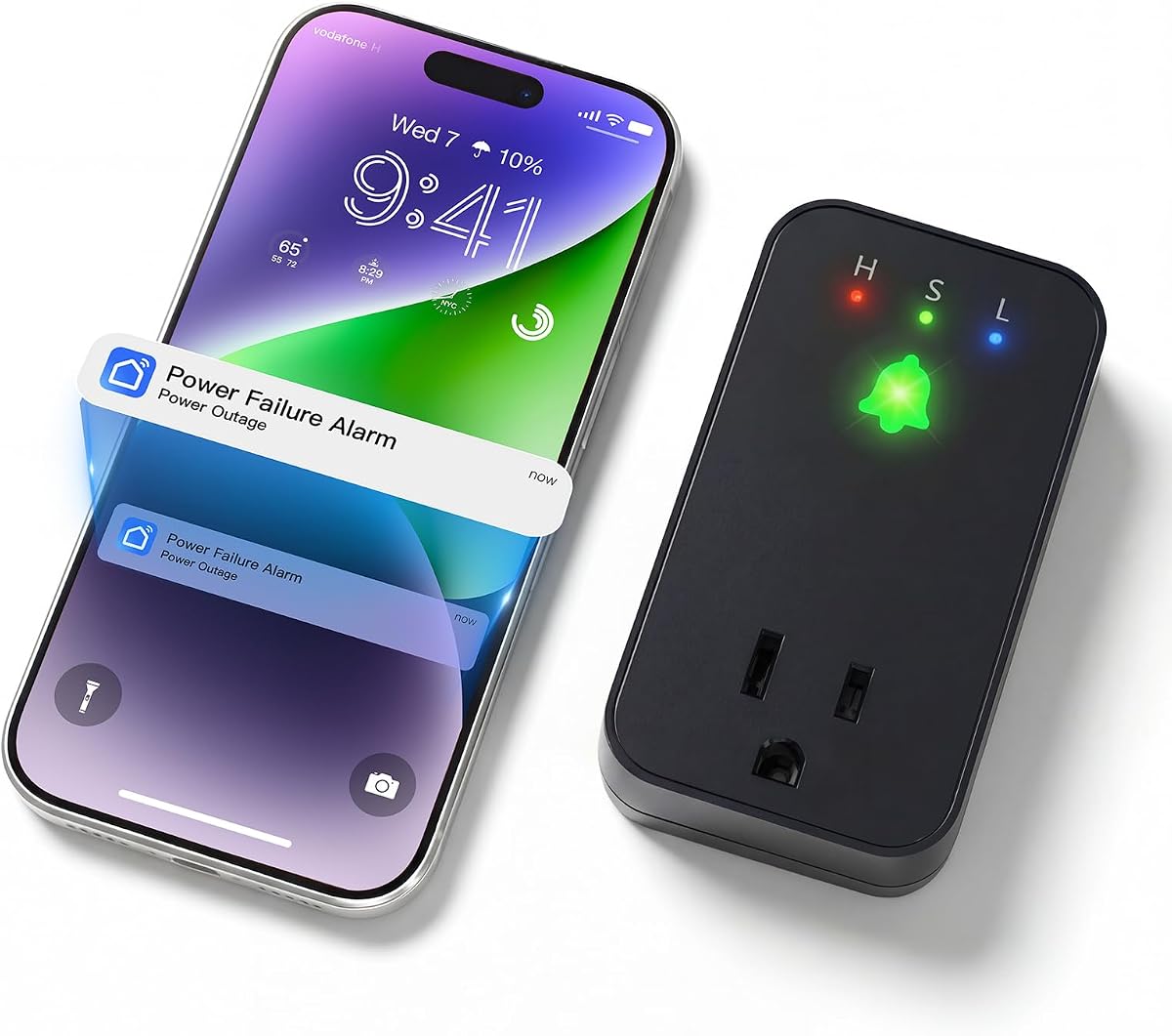

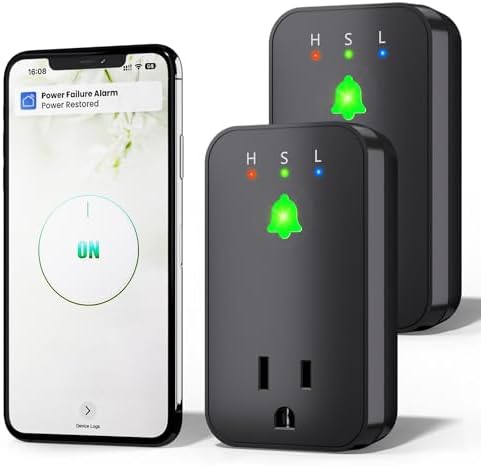
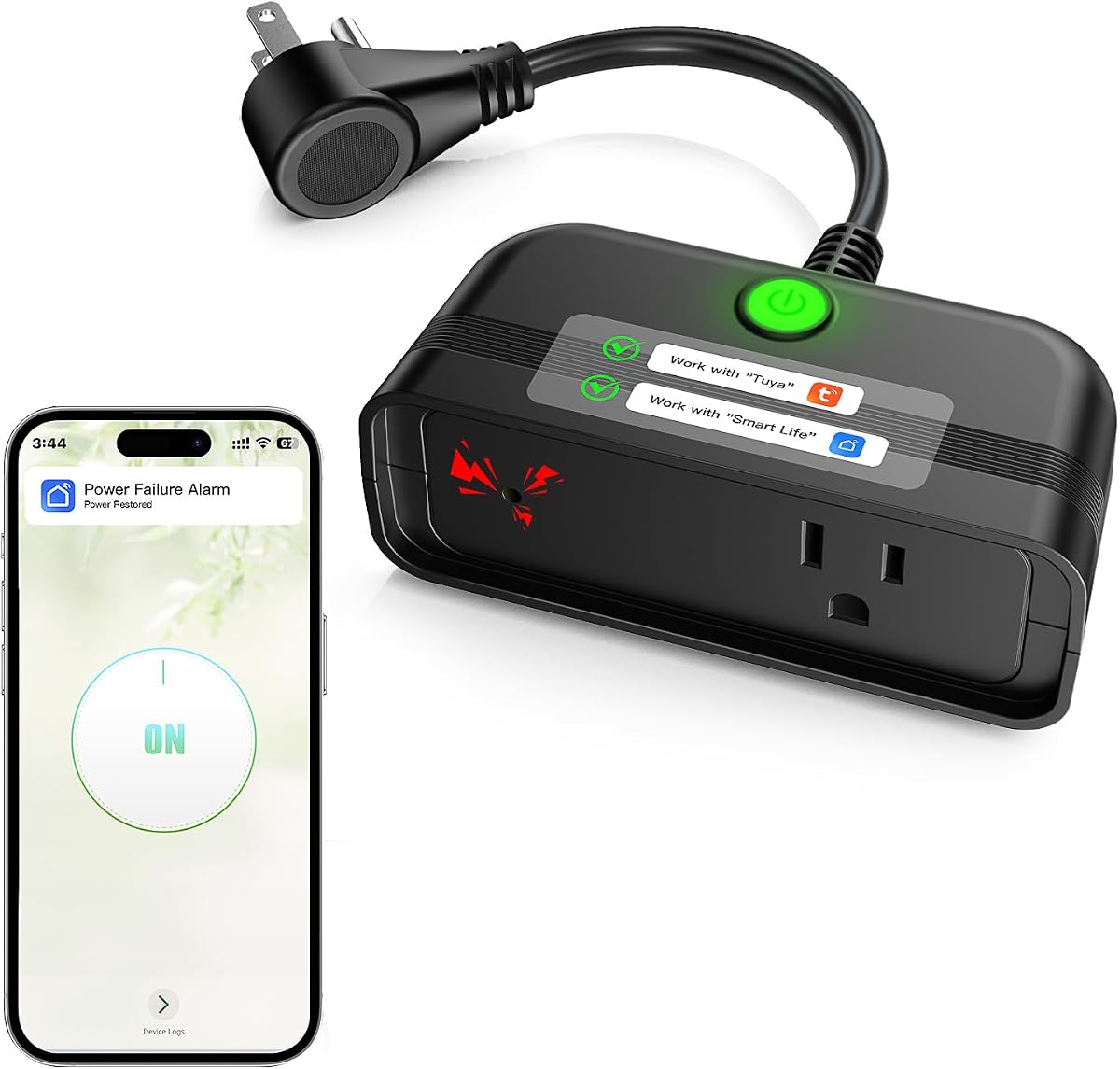


This device stands out as the top choice for users who want reliable alerts without relying on third party apps. It offers direct SMS and email notifications alongside a loud local alarm to ensure you never miss a power failure event.
We may earn a commission when you buy through this link, at no additional cost to you.
Its engineered design in the USA ensures high reliability with a backup battery that lasts up to five years. The detection speed is quick, often identifying outages within seconds, and it sends restoration alerts as well to keep you informed.
The main trade off is that it only works with 2.4GHz WiFi networks which might limit placement in some setups. However, this limitation ensures compatibility with most standard routers and avoids complex configuration steps for the average user.
If you need a set and forget solution that works independently of smart home hubs, this is the best option. It provides peace of mind through multiple communication channels and robust hardware designed for long term use.
Unlike many competitors, this device sends text messages directly to your phone without requiring a dedicated app to be open or logged in.
The built in battery is designed to last over five years under typical usage, reducing maintenance needs and ensuring continuous monitoring.
We may earn a commission when you buy through this link, at no additional cost to you.
This alarm integrates with the popular Smart Life and Tuya apps making it easy to set up for users already familiar with these platforms. It provides free app notifications when power is lost and restores a loud siren for local alerts.
We may earn a commission when you buy through this link, at no additional cost to you.
The device features an extended socket which allows you to plug another appliance into it without taking up extra outlet space. This is particularly useful for monitoring fridges or freezers where space is often limited.
A drawback is that while app notifications are free, additional text or email settings require a subscription fee. This might be a consideration for those who want multiple alert types without paying extra monthly costs.
Overall it is a solid choice for budget conscious buyers who prioritize app integration and space saving design. The adjustable volume and long alert duration add value to its core functionality.
The mini appearance ensures it does not block adjacent outlets, and the extended socket allows for additional plug in devices.
Connecting via Smart Life or Tuya allows users to monitor power status remotely through a well established smart home interface.
We may earn a commission when you buy through this link, at no additional cost to you.
This model is specifically marketed for freezer monitoring but works well for any critical appliance like a fridge or aquarium. It uses the same Smart Life or Tuya apps as other models in this category for seamless connectivity.
We may earn a commission when you buy through this link, at no additional cost to you.
It includes a loud 110dB alarm that can be adjusted to three levels ensuring you can hear it from various distances in your home. The device also features an extended socket to save space while monitoring.
Similar to other models in this range text and email alerts require a subscription if you want more than push notifications. This keeps the base cost low but limits advanced alert options for non subscribers.
For households needing to protect food during outages this device offers a reliable and affordable solution. Its compatibility with popular smart home apps makes it an accessible choice for many users.
Ideal for monitoring freezers and fridges to prevent food spoilage by alerting you immediately when power is lost.
The loud siren can be adjusted to suit your home environment ensuring alerts are heard without being overly disruptive.
We may earn a commission when you buy through this link, at no additional cost to you.
A unique feature of this alarm is the ability to remotely cancel alerts through the app which is helpful if you know the outage is temporary. It also offers two expandable sockets to manage more devices in one spot.
We may earn a commission when you buy through this link, at no additional cost to you.
The device supports three different siren sounds and volume adjustments giving you flexibility in how you are alerted locally. It connects via the Smart Life or Tuya apps for standard push notifications.
The alert duration is capped at 10 hours which is slightly less than some competitors but should be sufficient for most residential outages. Text and email alerts still require a subscription fee beyond the free app notifications.
This is a good choice if you need more outlet space or remote control over the alarm state. The ability to stop the alarm from your phone adds convenience during longer events.
You can cancel the alert remotely via the app preventing noise issues when you are aware of the outage situation.
With two expandable sockets this alarm can handle more appliances at once reducing outlet clutter.
We may earn a commission when you buy through this link, at no additional cost to you.
Buying a two pack provides excellent value if you need to monitor multiple areas such as a freezer and a sump pump. Each unit offers the same functionality as the single unit models with app notifications via Smart Life or Tuya.
We may earn a commission when you buy through this link, at no additional cost to you.
Each alarm has an extended socket to save space and a loud 110dB siren with adjustable volume. The built in battery ensures alerts continue even if power is lost for up to 12 hours.
As with other models in this family text and email alerts require an additional subscription. However the base app notifications are free making it a cost effective way to secure multiple points in your home.
This bundle is ideal for homeowners who want redundancy or coverage in different rooms. The price per unit is lower than buying individually making it a smart investment for broader protection.
Get protection for multiple appliances with a discounted bundle that covers more ground without extra wiring.
Both units share the same reliable app connectivity and local siren features ensuring consistent performance.
We may earn a commission when you buy through this link, at no additional cost to you.
This unit is designed for outdoor monitoring making it perfect for irrigation systems or pond pumps. It features a weatherproof design that can withstand outdoor conditions while still providing app alerts when power fails.
We may earn a commission when you buy through this link, at no additional cost to you.
The device has a mounting hole so you can hang it on a wall to avoid leaving it on the floor. It also works indoors for standard appliances like refrigerators or fireplaces offering versatile placement options.
It runs on a built in battery that supports up to 12 hours of alarm time during outages. Text and email alerts require a subscription but the app notifications are free to use.
For outdoor equipment monitoring this is a rare option that combines weather resistance with smart notifications. Its versatility makes it a strong candidate for comprehensive property coverage.
The upgraded weatherproof design allows outdoor use to monitor irrigation or lighting without worrying about weather damage.
Mounting holes and a compact build allow flexible installation locations both inside and outside the home.
We may earn a commission when you buy through this link, at no additional cost to you.
The Power Pal monitors power at your location and sends text or email alerts without needing an app to be opened. It works even if no devices are connected to it acting as a standalone power monitor.
We may earn a commission when you buy through this link, at no additional cost to you.
Its compact design saves space and it plugs into any standard outlet. The setup is simple with no hub or monthly fees required for the text and email notifications.
User feedback is mixed compared to other models so reliability might vary. However it offers a straightforward way to get notified about power issues without smart home complexity.
If you want a simple device that sends texts directly without using an app this is a viable choice. It fits well in environments where minimal setup is preferred over advanced features.
No app or hub is required to receive notifications making setup a straightforward plug and play experience.
The device monitors power at the location itself so it works even without other appliances plugged in.
We may earn a commission when you buy through this link, at no additional cost to you.
This model is highly rated for its reliability in freezer monitoring and app based alerts. It offers free push notifications through Smart Life or Tuya and includes a loud siren for local awareness.
We may earn a commission when you buy through this link, at no additional cost to you.
The extended socket feature allows you to plug in another device without blocking outlets. The siren volume can be adjusted to three levels giving control over how loud the alarm is.
Text and email features require a subscription but basic app alerts are free. The device has a 12 hour battery backup to keep alerting during long power outages.
With a high user rating it is a trusted choice for protecting valuable items from spoilage. Its design balances simplicity with enough features to handle typical home scenarios.
Users report consistent performance in keeping them informed about power losses in critical appliances.
Free app notifications reduce ongoing costs while still providing timely remote updates.
We may earn a commission when you buy through this link, at no additional cost to you.
This alarm uses a dual layer warning system with app notifications and a loud local siren plus a flashing LED. It is designed to ensure alerts are never missed whether you are home or away.
We may earn a commission when you buy through this link, at no additional cost to you.
A manual reset is required after a power interruption which prevents the alarm from being silenced remotely by mistake. This security feature ensures that alerts are always acknowledged by someone physically present.
The device supports 12 hours of continuous alarm volume with a built in rechargeable battery. Setup is easy via the Smart Life or Tuya apps with no hub required for operation.
If you prioritize safety and need a reminder that cannot be accidentally skipped this model is excellent. Its design ensures critical alerts are always handled with care.
Manual reset prevents accidental silencing ensuring critical alerts are always acknowledged by a person.
The 12 hour battery coverage provides long duration alerts for extended outages without interruption.
We may earn a commission when you buy through this link, at no additional cost to you.
This alarm supports up to 15 amps making it compatible with high power devices like furnaces or dehumidifiers. It monitors voltage in real time and sends alerts via the Smart Life app when issues occur.
We may earn a commission when you buy through this link, at no additional cost to you.
It features a 110dB siren combined with an LED flash to alert you locally. The battery backup ensures alerts continue for up to 12 hours if power is lost.
The device requires a manual cancel or auto release when power returns. Text and email features need a subscription but the app notifications remain free to use.
For heavier appliances that need a robust monitor this unit offers the necessary power handling. It is a strong option for protecting large household systems during outages.
Supporting up to 15 amps allows monitoring of heavy duty appliances that smaller devices cannot handle.
Real time voltage monitoring helps detect not just outages but also potential electrical issues.
We may earn a commission when you buy through this link, at no additional cost to you.
Selecting the right power outage notification device involves understanding several key factors that impact how you receive alerts and how reliable the device is.
Different devices offer various alert methods such as push notifications via apps, SMS text messages, emails, or audible alarms. SMS and email alerts are generally more reliable than app notifications if you do not keep your phone logged in or have data issues during an outage.
Prioritize models that support direct SMS or email if you need guaranteed delivery without depending on a smartphone app being active.
Most smart alarms require a 2.4GHz WiFi connection rather than 5GHz networks which are faster but have shorter range. If your router only broadcasts 5GHz, the device may not connect properly.
Check your home network setup and choose a device that matches your router capabilities to ensure consistent connectivity.
When power is lost the device needs internal battery to send alerts. Batteries vary from 12 hours to several years depending on the model and usage. A longer battery ensures alerts are sent during extended outages.
Look for models with at least 12 hours of battery life to cover most residential power failures effectively.
A loud local siren is important if you are home during an outage to wake you up or notify others. Volumes range from 85dB to 110dB with adjustable levels being a useful feature.
Choose a device with adjustable volume to balance alert strength with comfort especially at night.
Some alarms work with ecosystems like Smart Life or Tuya allowing integration with other smart devices. This can provide a unified interface for monitoring your home.
If you already use these platforms selecting a compatible device simplifies your setup and control.
While many devices offer free app notifications SMS and email alerts may require a monthly subscription. This cost can add up over time so factor it into your decision.
Review the pricing model before buying to ensure you are comfortable with any ongoing fees for advanced alerts.
Some models include an extended socket so they do not block the outlet you plug them into. This is particularly useful for tight spaces like behind a fridge.
Select a compact design with an extra socket if you want to maximize outlet usage.
A reliable device should detect outages quickly and send restoration alerts too. Customer support and reviews can indicate how well the product holds up over time.
Check user feedback and warranty details to ensure the device is supported long term.
Begin by plugging the device into a standard outlet near the appliance you wish to monitor. Ensure your phone is connected to the same 2.4GHz WiFi network for initial setup.
Download the required app if needed and follow the in app instructions to pair the device. Test the system by simulating a power loss if possible to confirm alerts are received.
Regularly check that the device has internet access and update firmware if the app prompts it. Keep the area around the device clear to prevent overheating or physical damage.
Most devices need a WiFi connection to send remote alerts. If the router loses power a backup power supply for the router is recommended. However, local alarms will still sound even if WiFi is unavailable.
If you want guaranteed notifications choose SMS or email if available. App notifications are free but may be missed if your phone is offline or logged out. Consider your personal habits when selecting.
Only specific models have weatherproof designs suitable for outdoor use. Check the product specifications for weather resistance ratings before placing a device outside or in a garage.
Battery duration varies by model. Some last 12 hours per power loss while others have batteries that last years. Read the product details to find the battery capacity that fits your needs.
Most devices connect directly to your home WiFi without needing a separate hub. Apps like Smart Life or Tuya act as the interface for notifications and setup.
The device typically detects restoration and sends an alert. Some models automatically silence alarms while others require a manual cancel. Check the specific behavior before purchasing.
Some models charge for SMS or email alerts while app notifications are free. Always review the subscription details to avoid unexpected monthly costs.
We have reviewed ten top devices that offer varying levels of alert reliability and features. The top picks provide options for those needing direct SMS alerts, app integration, or outdoor durability.
Prioritize devices that offer the alert channels you trust most. A local siren combined with remote notifications provides the best security for your appliances and peace of mind.
Prices and specs can change so verify details on the product pages before buying. With the right notification device you can stay informed and protect your home effectively during power outages.