
ASUS ROG Rapture GT-BE98 Pro
4.3Editor score
30Gbps quad-band performance
Dual 10G and quad 2.5G ports
Triple-Level Game Acceleration
Compare the top 10 ASUS WiFi routers for 2026, featuring models, speeds, security, and mesh capabilities to find your perfect home or office network solution.
Finding the right wireless router is essential for modern connectivity. ASUS offers a wide range of reliable devices for every need.
We compared ten top ASUS models based on speed, features, security, and user ratings to help you choose the best option.
Each pick highlights key strengths and trade-offs. Prices fluctuate frequently, so check current listings before making a final decision.
4.3Editor score
4.0Editor score

4.3Editor score
This table provides a quick side-by-side overview of all ten ASUS routers, highlighting their key technical specifications and standout features for easy comparison.




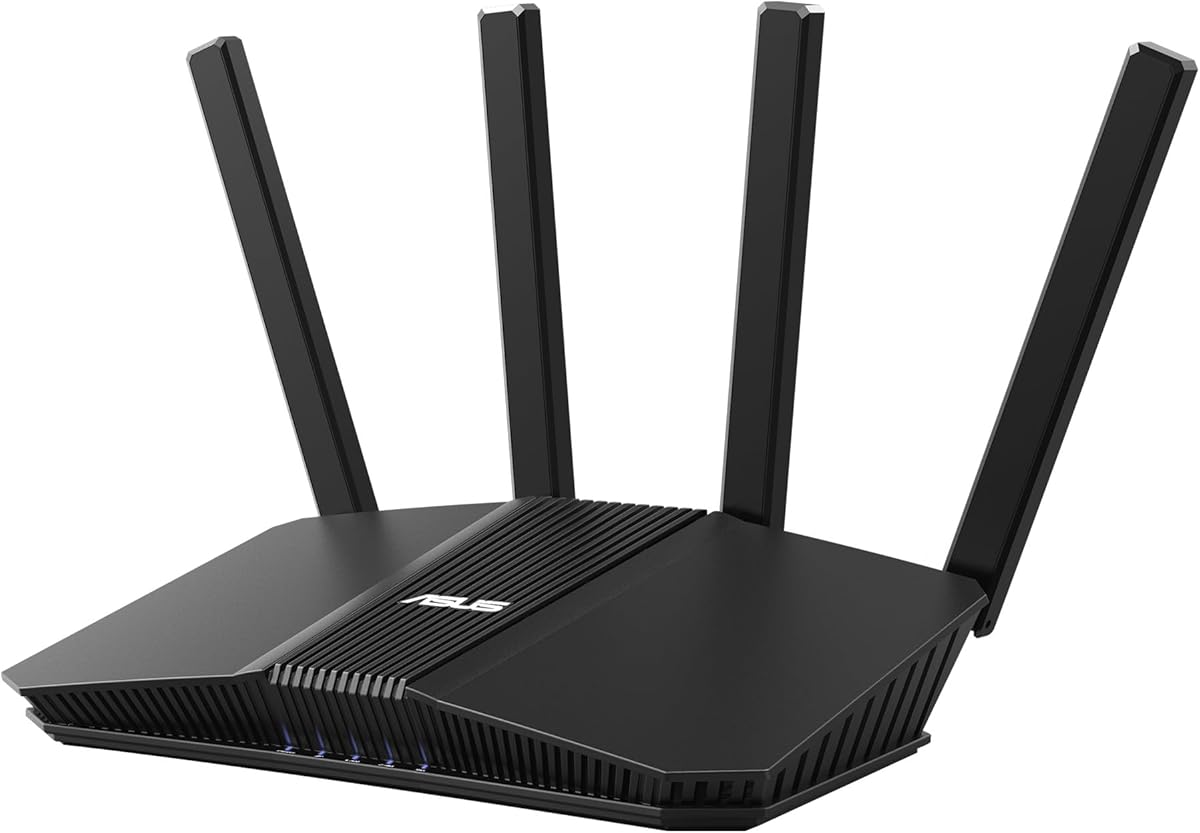
The ASUS RT-BE58U stands out as a top-tier router for users seeking next-generation connectivity. With a solid 4.0 rating, it delivers reliable WiFi 7 speeds and robust security features that appeal to modern households.
We may earn a commission when you buy through this link, at no additional cost to you.
Its beyond-fast WiFi 7 standard supports speeds up to 3.6 Gbps using 4096-QAM. Multi-link operation ensures smooth connections across bands, while versatile WAN options like USB tethering keep you online even if the main line fails.
While it commands a higher price, the inclusion of AiProtection Pro and Smart Home Master adds significant value. The main trade-off is that you need compatible devices to fully exploit its top-end throughput.
This router is ideal for tech-forward users or small offices needing redundancy and high throughput. If you want future-proof performance with strong security, the RT-BE58U is a smart choice.
WiFi 7 provides significantly improved throughput and efficiency. Multi-link operation ensures your devices stay connected smoothly even in crowded wireless environments.
AiProtection Pro from Trend Micro offers ongoing network protection without subscriptions. Smart Home Master makes setting up IoT devices and managing networks effortless.
We may earn a commission when you buy through this link, at no additional cost to you.
For serious gamers and power users, the ROG Rapture GT-BE98 Pro is the ultimate networking powerhouse. Its 4.3 rating reflects exceptional performance in demanding environments where every millisecond counts.
We may earn a commission when you buy through this link, at no additional cost to you.
This router supports WiFi 7 with speeds reaching 30 Gbps across quad-bands. Dual 10G Ethernet ports ensure wired devices get maximum speed. Triple-Level Game Acceleration optimizes traffic end-to-end for minimal lag.
While the price is steep, the combination of massive bandwidth and gaming tools justifies it for enthusiasts. The main limitation is cost if you do not need such extreme performance or wired connectivity.
Choose this if you run a high-end home lab or gaming setup. It provides the fastest wireless and wired speeds currently available from ASUS, making it the best premium option.
With 30 Gbps total throughput and 320MHz channels, this router handles heavy loads effortlessly. It is designed for those who need the absolute fastest speeds available.
Triple-Level Game Acceleration prioritizes gaming packets to reduce latency. External antennas enhance signal strength to ensure your console or PC stays connected reliably.
We may earn a commission when you buy through this link, at no additional cost to you.
The RT-AX1800S offers incredible value for budget-conscious buyers wanting reliable WiFi 6 performance. Its 4.3 rating highlights consistent performance and strong feature set at a low price point.
We may earn a commission when you buy through this link, at no additional cost to you.
It supports MU-MIMO and OFDMA for efficient multi-device handling. Five Gigabit ports provide ample wired connectivity. AiProtection Classic and built-in VPN protect your network without ongoing fees.
While it lacks the raw speed of WiFi 7, it covers most home needs well. The trade-off is future-proofing, as WiFi 6 may become outdated sooner than newer standards.
This router is perfect for standard homes and streaming setups. If you need dependable connectivity and security without overspending, the RT-AX1800S is the best budget choice.
OFDMA and MU-MIMO allow the router to communicate with multiple devices simultaneously. This improves overall network efficiency when several users are online.
AiProtection Classic provides essential threat detection and parental controls. The built-in VPN feature lets you securely access your home network from anywhere.
We may earn a commission when you buy through this link, at no additional cost to you.
The RT-BE92U brings tri-band power to the home with solid 4.0 performance ratings. It balances speed and versatility, making it suitable for households with many connected devices.
We may earn a commission when you buy through this link, at no additional cost to you.
WiFi 7 tri-band technology supports up to 9.7 Gbps. Dual WAN configuration ensures always-on internet via detection. Smart Home Master simplifies IoT management and network segmentation easily.
It is a strong mid-tier option for those needing extra capacity without full premium costs. The downside is the learning curve for advanced WAN and SSID features.
Buy this if you need more bandwidth than dual-band offers. It delivers reliable tri-band speeds and modern security for a growing smart home environment.
Adding a 6 GHz band reduces interference and congestion. This allows high-bandwidth tasks to run smoothly alongside daily browsing.
Smart Home Master lets you segment IoT devices into separate SSIDs. This improves security and performance by isolating different device types.
We may earn a commission when you buy through this link, at no additional cost to you.
The ZenWiFi BT10 provides comprehensive whole-home WiFi 7 coverage. With a 3.4 rating, it offers excellent range but may need optimization for best performance in very large setups.
We may earn a commission when you buy through this link, at no additional cost to you.
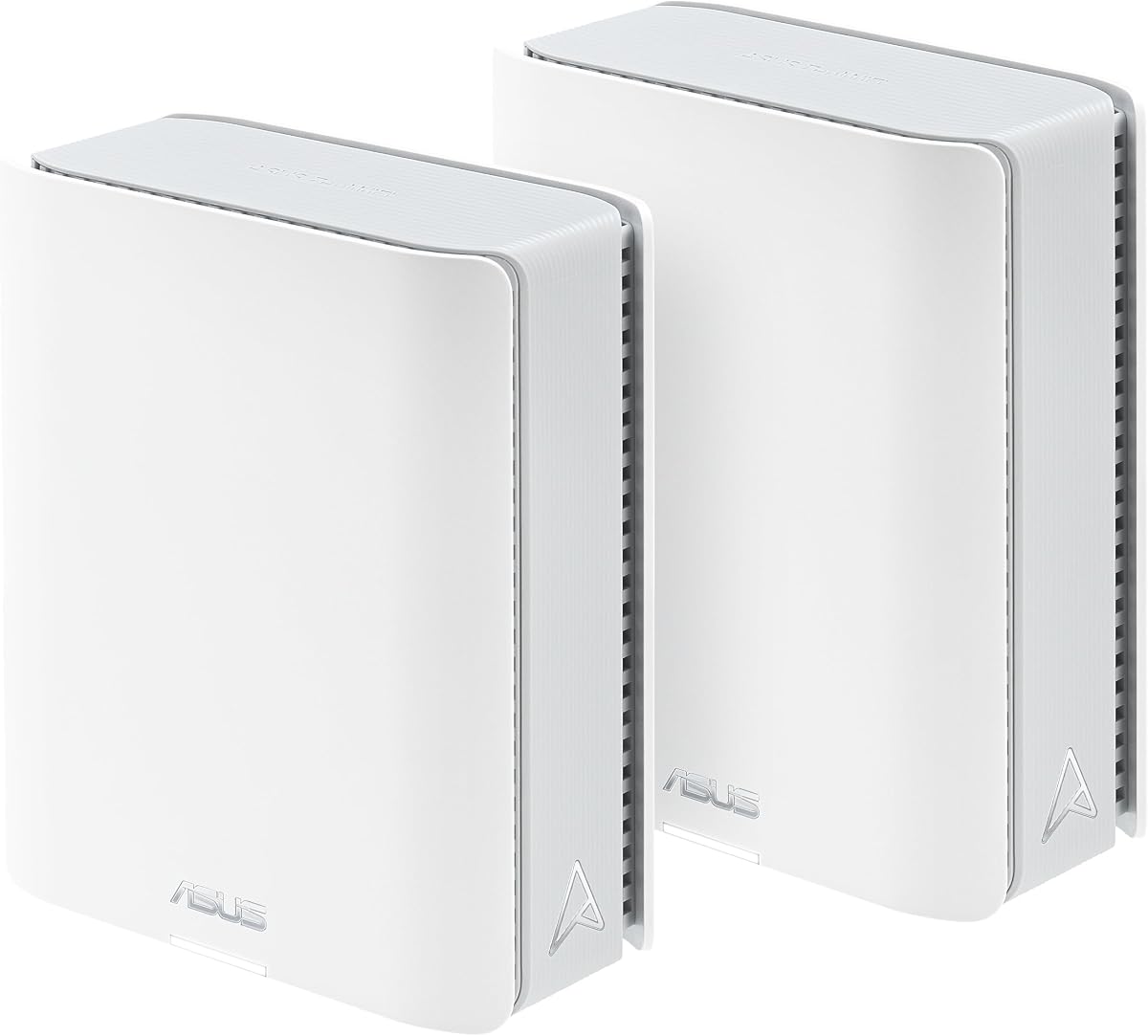
It supports up to 18 Gbps speeds across tri-band connections. The 2-pack covers up to 6000 sq ft. Dual 10G ports enable super-fast wired connections for devices like PCs or NAS.
While it delivers extensive range, the rating suggests some variability in real-world usage. The trade-off is cost and configuration complexity for larger properties.
Choose this for sprawling homes needing consistent coverage. If you want high-speed mesh networking across multiple floors, the BT10 is an effective solution.
Tri-band connectivity supports up to 6000 sq ft coverage in a two-pack. AI-powered AiMesh ensures devices roam seamlessly between nodes.
Dual 10G ports enable ultra-fast connections for critical devices. Multi-WAN allows USB tethering as a backup for reliable internet access.
We may earn a commission when you buy through this link, at no additional cost to you.
The RT-AX82U combines gaming performance with eye-catching aesthetics. Its 4.4 rating reflects reliable speeds and appealing RGB lighting that gamers love.
We may earn a commission when you buy through this link, at no additional cost to you.
WiFi 6 delivers up to 5.4 Gbps with 160MHz channels. Mobile Game Mode minimizes lag for phone gamers. Aura RGB lets you customize lighting to match your setup.
While renewed products may lack original packaging, performance remains strong. The trade-off is limited warranty compared to new units and app dependency for mobile features.
This is great for gamers wanting style and speed. If you value RGB lighting and solid wireless performance, the RT-AX82U is a fun pick.
Mobile Game Mode reduces latency for smartphone gaming. The dedicated port and mobile boost features enhance connection stability for players.
Aura RGB lighting offers many effects you can choose and customize. This adds a personalized touch to your gaming space.
We may earn a commission when you buy through this link, at no additional cost to you.
The ZenWiFi BT8 provides compact WiFi 7 mesh coverage for medium homes. With a 4.0 rating, it offers reliable performance and seamless integration with existing networks.
We may earn a commission when you buy through this link, at no additional cost to you.
It delivers tri-band speeds up to 14 Gbps. Seven internal antennas help eliminate dead zones. AiMesh support ensures compatibility with other ASUS routers for scalability.
While ideal for apartments or smaller houses, it may need more units for larger coverage. The trade-off is limited range compared to full mesh kits.
Select this for compact setups or as an extender. If you want WiFi 7 benefits without full system costs, the BT8 is a smart choice.
AI-powered Smart AiMesh makes expanding networks easy. Compatible routers work together to ensure seamless whole-home WiFi.
Seven antennas and front-end modules reduce dead zones. This ensures consistent signal strength throughout the covered area.
We may earn a commission when you buy through this link, at no additional cost to you.
The RT-AX3000 is a highly rated workhorse for everyday users. Its 4.5 score indicates reliability and solid WiFi 6 performance for standard home networks.
We may earn a commission when you buy through this link, at no additional cost to you.
It offers up to 3 Gbps with 160MHz bandwidth. The USB 3.0 port allows file sharing over the network. Adaptive QoS prioritizes critical traffic to maintain performance.
It is simple but effective for most needs. The trade-off is less future-proofing compared to newer high-end models.
Buy this for reliable coverage without extra cost. If you need a stable router with storage sharing, the RT-AX3000 is a great value.
This router delivers consistent speeds and coverage for most households. Adaptive QoS ensures gaming or streaming stays smooth.
USB 3.0 lets you attach storage for network file access. This adds media streaming capability without needing extra hardware.
We may earn a commission when you buy through this link, at no additional cost to you.
The RT-AC68U is a classic model with enduring popularity. Its 4.5 rating shows consistent performance even by today's standards.
We may earn a commission when you buy through this link, at no additional cost to you.
It supports AC1900 speeds with dual-core processing. Five Gigabit ports offer ample wired connections. AiProtection Pro secures the network with advanced protection.
While not WiFi 6, it remains strong for budget or legacy needs. The trade-off is slower wireless speeds compared to modern routers.
Choose this for straightforward, reliable connectivity. If you need a stable router for basic tasks, the RT-AC68U delivers.
A 1GHz dual-core CPU allows smart multitasking. Separate lanes for Wi-Fi and USB data improve performance.
AiProtection Pro offers multi-stage protection for devices. Parental controls let you manage family usage easily.
We may earn a commission when you buy through this link, at no additional cost to you.
The ExpertWiFi EBR63 targets small business needs with 4.2 reliability. It offers features like custom guest portals and VLANs for professional environments.
We may earn a commission when you buy through this link, at no additional cost to you.
It supports up to five SSIDs for device separation. Backup WAN via USB keeps you online. Free AiProtection Pro secures the environment against threats.
While powerful, some features may be unnecessary for home use. The trade-off is specialized design tailored for commercial users.
Select this for offices or retail spaces. If you need secure guest access and remote management, the EBR63 fits well.
Customize guest portals with brand names and templates. This enhances professionalism for customers or visitors.
Up to five SSIDs let you separate usage scenarios. VLANs provide additional security and management control.
We may earn a commission when you buy through this link, at no additional cost to you.
Selecting the right router involves understanding your needs. This guide explains key factors to consider when choosing an ASUS router for your environment.
WiFi standards define speed and efficiency. WiFi 6 and WiFi 7 offer better multi-device performance and higher throughput than older AC models. Choose newer standards if you need future-proofing.
Look for models supporting 802.11ax or 802.11be for best results.
Dual-band routers use 2.4GHz and 5GHz bands. Tri-band adds a 6GHz band to reduce congestion. Total speed ratings indicate theoretical maximums, not real-world performance.
For high-speed needs, prioritize tri-band or higher total throughput models.
Check the number and speed of LAN ports. Five Gigabit ports offer flexibility for wired devices. For power users, 10G ports deliver faster wired connections.
Ensure the router has enough ports to match your device setup.
AiProtection Pro provides network security and parental controls. Some models include built-in VPN or guest networks for added safety. Avoid routers without subscription-free protection.
Prioritize models with free security and easy management tools.
AiMesh allows multiple routers to form a single network. This extends coverage across large homes. Ensure compatibility with other ASUS models if you plan to expand.
Choose routers with AiMesh support for scalable networks.
Gaming routers offer acceleration and low latency tools. Features like dedicated ports and mobile boost enhance performance. Not all users need these specialized options.
Look for game acceleration if online gaming is a priority.
Dual WAN provides internet failover using USB or multiple ports. This keeps you online if one connection fails. Useful for businesses or remote work setups.
Consider Dual WAN if you need constant internet access.
Modern routers offer app-based setup and control. Web interfaces allow detailed configuration. Easy setup saves time and simplifies troubleshooting.
Choose intuitive interfaces to manage your network efficiently.
Start by connecting the modem to the WAN port and power on the router. Use the ASUS Router app or web interface to set up your network and credentials.
Place the router centrally in your home or office for best coverage. Avoid placing it near walls or metal objects that can block signals.
Update firmware regularly to maintain security and performance. Restart the router occasionally to clear caches and ensure stable connections.
WiFi 7 supports newer standards with higher speeds and reduced latency. It introduces features like Multi-link Operation and wider channels. WiFi 6 is more affordable but less future-proof than WiFi 7.
AiMesh works best with compatible ASUS routers. You can add ASUS extenders or other AiMesh models to expand your network. Non-ASUS devices may not integrate seamlessly.
Many ASUS models offer game acceleration and low latency tools. Dedicated gaming routers include features like Triple-Level Game Acceleration. These enhance connection stability for online play.
Yes, but business models offer VLANs and guest portals. Home routers focus on ease of use. Choose based on security and management needs.
Use AiMesh compatible extenders to add coverage. Place them halfway between the router and dead zones. Multiple nodes ensure seamless connectivity.
Yes, it is subscription-free for ASUS routers. It includes threat detection and parental controls. This provides ongoing security without extra fees.
The RT-BE58U, ROG GT-BE98 Pro, and RT-AX1800S stand out as top picks for various needs. Each offers distinct benefits from speed to value.
Prioritize your usage requirements when selecting a model. Consider speed, security, and coverage to match your home or business setup.
Prices for these routers fluctuate regularly. Always check current listings and promotions before purchasing to get the best deal available today.