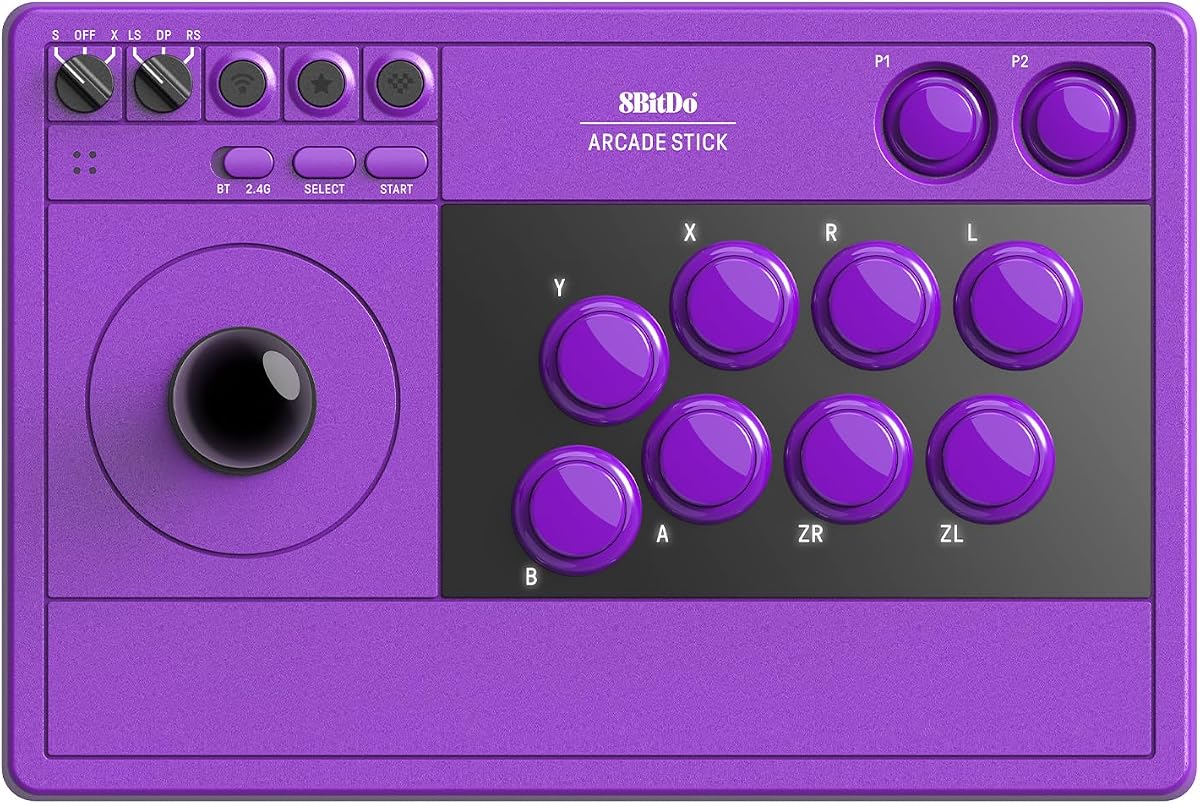
8BitDo Arcade Stick for Switch 2, Switch and Windows PC, Purple
4.7Editor score
Tempered Glass Faceplate
Dynamic Button Layout
Ultimate Software Support
This guide compares the top 10 arcade fight sticks for Switch 2, evaluating connectivity, build quality, customization options, and compatibility for serious
Finding the right arcade fight stick for Switch 2 can transform your gaming experience. A high-quality stick offers precise inputs and durable components essential for competitive play.
We evaluated ten leading models based on connectivity options, build materials, and software support. Each product was analyzed for its suitability with the latest console hardware.
Every pick highlights key features and potential trade-offs to help you decide. Note that prices and availability may change frequently, so check current listings before purchasing.
4.7Editor score

4.6Editor score

4.5Editor score
Below is a detailed side-by-side comparison of all ten products. This table helps you quickly identify which stick matches your specific needs and platform requirements.




This stick stands out for its versatility and compatibility with both Switch and Windows systems. It features a dynamic button layout that changes visually based on the mode you are using. This makes switching between platforms seamless without confusion.
We may earn a commission when you buy through this link, at no additional cost to you.
The inclusion of ultimate software allows for deep customization of button mapping and macros. Users can create complex combos easily. The receiver is stored safely inside a hidden compartment which adds a touch of thoughtful design to the package.
While it is slightly more expensive than some alternatives, the build quality justifies the cost. The universal mounting plate allows you to swap parts later if you want to modify it. It is a solid choice for both casual and competitive players.
We recommend this stick for anyone who wants reliability across multiple devices. It handles competitive play well. The battery life is decent for wireless use. Overall it delivers a premium experience.
Switch easily between Switch and PC with the automatic layout change feature that updates labels in real time.
The universal mounting plate supports standard arcade parts making it easy to upgrade the joystick or buttons later.
We may earn a commission when you buy through this link, at no additional cost to you.
The F300 is an excellent entry point for players wanting arcade controls without spending a fortune. It supports a massive range of consoles including Switch 2. The support for Sanwa parts means you can upgrade the feel over time.
We may earn a commission when you buy through this link, at no additional cost to you.
It supports both XINPUT and DINPUT on PC which is crucial for game compatibility. Turbo functions are included with different speed settings. This helps with fast inputs in classic games where timing is everything.
The build is basic but functional for the price. It lacks wireless connectivity but the wired connection is stable. There is a learning curve with modes but once set up it works well for most titles.
This stick is perfect for beginners or those on a tight budget. It gets the job done for competitive matches. The compatibility list is impressive for the cost. It remains a top budget choice.
Designed to work with standard Sanwa buttons and joysticks allowing you to customize the feel without buying a new stick.
Supports both XINPUT and DINPUT modes ensuring it works with almost any game on your Windows PC setup.
We may earn a commission when you buy through this link, at no additional cost to you.
This model offers an impressive battery life that lasts up to forty hours on 2.4G connections. It is designed with a universal joystick mounting plate so you can swap parts easily. The layout changes dynamically when you switch modes which helps accuracy.
We may earn a commission when you buy through this link, at no additional cost to you.
Two dedicated macro buttons allow for quick access to complex moves. The software is intuitive and allows profile switching for different games. It includes a turbo function and button swap options for versatility. The charging time is also quite fast.
The build feels heavier and more substantial which can be a pro or con. It costs more than basic models. But the battery performance makes it worth it for long gaming sessions. You will not need to charge often.
We recommend this for marathon sessions. The battery efficiency is rare in fight sticks. The moddability adds long term value. It is a high performance wireless option.
The optimized battery management system allows for extended play times without frequent interruptions for charging.
Save multiple controller profiles and switch between them instantly for different games or play styles.
We may earn a commission when you buy through this link, at no additional cost to you.
This version features a tempered glass faceplate that provides a sleek and durable finish. It is explicitly compatible with Switch 2 ensuring future proofing for your setup. The design looks modern and premium. You can save controller profiles for different games easily.
We may earn a commission when you buy through this link, at no additional cost to you.
Customization is easy with ultimate software support for button mapping and macros. The turbo function helps with rapid inputs. The hidden compartment keeps the receiver safe. The dynamic button layout refreshes when modes change.
The higher price point reflects the materials used. It is not the largest stick but it is sturdy. The battery is solid and the USB-C connection is reliable. It is a great choice for competitive players.
We suggest this for those wanting a premium look. The glass plate is scratch resistant. It handles high intensity play. The Switch 2 compatibility is a key feature. It is a top end choice.
The tempered glass faceplate offers a smooth feel and resistant finish that withstands heavy use.
Dedicated macro buttons let you save complex combos for quick access during intense gameplay.
We may earn a commission when you buy through this link, at no additional cost to you.
The Saitake stick includes a display screen and encoder which is rare in this category. It supports eight languages and has volume control on the stick. The 3.5mm audio jack allows for headset use. This adds utility beyond just fighting games.
We may earn a commission when you buy through this link, at no additional cost to you.
It has a 1000mAh rechargeable battery for extended usage time. You can record up to eighteen keystrokes for macros. The turbo modes are versatile. The receiver is hidden securely on the back for safety.
The interface might be complex at first but it is powerful. It is heavier due to the extra features. The brightness adjustment is useful in different lighting. It offers unique features not found elsewhere.
This is best for users wanting extra functionality. The display and audio jack are convenient. It works across many platforms. It is a feature rich option for tech savvy gamers.
The built-in display screen provides real-time status updates and settings adjustments without needing a computer.
A standard 3.5mm headphone jack lets you connect headsets for audio without using a console cable.
We may earn a commission when you buy through this link, at no additional cost to you.
This stick is designed specifically for fighting games on platforms like PS5 and Switch. It supports wired headsets for chat which is great for online matches. The firmware can be updated to ensure Switch 2 compatibility via Bluetooth. It is robust.
We may earn a commission when you buy through this link, at no additional cost to you.
Sanwa parts are supported so you can customize the feel easily. It is not compatible with Xbox consoles which is a limitation. The turbo functions work well for rapid inputs. The design is straightforward and durable.
The focus on fighting games means it lacks some general features. It does not work with other game types. The headset output is a nice touch for tournaments. It is solid for serious players.
We recommend this if you play mostly fighting games. The compatibility list is extensive for Sony and Switch. It is a reliable wired and wireless option. It handles competitive play well.
Built-in support for wired headsets allows online chat and background music output on compatible consoles.
Optimized for fighting titles like Tekken and Street Fighter to ensure precise inputs and minimal latency.
We may earn a commission when you buy through this link, at no additional cost to you.
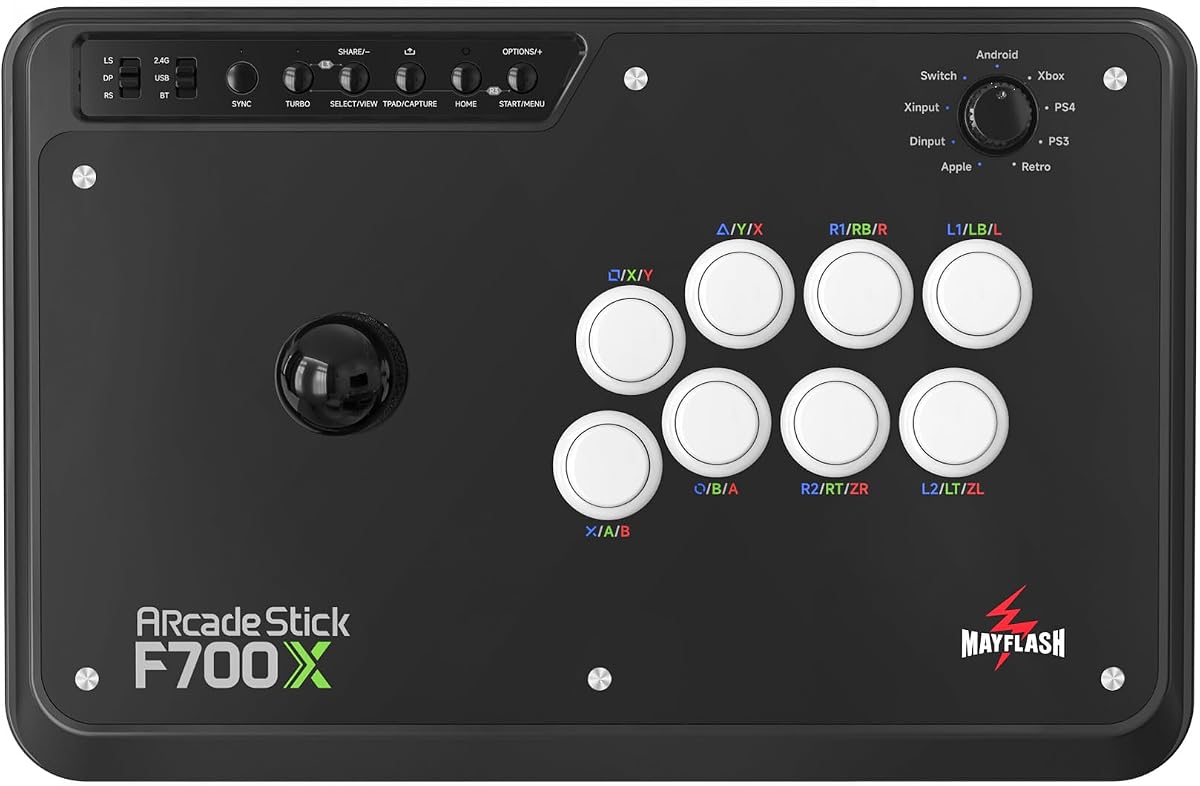
The F700 Elite comes with high quality Sanwa components for superior feel. The anti-slip rubber mat ensures the stick stays in place. You get eight responsive buttons and a precision joystick. This setup is ideal for competitive play.
We may earn a commission when you buy through this link, at no additional cost to you.
It supports wireless via Bluetooth and 2.4G receiver. The firmware is updated to work with Switch 2. You can adjust turbo speeds for different needs. The build is heavy and stable on any surface.
The price is higher than the standard F700 due to the included parts. It does not support Xbox Series S X. The wireless options provide flexibility for tournament or home play. It is very responsive.
We suggest this for serious competitors. The included Sanwa parts save you extra cost. The build quality is excellent. It is a premium choice for fighting games.
Pre-installed Sanwa buttons and joystick offer a premium tactile experience right out of the box.
A full size anti-slip rubber mat keeps the fighting stick firmly in place during intense matches.
We may earn a commission when you buy through this link, at no additional cost to you.
This stick is designed for Xbox Series X S and supports a wide range of other platforms. It is not compatible with PS5 which is a key distinction. The Sanwa parts compatibility makes it easy to customize. It is a solid choice for Xbox users.
We may earn a commission when you buy through this link, at no additional cost to you.
You can use wired headsets for chat and audio. The turbo functions are versatile. The receiver is stored safely. The firmware updates ensure it works with Switch 2. It is functional and practical.
The rating is slightly lower than other models. It does not support PS5 wireless. The build is standard. It is a good option if you need Xbox specific support. It covers the main bases.
We recommend this primarily for Xbox owners. The compatibility list fits your setup. It is reliable for fighting games. It handles online play well.
Specifically designed for Xbox Series X and S consoles ensuring native support without extra adapters.
Supports wired headsets for background music and online chat on Xbox Series X and PS4 systems.
We may earn a commission when you buy through this link, at no additional cost to you.
This stick is officially licensed by Nintendo. It uses Bluetooth 5.0 for wireless play. The joystick has a metal shaft and dust cover which adds to durability. You can customize your face card with downloadable templates.
We may earn a commission when you buy through this link, at no additional cost to you.
It uses two AA batteries for power. The cable is long for tournament play. The metal base provides stability. The LED warns when battery is low. It is practical for standard use.
The battery is not rechargeable which can be a downside. It lacks advanced features like macros. The build is decent but basic. It is great for fans wanting official branding.
We suggest this for casual players. The license ensures it works well with Switch. The durability is good. It is a straightforward option for the console.
Officially licensed by Nintendo ensuring seamless integration with your console system.
Downloadable templates let you design and print your own face card for a personalized look.
We may earn a commission when you buy through this link, at no additional cost to you.
The V3 edition brings a tempered glass faceplate for a sleek look. It has a high capacity 1000mAh battery for long play. The dynamic layout refreshes in real time. It supports macro and profile management for convenience.
We may earn a commission when you buy through this link, at no additional cost to you.
You get dedicated macro buttons for instant access. The turbo function is included. It supports free firmware updates for compatibility. The support team responds quickly. It is designed for competitive play.
It is a newer model with a higher price. The glass may show fingerprints. But the battery performance and build quality are excellent. It is a strong modern option for fighters.
We recommend this for modern needs. The battery is solid. The support is reliable. It is a high performance choice for serious players.
Features a tempered glass faceplate for a scratch-resistant surface that looks great and lasts longer.
Save and switch between controller profiles instantly for different games or play styles.
We may earn a commission when you buy through this link, at no additional cost to you.
Choosing the right arcade fight stick involves considering connectivity, compatibility, build quality, and customization options. Here are key factors to evaluate before you buy.
The best arcade sticks offer multiple ways to connect including Bluetooth, 2.4G wireless, and wired USB-C. Wireless options provide freedom of movement while wired connections ensure zero latency. Ensure the stick supports your specific console and PC setups seamlessly.
Since the Switch 2 is a new platform, you must confirm that the fight stick explicitly supports it. Some manufacturers require firmware updates to enable proper functionality with newer consoles. Look for products that have confirmed Switch 2 compatibility on the manufacturer's page.
A durable stick should have a solid base with rubber feet to prevent slipping during intense matches. Materials like tempered glass faceplates or metal shafts add to longevity. Check reviews for durability feedback to ensure it withstands competitive play over time.
Many high quality sticks support standard Sanwa parts which allow you to swap out buttons or joysticks. This is useful for personal preference or repairs. A universal mounting plate adds value by letting you customize the stick's feel.
Software support allows you to map buttons and create macros for complex combos. Dedicated macro buttons can make this process faster during gameplay. Check if the software is free and easy to use on your PC or console.
For wireless sticks, battery life is crucial. Look for models that offer at least thirty hours of play time on a single charge. Rechargeable lithium batteries are preferable to disposable ones for convenience and long term savings.
Some advanced sticks include a 3.5mm headphone jack or support wired headsets. This is helpful for online communication without using a console headset dongle. If audio output is important to you, prioritize models with this feature.
Arcade sticks range from budget friendly to premium. Determine what features matter most to you before paying for extras. A slightly more expensive model might save you money by including high quality parts that usually require separate purchases.
Clean the faceplate and buttons regularly with a soft dry cloth to prevent dust buildup. Store the receiver in the hidden compartment when not in use to avoid losing it. If you modify the stick, use the correct tools to avoid damaging the internal components.
Most modern models support Switch 2 but you may need to update the firmware via PC first. Check the product details for explicit Switch 2 compatibility before purchasing. Some require a Bluetooth update to function correctly.
Yes many models like the MAYFLASH and 8Bitdo supports use standard Sanwa parts. This means you can swap buttons or joysticks if they wear out or if you prefer a different feel. Look for universal mounting plates for flexibility.
Absolutely. Most fight sticks in this list support PC via XINPUT or DINPUT modes. You can connect via USB or Bluetooth. Ensure you install the necessary drivers or use the provided software for button mapping.
A dynamic button layout changes the labels on the stick when you switch between modes. This helps you know which buttons are assigned to which actions instantly. It prevents confusion during competitive play or when switching consoles.
Battery life varies but many modern sticks offer between thirty and forty hours on a single charge. The 8Bitdo Retro for example offers up to forty hours on 2.4G. Check the product specs for specific battery details.
Usually no because most sticks have a built-in USB or Bluetooth connection for PC. Some require a firmware update via PC to enable specific features but the stick itself is compatible directly.
Prices and availability change frequently so check current listings before buying. The features listed in this guide reflect the latest product data. Stay updated with firmware releases to ensure your stick works smoothly with the latest consoles.