
Thermalright TL-C14C-S X3
4.7Editor score
Silent 1500RPM operation
S-FDB bearing technology
5V 3PIN ARGB sync
This guide compares the top ten ARGB 140mm fans for performance, noise, and lighting effects to help you choose the right cooling solution for your build.
Choosing the right cooling solution is critical for maintaining system stability and longevity. ARGB 140mm fans offer a perfect blend of high airflow and customizable lighting effects for modern builds.
We analyzed ten top-rated models based on bearing type, noise levels, and PWM control capabilities. Our selection includes options for budget builders and enthusiasts seeking premium silence.
Each entry details specific airflow ratings, static pressure, and lighting synchronization features. Note that pricing and availability fluctuate, so always verify current listings before purchasing.
4.7Editor score

4.8Editor score

4.6Editor score
The following table provides a side-by-side comparison of key specifications for all ten selected fans to help you evaluate performance and features quickly.




The Cooler Master MasterFan MF140 Halo stands out as a top-tier choice for enthusiasts seeking visual flair without compromising airflow. With a high rating of 4.8, it delivers exceptional performance through its hybrid blade design and advanced noise reduction features.
We may earn a commission when you buy through this link, at no additional cost to you.
Its standout feature is the Duo-Ring Addressable RGB lighting, offering 24 individually controlled LEDs for precise customization. The fan operates silently between 650 and 1500 RPM, utilizing sound-absorbing materials to ensure a peaceful environment even under heavy loads.
While it lacks daisy-chaining capabilities, the included ARGB header extender helps mitigate cable clutter. The static pressure blades ensure effective cooling for CPU radiators, though users may need to purchase a multi-pack for full case coverage.
This fan is ideal for builders who prioritize aesthetics alongside thermal efficiency. Its broad compatibility with major RGB sync platforms like Aura Sync and Mystic Light ensures seamless integration into any modern gaming rig or workstation.
The 24 individually addressable LEDs allow for complex lighting patterns and effects that transform your build into a centerpiece.
Sound absorbing materials embedded in the fan frame reduce vibration and noise, making it suitable for quiet office setups.
We may earn a commission when you buy through this link, at no additional cost to you.
For budget-conscious builders needing reliable cooling, the Thermalright TL-C14C-S X3 offers unmatched value. This three-pack provides ample fans for intake and exhaust while maintaining low noise levels thanks to its S-FDB bearing technology.
We may earn a commission when you buy through this link, at no additional cost to you.
The fans deliver 75.8CFM of airflow at speeds up to 1500RPM, effectively managing heat in mid-tower cases. Soft silicone feet and optimized blade design help minimize vibration, keeping noise levels below 26.4dBA during standard operation.
While the daisy-chaining is basic and cables are limited to 55cm, the performance per dollar is hard to beat. The PBT+PC material ensures durability, though you may need splitters to connect multiple fans to a single header.
This package is perfect for full case refreshes where cost efficiency is key. It offers a robust solution for cooling components without breaking the bank, making it a favorite for value-driven enthusiasts.
Getting three high-performance fans in one package significantly lowers the cost per unit compared to single fan purchases.
The S-FDB bearing ensures long life and quiet operation by reducing friction and wear within the fan motor.
We may earn a commission when you buy through this link, at no additional cost to you.
The CORSAIR RS140 ARGB represents a premium option for those who demand ease of installation and maximum cooling potential. Its dual-pack design includes integrated daisy-chain connections, simplifying cable management significantly for high-end builds.
We may earn a commission when you buy through this link, at no additional cost to you.
Engineered with AirGuide technology, these fans feature anti-vortex vanes that direct airflow precisely where it is needed. This results in concentrated cooling on hotspots, supported by a robust static pressure rating of 3.46mm-H2O for radiator use.
While the cost is higher than generic brands, the magnetic dome bearing ensures smoother operation and a longer service life. The single 4-pin PWM and ARGB connector setup reduces motherboard header usage, which is crucial for complex systems.
Ideal for enthusiasts building with CORSAIR ecosystems, these fans provide top-tier performance and clean aesthetics. The reliability and features justify the investment for users who prioritize quality and long-term stability.
Daisy-chain capability allows you to control multiple fans with just one set of connectors, simplifying PC assembly.
AirGuide vanes minimize airflow turbulence, ensuring that air reaches critical components more efficiently than standard fans.
We may earn a commission when you buy through this link, at no additional cost to you.
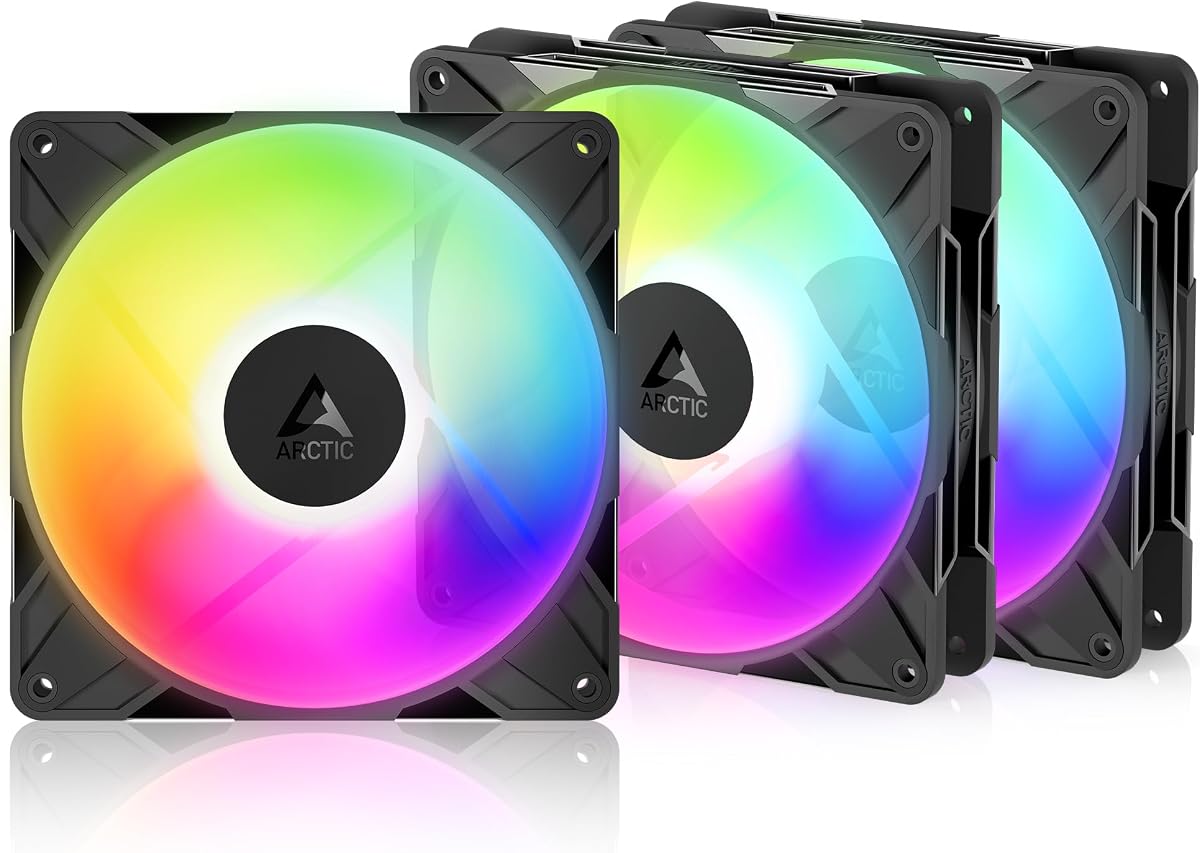
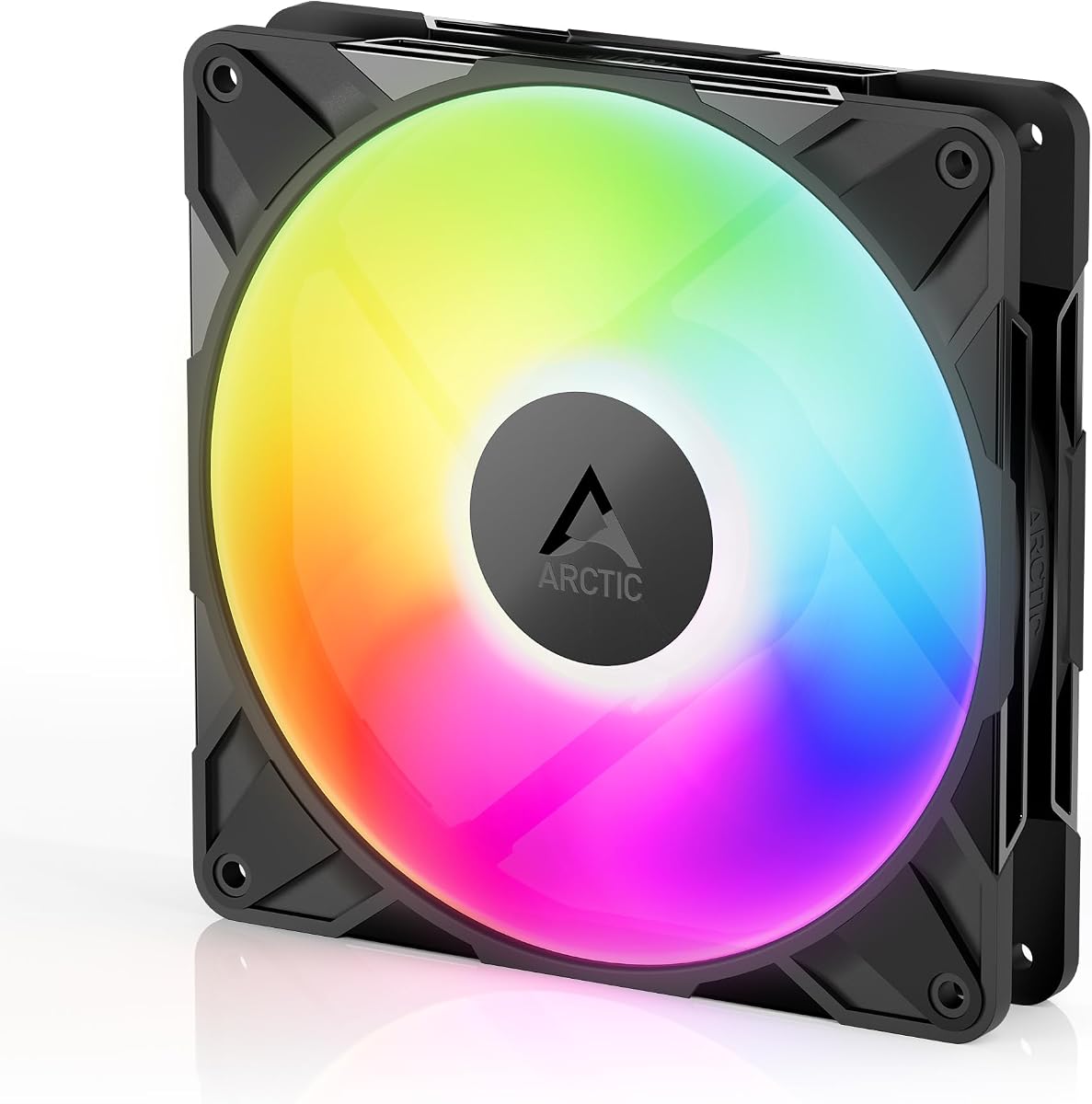
The ARCTIC P14 Pro Reverse A-RGB is a specialized fan designed to solve the aesthetic issues common with glass-fronted cases. By reversing the airflow direction, it ensures the clean side of the fan faces the viewer, hiding the ugly motor hub.
We may earn a commission when you buy through this link, at no additional cost to you.
Despite the reverse design, it maintains high static pressure and airflow efficiency. The fluid dynamic bearing ensures smooth running with minimal vibration, and the PWM control allows for precise speed adjustments up to 2650 RPM when needed.
Users should note that reverse airflow fans typically move slightly less air than standard fans due to blade geometry, but the visual trade-off is significant for modern builds. The 3-pack provides enough units for a complete reverse intake setup.
This fan is the go-to choice for builders prioritizing case aesthetics without sacrificing cooling capacity. It bridges the gap between industrial performance and consumer-friendly design effectively.
The reverse design ensures that the fan blades are visible from the outside while hiding the hub, creating a seamless look.
Wide speed range from 400 to 2650 RPM allows for quiet idling or aggressive cooling depending on system load.
We may earn a commission when you buy through this link, at no additional cost to you.
The Thermaltake CT140 EX ARGB Sync introduces MagForce 2.0 technology, which simplifies cable management significantly. This magnetic connection allows you to link multiple fans using just one cable, reducing clutter inside your PC case.
We may earn a commission when you buy through this link, at no additional cost to you.
Each fan features 9 addressable LEDs that support 16.8 million colors, controllable via motherboard sync software. The optimized hydraulic bearing ensures silent operation, while anti-vibration mounting keeps noise levels low even at higher speeds.
While the magnetic clips are convenient, they can be slightly more fragile than standard connectors. However, for a three-pack setup, the reduction in cable clutter often outweighs this minor concern for most users.
This option is best for users who value clean builds and easy setup. The balance of lighting quality and magnetic simplicity makes it a strong contender for modern mid-range gaming PCs.
MagForce technology connects fans securely with a magnetic mechanism, eliminating the need for complex zip-tie management.
Embedded anti-vibration mounting systems absorb shocks and reduce resonance, ensuring a quieter system environment.
We may earn a commission when you buy through this link, at no additional cost to you.
The AsiaHorse Amici 140mm ARGB fan is designed for durability and visual impact. With a rated lifespan of 50,000 hours, it promises long-term reliability without requiring frequent replacements or maintenance.
We may earn a commission when you buy through this link, at no additional cost to you.
Its unique infinity mirror effect combined with 24 LED beads creates a striking visual depth. The fan produces up to 89.77CFM of airflow, effectively expelling heat from components during intensive gaming sessions or heavy workloads.
While the plastic material may feel less premium than metal options, the hydraulic bearing ensures smooth and quiet operation. The fan supports wired daisy-chaining, allowing for flexible setup configurations within standard cases.
This model is ideal for users seeking a balance of durability and unique lighting effects. Its compatibility with major RGB sync platforms ensures it integrates well with existing lighting ecosystems.
The infinity mirror design creates a sense of depth in the lighting, making the fan look more sophisticated than standard models.
Closed-loop lubrication within the hydraulic bearing reduces oil evaporation, ensuring consistent performance over thousands of hours.
We may earn a commission when you buy through this link, at no additional cost to you.
The ARCTIC P14 Pro A-RGB is a powerhouse for thermal management. Capable of speeds up to 3000 RPM, it offers aggressive cooling options that can penetrate dense radiator fins and complex mesh structures with ease.
We may earn a commission when you buy through this link, at no additional cost to you.
Despite its high-speed potential, the redesigned rotor blades balance performance with low noise. Precision manufacturing minimizes gaps and automatic balancing reduces vibrations, ensuring smooth running even at maximum capacity.
While running at 3000 RPM is noisy, the fan can operate quietly at lower speeds for daily use. The fluid dynamic bearing self-lubricates, contributing to a long service life and consistent operation over years.
This fan suits users who need extreme cooling performance or plan to use it on high-density radiators. Its ability to stop completely at less than 5% PWM adds to its versatility for silent operation.
The high RPM ceiling allows for maximum heat dissipation when the system is under heavy thermal stress.
At idle, the fan runs smoothly with minimal noise, thanks to high-precision measurement and balancing.
We may earn a commission when you buy through this link, at no additional cost to you.
The Thermalright TL-C14C-S X3 (Black version) focuses purely on silent thermal efficiency. Designed for users who prioritize noise reduction over lighting, it uses a 7-blade design to minimize turbulence and wind noise.
We may earn a commission when you buy through this link, at no additional cost to you.
Soft silicone feet are integrated into the corners to absorb vibrations, preventing them from transferring to the case structure. This design choice significantly lowers perceived noise levels even when the fan is running at full 1500RPM speed.
With 55CM cables, it offers better reach for complex cases where shorter wires might be restrictive. The PBT+PC material provides insulation and durability, ensuring the fan remains stable over time without degrading.
This fan is perfect for silent workstation builds or quiet environments where RGB lighting is unnecessary. It delivers consistent cooling performance without sacrificing acoustic comfort.
Vibration-absorbing feet isolate the fan motor from the case, ensuring a quieter operating environment.
The 7-blade profile reduces air turbulence, lowering wind noise while maintaining effective heat dissipation.
We may earn a commission when you buy through this link, at no additional cost to you.
The single-pack ARCTIC P14 Pro Reverse A-RGB holds an impressive 4.9 rating, reflecting its quality and effectiveness. It draws air from the back side, making it ideal for glass-fronted cases where aesthetics are paramount.
We may earn a commission when you buy through this link, at no additional cost to you.
Its high static pressure ensures it can penetrate dense radiators and narrow perforated panels efficiently. The fluid dynamic bearing minimizes noise during operation, making it suitable for quiet builds without sacrificing performance.
While sold individually, this unit offers an excellent solution for replacing a specific fan without buying a full pack. The precise manufacturing ensures smooth running and long service life for consistent cooling.
This fan is a top choice for high-end enthusiasts who need just one reverse fan for a specific slot. Its reliability and performance justify the investment for those seeking a clean build.
Minimal gaps and automatic balancing ensure the fan runs smoothly, reducing vibrations and noise significantly.
Ideal for glass-fronted PC builds where conventional fans would spoil the aesthetic appearance of the chassis.
We may earn a commission when you buy through this link, at no additional cost to you.
The Thermalright TL-C14C-S single unit is a cost-effective option for adding a bit of light to your case. With support for up to 17 light modes and a 7-blade design, it balances visual appeal with functional cooling.
We may earn a commission when you buy through this link, at no additional cost to you.
The high-brightness LED atomizing blades create a softer lighting effect that matches coolers and cases perfectly. Soft silicone feet ensure that vibration is minimized, maintaining quiet performance even under higher loads.
While it is a single unit, the value and quality make it a strong contender for budget builds. It can serve as a case fan or be used with CPU coolers and radiators for maximum cooling efficiency.
This fan is recommended for users who need a reliable, quiet single fan with basic ARGB support. It offers a practical solution without requiring complex setups or high investment.
High-brightness LEDs reflect off atomizing blades for a softer, more integrated lighting experience.
Four corners feature soft silicone feet to reduce vibration and ensure high heat dissipation with low noise.
We may earn a commission when you buy through this link, at no additional cost to you.
Selecting the right fan involves balancing airflow, noise, and features. This guide outlines key factors to consider before making your purchase.
Airflow measures how much air moves through the fan, important for general case cooling. Static pressure is critical for pushing air through dense obstacles like radiators or filters.
Prioritize static pressure for radiators and airflow for open case exhaust or intake.
PWM fans offer more precise speed control and efficiency. They can stop completely or run at very low speeds based on system temperature.
Always choose PWM fans for better noise and temperature management compared to basic voltage-controlled models.
Fluid Dynamic Bearings (FDB) and S-FDB are top-tier options for silence and longevity. Sleeve bearings are cheaper but wear out faster and can be noisy.
Invest in FDB or S-FDB bearings for quieter operation and longer lifespan.
Ensure the fan uses 5V 3-PIN ARGB to match your motherboard's headers. Check sync software compatibility with brands like ASUS or MSI.
Verify connection types to avoid incompatibility with your motherboard's lighting ecosystem.
Look for noise ratings under 25 dBA for a silent build. Higher RPM usually means more noise, so check max noise values.
Choose fans with noise-reducing features like silicone feet or sound absorbing materials for quieter rooms.
Daisy-chain fans simplify cable management by linking fans together. Splitters allow multiple fans on one header but use more ports.
Daisy-chain is preferred for clean builds, while splitters are flexible for older motherboards.
Measure your case to ensure 140mm clearance. Check if reverse airflow fans are needed for glass front cases.
Ensure proper screw holes and space availability before purchasing to avoid fitment issues.
Buying 3-packs usually offers better value than single units. Calculate the cost per fan to save money on full upgrades.
Multi-packs are ideal for replacing all case fans simultaneously at a lower total cost.
Install fans securely using the provided screws and mounting points to prevent wobbling. Align intake and exhaust to create positive or negative pressure as needed.
Connect fans to the motherboard using 4-PIN PWM and 5V 3-PIN ARGB headers. If daisy-chaining, follow the manual to ensure all connections are seated properly.
Clean dust from fan blades regularly with compressed air. Dust buildup increases noise and reduces cooling efficiency over time.
5V ARGB uses three pins and controls LEDs individually, while 12V RGB uses four pins and controls all LEDs as one color. Connecting a 5V device to a 12V port can damage it, so always match voltages.
PWM is recommended because it allows the motherboard to adjust fan speed automatically based on temperature. This saves power and reduces noise compared to running at a fixed voltage.
Reverse fans are designed for cases with glass front panels where the standard hub would look unattractive. They draw air in from the back so the clean blade side faces the glass.
Yes, but ensure they all use the same 5V 3-PIN standard. Mixing different brands may result in slight color variations if the LED calibration differs slightly.
Most motherboards support 3 to 5 fans per header depending on amperage limits. Using a splitter with an external 12V adapter ensures enough power for larger setups.
Generally no, as the LED circuitry adds negligible load. Noise depends on bearing quality and blade design. Look for fans with optimized airflow paths for better silence.
We have reviewed ten top options ranging from budget-friendly bundles to premium magnetic solutions. Each offers unique strengths in lighting, silence, or airflow for diverse needs.
Prioritize noise levels and bearing types for longevity. Ensure your motherboard supports the specific ARGB protocol to avoid compatibility issues.
Prices fluctuate frequently so check current listings before buying. Verify stock availability and shipping times to plan your build accordingly.