
ProElife Ergonomics Grip Holder
4.5Editor score
Ergonomic grip design
High-quality silicon material
Anti-slip internal grooves
This guide compares the top Apple Pencil Grips for comfort and control, reviewing features and compatibility to help you find the ideal grip for your iPad
Finding the right accessory for your stylus can transform your digital art and note-taking experience significantly. A good grip adds comfort and control while reducing hand fatigue during extended creative sessions.
We analyzed ten top-rated options based on ergonomic design, material quality, and compatibility with various Apple Pencil models. Our comparison highlights key features that matter most for daily users.
Each pick below details specific benefits and potential drawbacks to help you make an informed choice. Remember that product availability and pricing may change over time so check current listings.
4.5Editor score

4.3Editor score

4.6Editor score
Below you will find a detailed side-by-side comparison of all ten products included in this guide to help you quickly identify the best option for your specific needs and preferences.




The Paperlike Pencil Grips stand out as a top choice for users seeking premium comfort without sacrificing functionality. With a rating of 4.3 stars, this product delivers on its promise of all-day comfort and control for artists and note-takers alike.
We may earn a commission when you buy through this link, at no additional cost to you.
Its ergonomic grip shape is designed to mimic natural hand positions, reducing strain during long sessions. The ultra-thin silicone zones ensure that features like double-tap gestures and magnetic charging remain fully accessible without removing the grip.
While the price point is higher than many budget alternatives, the durability and thoughtful design justify the investment for frequent users. The angled sidewalls are particularly useful as they prevent interference with iPad cases during charging.
If you prioritize long-term comfort and want a grip that works seamlessly with your existing accessories, this is an excellent choice. It balances performance and usability better than most competitors in this category.
The shape reduces fatigue by aligning with how your hand naturally holds the pencil.
Angled sidewalls allow you to keep the pencil in most cases while charging.
We may earn a commission when you buy through this link, at no additional cost to you.
For those on a tight budget, the ProElife Ergonomics Grip Holder offers exceptional value with a 4.5 rating. It provides a comfortable grip that aligns with the curvature of your hand to reduce pain during use.
We may earn a commission when you buy through this link, at no additional cost to you.
The design features a larger bottom section compared to the top, which enhances stability. Internal anti-slip grooves ensure the sleeve holds the stylus firmly, preventing it from sliding around while you write or draw.
Although it is one of the cheaper options, users report it provides significant relief for hand pain. The silicon material is soft and easy to install, making it accessible for beginners.
This product is ideal if you want to test a grip solution without a large upfront investment. It delivers core comfort features at a fraction of the cost of premium brands.
The unique bottom-bigger shape aligns with your hand to reduce strain.
Internal grooves prevent the pencil from slipping inside the sleeve.
We may earn a commission when you buy through this link, at no additional cost to you.
The UPPERCASE NimbleGrip earns the highest rating of 4.6 stars for its premium build quality and thoughtful design. It uses high-quality silicone that feels soft yet supportive for extended periods of use.
We may earn a commission when you buy through this link, at no additional cost to you.
A standout feature is the dual-sided exterior which offers both round and hexagonal options so you can choose your preferred grip texture. The interior ribbed design ensures the grip stays firmly attached to your pencil.
To maintain wireless charging functionality, you will need to remove the grip by pulling down from the top edge. This is a minor trade-off for the added comfort and protection it provides.
If you want a premium feel and don't mind removing the grip occasionally, this is a top-tier choice. It combines aesthetics with practical ergonomics to enhance your drawing experience.
Soft yet supportive silicone prevents fatigue during long creative sessions.
Choose between round and hexagonal exterior shapes for personal comfort.
We may earn a commission when you buy through this link, at no additional cost to you.
Designed with versatility in mind, this grip supports Gen 1 and Gen 2 pencils as well as the Pro model. It aims to provide better control through a unique split-back design that facilitates easy charging access.
We may earn a commission when you buy through this link, at no additional cost to you.
The split allows you to attach the grip securely while still allowing you to twist the pencil for charging if you use a case. The edges wrap around the iPad to offer a more secure fit than standard sleeves.
Installation may require some patience as you need to align the flat edge correctly. However, once in place, it provides a stable and comfortable experience for detailed work.
This option is great for users with newer Pro models who need full functionality without removing accessories constantly. It balances advanced features with a practical design.
The split design allows easier access for charging without total removal.
We may earn a commission when you buy through this link, at no additional cost to you.
This product offers three distinct silicone grips in one package, giving you variety in color and durability. The soft silicone material is designed to be non-slip and anti-sweat for better control.
We may earn a commission when you buy through this link, at no additional cost to you.
At just 0.35mm thickness, these grips are thin enough to allow magnetic charging without affecting the double-click function. However, you must ensure there is no obstruction between the charging area and the grip.
The value lies in getting multiple replacements or options without paying extra. It is practical for users who want to keep a spare grip handy or share with others.
Ideal for budget-conscious buyers who still want quality accessories, this pack provides solid functionality and color variety. It covers the basics well for everyday use.
Get three grips to share or replace as needed over time.
We may earn a commission when you buy through this link, at no additional cost to you.
elago is known for in-house design and this grip reflects that commitment to quality. It is crafted from premium silicone that prevents scratches on the surface it rests on.
We may earn a commission when you buy through this link, at no additional cost to you.
The ergonomic shape sits comfortably in your hand to reduce fatigue over continued use. It serves as both a grip and a protective layer for your stylus.
While it fits standard models well, ensure you check compatibility for specific generations. The company aims for simple sophistication that appeals to design-conscious users.
This is a great choice if you value build quality and aesthetic consistency. It provides protection alongside comfort, making it a versatile accessory.
Every aspect is designed in-house to ensure perfect fit and style.
We may earn a commission when you buy through this link, at no additional cost to you.
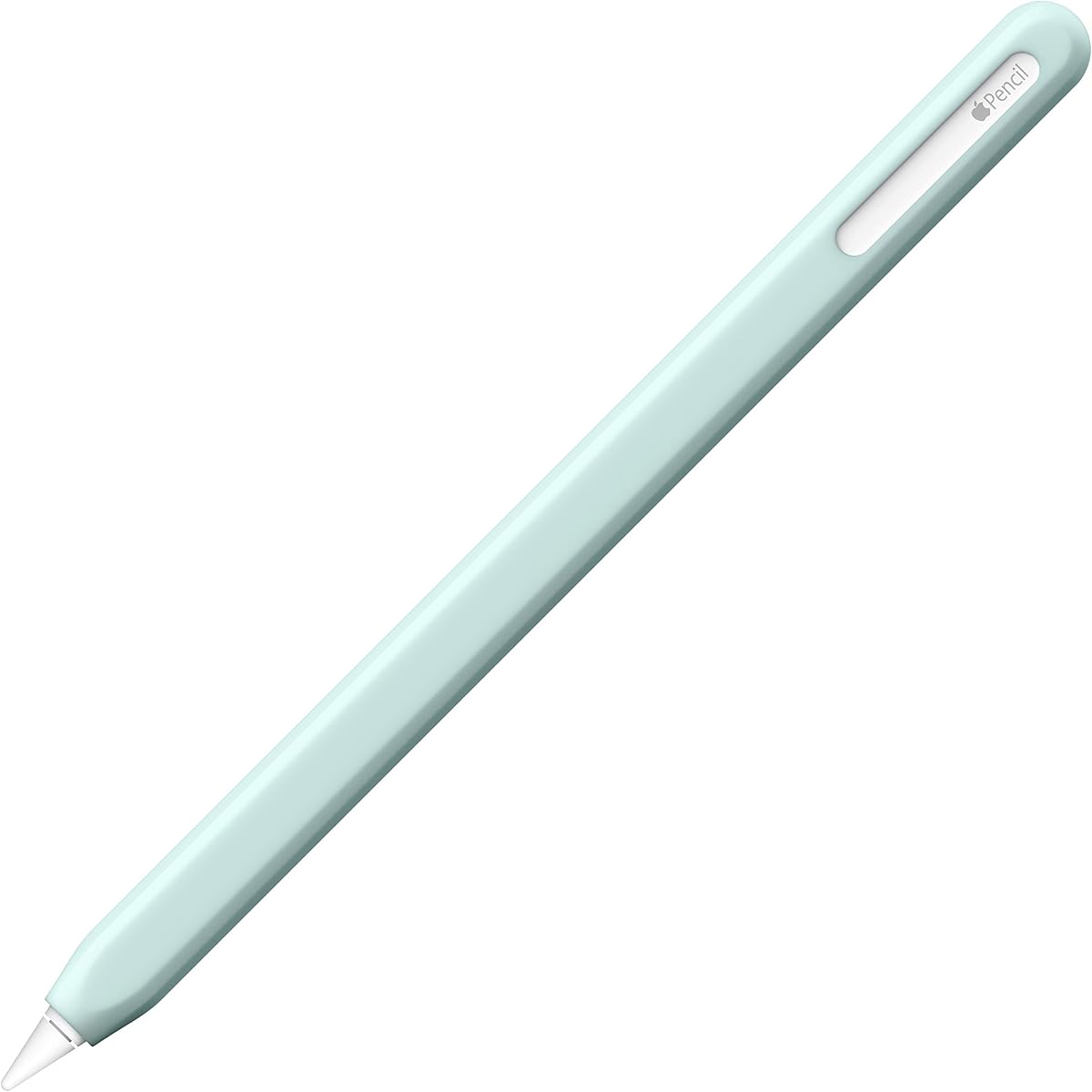
NimbleSleeve provides complete coverage of your Apple Pencil, offering protection against dust and accidental drops. The faceted design is not just stylish but also helps prevent the pencil from rolling when set down.
We may earn a commission when you buy through this link, at no additional cost to you.
It is designed for 2nd Generation and Pro models, maintaining magnetic charging compatibility in many cases. You may need an iPad case with a specific cutout for wireless charging.
The premium silicone with dust-free coating offers a nice feel without attracting lint. It is a practical option for those who want to protect their pencil fully.
Choose this if you want extra protection and a sleek look. It balances style with utility for daily carrying and use.
Faceted edges keep the pencil stable on desks and tables.
We may earn a commission when you buy through this link, at no additional cost to you.
SIXFU offers a grip with a patented square and circle design that provides multiple ways to hold your pencil. It supports magnetic charging and double-tap functions when aligned correctly.
We may earn a commission when you buy through this link, at no additional cost to you.
Two grips are included in black and white, giving you options for different moods or backups. The ultra-thin cross-section is critical to support wireless charging without removal.
Note that this grip may not work well with compact pen slots in cases. Careful alignment ensures that charging works smoothly without obstruction.
This product is good for users who want variety in grip style. It balances innovation with practicality for everyday digital art needs.
Square and circle combined allows varied hand positioning.
We may earn a commission when you buy through this link, at no additional cost to you.
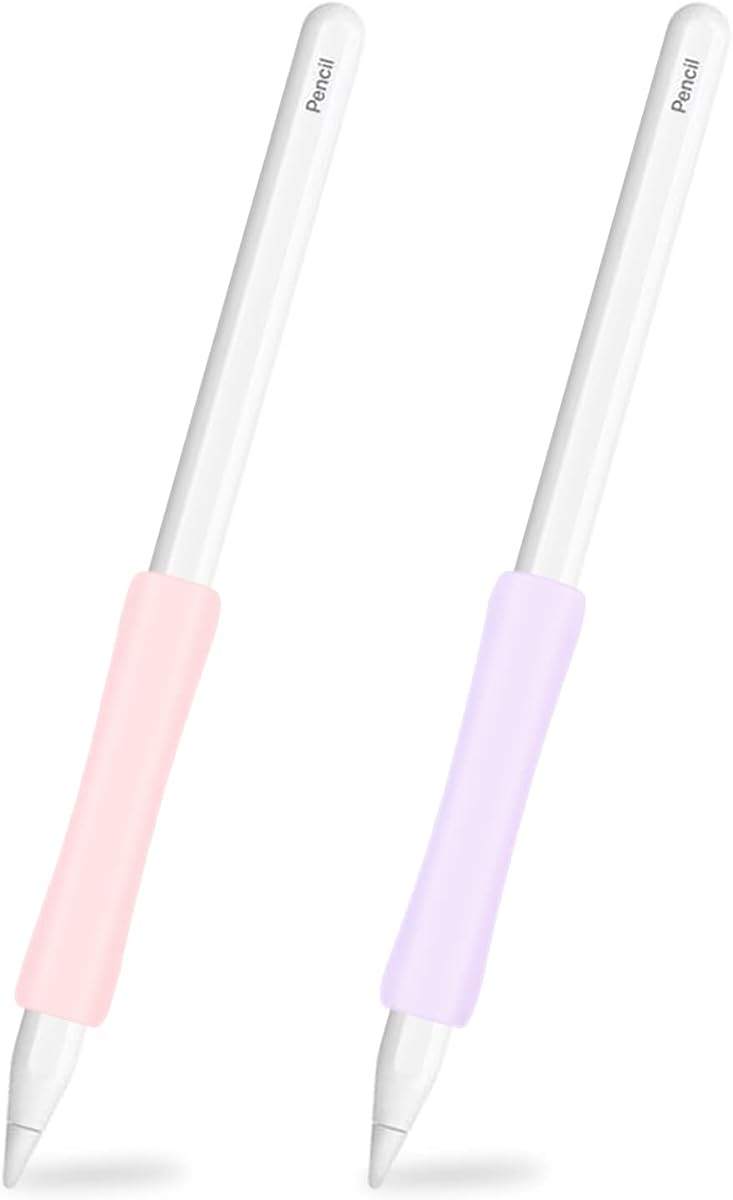
This 2-pack offers ergonomic grips that fit a wide range of iPad and Apple Pencil models. The middle of the sleeve is concave to align with the curvature of your hand.
We may earn a commission when you buy through this link, at no additional cost to you.
Made from high-quality silicon, these sleeves are soft and stretchy to hold the stylus firmly. The anti-slip design ensures it stays in place during active use.
It is a practical solution for families or teams sharing devices. The pink and purple colors add a touch of style while maintaining function.
Great for those needing versatility across different iPad generations. It provides comfortable support without breaking the bank.
The middle concave shape matches the hand for better comfort.
We may earn a commission when you buy through this link, at no additional cost to you.
Designed specifically for Apple Pencil Pro, USB-C, and 2nd Gen models, this 2-pack focuses on modern devices. It uses an ergonomic concave design to match hand curvature.
We may earn a commission when you buy through this link, at no additional cost to you.
The ultra-thin sleeve skin ensures wireless charging is not affected when installed. It also protects the pencil body from scratches and dust effectively.
Installation is straightforward as the material sticks firmly and does not slip. It is a reliable option for users with the latest iPad hardware.
If you own a newer Pencil model, these grips provide a secure and comfortable fit. They ensure compatibility with charging while enhancing grip.
Tailored specifically for Pro and USB-C generations.
We may earn a commission when you buy through this link, at no additional cost to you.
Selecting the right grip involves considering several factors that affect comfort, compatibility, and daily utility. This guide breaks down the key elements to help you choose wisely.
Ensure the grip matches your specific Apple Pencil generation. Some models only work with 2nd Gen or Pro, while others support both 1st and 2nd generations. Check product descriptions carefully.
Always verify compatibility to avoid buying a grip that does not fit your stylus properly.
Most grips use silicone for its soft and grippy nature. Premium options use dust-free coatings to reduce lint. High-quality material ensures the grip does not slip or stretch over time.
Choose durable silicone that feels comfortable and resists wear for longevity.
Magnetic charging and double-tap features are critical for many users. Thin profiles are designed to let you charge without removing the grip. Others require removal to access the charging pins.
Decide if you want to remove the grip for charging or prefer a slim design that allows it.
Grips vary from simple sleeves to ergonomically shaped holders. Some have concave middles or wider bottoms to match hand curves. Better ergonomics reduce fatigue and pain during long sessions.
Look for shapes that match your natural hand position to minimize strain.
Anti-slip grooves or textured surfaces help keep the grip steady. Internal designs ensure the sleeve does not slide on the pencil. External textures prevent the pencil from slipping in your hand.
Prioritize models with anti-slip properties for better control.
Colors allow you to personalize your device. Some packs offer multiple colors while others come in one shade. The design can range from sleek to faceted depending on brand style.
Select a color and style that matches your personal preference.
Prices range from under five dollars to nearly twenty. Multi-packs offer better value if you want backups. Premium brands often justify higher prices with better materials.
Balance your budget with the features you need most.
Some grips interfere with cases or cutouts. Angled sidewalls help with fitting in certain cases. Ensure the grip works with your current case setup.
Check for case compatibility before buying to avoid issues.
To install your grip, gently stretch the silicone sleeve over the body of your pencil. Ensure the ends are aligned correctly so the grip sits comfortably in your hand.
Clean the grip regularly with mild soap and water to remove oils. Dry it thoroughly before putting it back on the pencil to maintain the adhesive or friction properties.
Store the grip in a dry place when not in use. Avoid placing heavy objects on it to prevent deformation that could affect the fit over time.
Many grips are designed with ultra-thin sections to allow magnetic charging without removal. However, some thicker sleeves require you to take the grip off to access the charging pins. Check the product specs to confirm compatibility with your model.
Not all grips support the 1st Generation. Some models are designed for 2nd Gen and Pro pencils. Always verify the compatibility list in the product description before purchasing to ensure it fits your specific model.
You can clean silicone grips with mild soap and water. Gently wash the surface and dry it completely before reattaching it to the pencil. Avoid harsh chemicals that might degrade the material.
Most silicone sleeves are easy to stretch off and reattach. Some designs feature split-backs for easier access. If the grip feels tight, stretching it slightly can help with removal.
Some grips feature faceted or textured designs to prevent rolling on flat surfaces. Standard round sleeves may still roll unless you store your pencil in a case or holder.
With regular use, silicone grips can last several months to years. Durability depends on the material quality and how often you handle them. High-quality options tend to resist stretching better.
This depends on the design. Some angled sidewalls allow charging with a case. Others may need a case with a specific cutout. Verify case compatibility to avoid charging issues.
Ergonomic models with concave middles or wider bases are best for hand pain. They reduce strain by aligning with natural hand positions. Look for options designed to relieve fatigue.
We reviewed ten top options for Apple Pencil grips, highlighting standout choices like the Paperlike, ProElife, and UPPERCASE models. Each offers unique benefits depending on your needs and budget.
Prioritize ergonomic design and charging compatibility to ensure a comfortable daily experience. A good grip can significantly improve your productivity and creative flow on the iPad.
Always check the current availability and prices before purchasing as they may change. We hope this guide helps you find the perfect accessory for your stylus.