
Ai Pen Chat Gpt Pen
5.0Editor score
Instant AI answers
Offline translation support
Compact portable design
AI scan pens with ChatGPT are revolutionizing how students and professionals interact with printed text. These devices combine optical character recognition with advanced language models to provide instant answers, translations, and study aids directly from a handheld tool.
We evaluated ten leading models based on scanning speed, text accuracy, AI integration depth, and ease of use. Our comparison highlights devices that offer seamless synchronization, robust offline capabilities, and specialized features for dyslexia support and language learning.
Each pick in this list showcases unique strengths tailored to different needs, from budget-friendly translators to premium smart notebooks. Please note that product availability and pricing can change frequently, so verify details on the retailer site before purchasing.
5.0Editor score

3.3Editor score

4.0Editor score
As an Amazon Associate we earn from qualifying purchases.
This side-by-side comparison outlines the key specifications and capabilities of each AI scan pen model. Use this table to quickly identify which device offers the specific features you need for your study or work workflow.




The Scanmarker AI Pen stands out as a versatile tool for students and adults seeking instant access to printed text. With a rating of 3.3, it offers solid OCR functionality that transforms physical documents into digital text quickly. Its standout quality lies in the built-in screen which allows users to view scanned content without needing a phone or computer.
We may earn a commission when you buy through this link, at no additional cost to you.
Key strengths include the ability to capture key lines and definitions instantly. This feature turns reading into clean notes for homework or meetings with less effort. The text-to-speech function boosts confidence by reading text aloud clearly, helping users stay focused and reduce reading fatigue during long study sessions.
One trade-off is the reliance on syncing for exporting notes. While the device saves scans locally, users must connect to a phone to edit or share files. This step is acceptable given the portability and the time saved compared to manual typing of documents or labels.
This pen is ideal for anyone needing a portable translator or study aid. It suits travelers who need quick translations and professionals managing meetings. We recommend it for those who value speed and convenience in digitizing physical text immediately.
For detailed scanning workflows the built-in screen reduces dependency on external devices. Users can verify text accuracy on the pen itself before exporting. This ensures that important sentences are captured correctly for later review or integration into digital note systems.
Slide and scan to watch printed words appear on the built-in screen in seconds.
Use text-to-speech to hear definitions read aloud for better understanding and focus.
We may earn a commission when you buy through this link, at no additional cost to you.
The NEWYES AI Pen is specifically engineered to assist readers with dyslexia and language learners. With a 3.9 rating, it combines AI-powered learning tools with a friendly interface that adjusts to individual reading paces. Its standout quality is the specialized font design which reduces visual stress during extended reading sessions.
We may earn a commission when you buy through this link, at no additional cost to you.
Key strengths include the AI Dictionary and Homework Checker which provide real-time explanations and answers. The device supports 112 languages making it versatile for travel and multi-language learning. Users can adjust word reading speeds and pause times to match their comfort level effectively.
A potential downside is the complexity of navigating all six reading levels. Users may need time to configure the device for their specific needs. This is acceptable because the adaptability ensures long-term value as reading skills improve over time.
This pen is perfect for students at any stage from pre-readers to advanced learners. It also suits adults needing a reliable translator. We recommend it for anyone prioritizing accessibility and comprehensive language support in a single handheld device.
The Bluetooth connectivity allows seamless syncing to phones and computers without extra software. This ensures that scanned text can be organized and exported easily. The 16GB storage provides ample space for saving documents and translations for future reference.
Adjust reading speed and use special fonts to reduce stress and improve processing.
Translate between 112 languages instantly using text photo or voice input.
We may earn a commission when you buy through this link, at no additional cost to you.
The XNote Smart Pen offers a unique blend of traditional writing and digital intelligence. With a 4.0 rating, it allows users to enjoy the comfort of real pen and paper while capturing every stroke digitally. Its standout quality is the ability to sync handwritten notes to a mobile app via Bluetooth.
We may earn a commission when you buy through this link, at no additional cost to you.
Key strengths include AI-powered organization which summarizes lectures and auto-tags notes. This feature makes studying and working faster by enabling keyword search and translation. The device supports integration with calendar systems to automatically organize meeting notes.
A trade-off is that audio recording is handled by the companion app rather than the pen itself. This requires carrying a phone during meetings. However this separation ensures high-quality audio capture while the pen focuses on precise handwriting tracking.
This set is ideal for professionals and creatives who prefer writing on paper. It suits students needing reliable note-taking tools. We recommend it for those seeking a seamless transition from analog to digital workflows.
The 17-hour battery life ensures all-day usage without frequent charging. Offline storage capability allows notes to be saved even when the app is closed. This provides reliability during travel or in areas with limited connectivity.
Write naturally on special notebooks while strokes are captured and synced instantly.
Combine handwritten notes with audio transcription for complete searchable records.
We may earn a commission when you buy through this link, at no additional cost to you.
This translator pen is highly rated at 5.0 for its ability to bridge communication gaps effectively. It serves as an assistive tool for dyslexia and adult learners by decoding printed text and reading it aloud. Its standout quality is the dual-mode translation support both online and offline.
We may earn a commission when you buy through this link, at no additional cost to you.
Key strengths include support for 142 online languages with voice dialogue and photo translation. The 5MP HD camera allows users to translate text from images menus or non-standard layouts. This versatility solves cross-language pain points in outdoor and business scenarios.
One limitation is that offline translation is restricted to 10 languages. Users traveling to regions with less supported languages must rely on internet connectivity. This is acceptable given the extensive online coverage and the convenience of instant voice-to-text features.
This pen is perfect for international travelers and language learners. It also suits office workers needing efficient document sorting. We recommend it for anyone prioritizing comprehensive language options and high-definition photo recognition.
The integrated voice recording function captures meeting content completely. Users can pair recordings with scanned notes for efficient review. This all-in-one approach reduces the need for multiple devices during daily work tasks.
Translate text without internet using 10 offline languages for immediate access.
Use the 5MP camera to translate text from images and complex layouts.
We may earn a commission when you buy through this link, at no additional cost to you.
The Ai Pen Chat Gpt delivers exceptional value with a 5.0 rating and instant AI capabilities. Designed for real-time translation and voice recording it ensures users never miss a moment. Its standout quality is the integration of GPT for intelligent suggestions during study sessions.
We may earn a commission when you buy through this link, at no additional cost to you.
Key strengths include a 3.69-inch HD touchscreen which provides clear viewing of translations. The device supports offline translation for over 150 languages making it reliable for international travel. File storage functionality helps users organize notes efficiently for easy access.
One trade-off is the compact screen size which may limit detailed content viewing. However for quick scanning and reading this size ensures portability. This balance makes the device ideal for on-the-go professionals and students.
This pen is perfect for studying history math and other subjects. It suits travelers needing quick language support. We recommend it for those seeking an affordable all-in-one portable design with powerful AI features.
Voice recording features make it essential for lectures and interviews. Users can capture audio and notes simultaneously to review later. This smart organization helps keep study materials structured and accessible for future reference.
Get intelligent suggestions and insights from built-in GPT during study sessions.
Translate 150+ languages without internet to stay connected anywhere.
We may earn a commission when you buy through this link, at no additional cost to you.
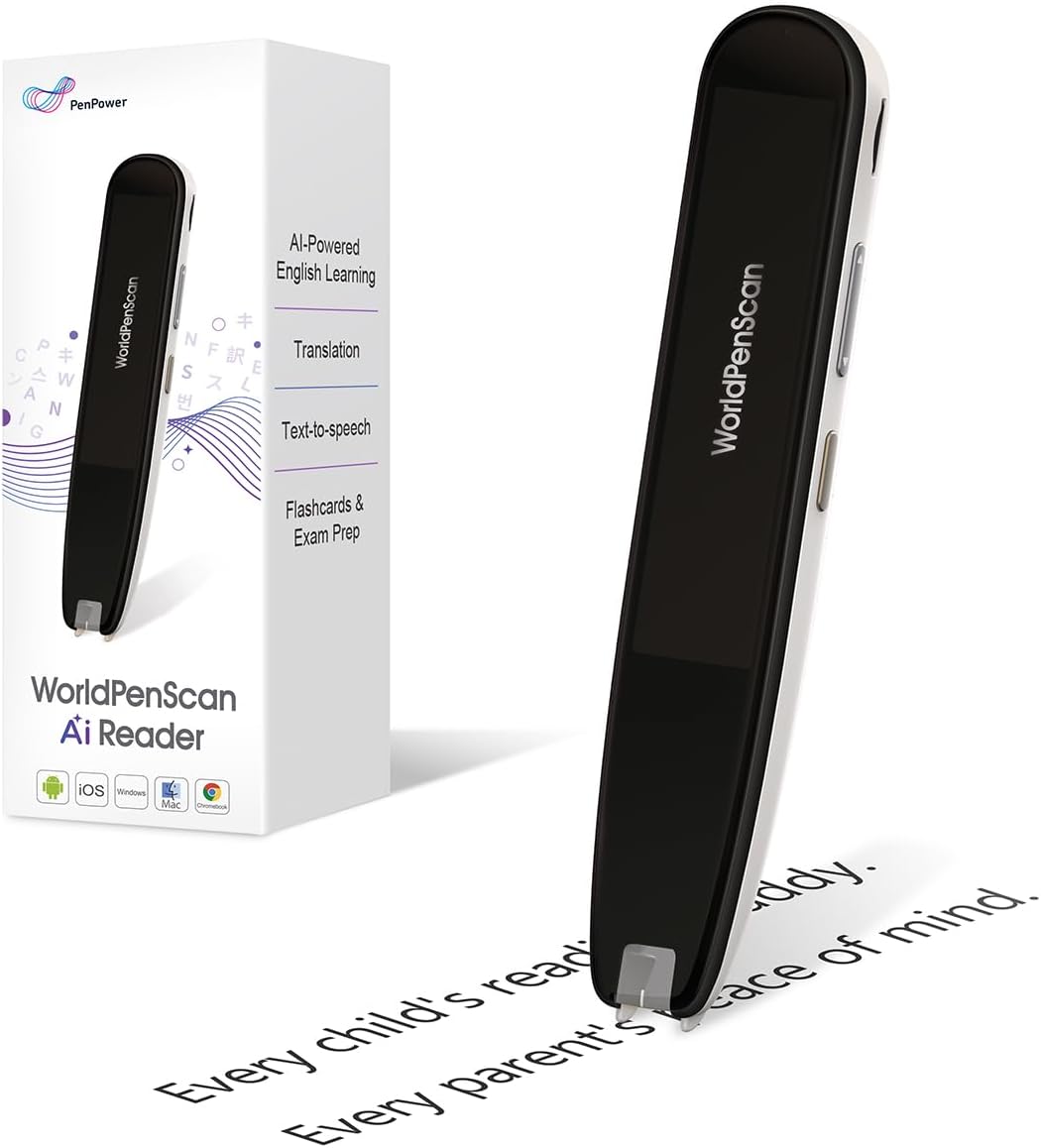
The WorldPenScan AI Reader is designed to build independent readers from an early age. With a 4.2 rating it helps children stay engaged with books by scanning difficult words and ideas. Its standout quality is the Quick AI feature which offers age-appropriate explanations instantly.
We may earn a commission when you buy through this link, at no additional cost to you.
Key strengths include a built-in dictionary and text-to-speech for uninterrupted reading. The device supports English Spanish and Chinese making it ideal for ESL learners. Quick AI helps understand long sentences without leaving the page or interrupting flow.
One limitation is that deeper learning features like AI Reading Buddy require an internet connection. Offline tools are useful but less comprehensive. This is acceptable because the online features provide richer context and quizzes for reinforcement.
This pen is perfect for growing readers and students needing extra support. It encourages curiosity and strengthens comprehension. We recommend it for parents and teachers looking for tools that build confidence in reading.
The AI Reading Buddy syncs scans for deeper learning and fun facts. Users can access reading quizzes to reinforce comprehension. This ecosystem ensures that children gain insights beyond the scanned text.
Scan any word or sentence to receive clear explanations in seconds.
Use built-in tools like dictionary and translation anywhere without internet.
We may earn a commission when you buy through this link, at no additional cost to you.
The Pen Gpt Ai Pen bridges analog and digital learning with powerful AI features. While specific ratings vary it offers instant AI answers for math history and more. Its standout quality is the ChatGPT integration which allows brainstorming and refining ideas through an intuitive interface.
We may earn a commission when you buy through this link, at no additional cost to you.
Key strengths include offline translation for over 50 languages and a vibrant 3.5-inch HD touchscreen. Users can record lectures and meetings then sync files wirelessly to devices. This makes studying and reviewing insights smarter and faster.
One trade-off is the reliance on WiFi for syncing scanned notes. Users may face delays if connectivity is poor. However this wireless capability ensures seamless data transfer across devices when connection is available.
This pen is perfect for language learners travelers and professionals. It suits those needing to brainstorm or refine essays. We recommend it for anyone prioritizing productivity and cross-cultural communication tools.
The integration of voice recording with scanned notes simplifies review processes. Users can pair audio with text for complete understanding. This holistic approach enhances learning efficiency during meetings and lectures.
Interact with knowledge by asking questions and brainstorming ideas directly.
Translate over 50 languages offline to stay productive without internet.
We may earn a commission when you buy through this link, at no additional cost to you.
This Smart Pen Notebook Set offers innovative voice creation and transcription capabilities. It transforms ideas into reality with simple verbal expressions which can generate visuals in seconds. Its standout quality is the ability to catch sound clearly with a built-in microphone.
We may earn a commission when you buy through this link, at no additional cost to you.
Key strengths include sound-to-text conversion that supports multiple languages. Handwriting recognition enables users to write meeting notes while generating editable documents. This innovation makes recording more convenient and efficient for users.
One limitation is that some AI recognition features require the app to function fully. Users may need to ensure connectivity for full potential. This is acceptable given the versatility of reusable paper and wireless charging support.
This set is perfect for those needing to record inspirations and meeting content effortlessly. It suits users who want to erase and rewrite without worry. We recommend it for anyone prioritizing voice-to-text functionality.
The wireless charging feature ensures easy power management for daily use. Users simply place the device at the symbol to charge. This convenience reduces downtime during busy work sessions.
Input voice commands to generate visuals and tangible images quickly.
Draw sketches and erase to rewrite using reusable pencil refills.
We may earn a commission when you buy through this link, at no additional cost to you.
The Scanmarker Pal is a versatile translator pen for kids and adults needing learning support. With a 4.0 rating it scans translates and reads text aloud while highlighted. Its standout quality is the seamless text-to-speech experience for auditory learners.
We may earn a commission when you buy through this link, at no additional cost to you.
Key strengths include offline support for English Spanish French German and Italian. This makes it ideal for travelers needing quick accurate translations. The compact design allows users to scan anywhere and connect headphones for an immersive audio experience.
One trade-off is the lack of advanced AI features found in newer models. However the core translation and reading functions remain reliable. This simplicity ensures ease of use for those who do not need complex integrations.
This pen is perfect for language learners and those with reading challenges. It suits anyone needing to digitize documents for future use. We recommend it for travelers prioritizing language mastery and accessibility.
The ability to export digital files helps organize notes effectively. Users can scan text with precision and save it securely. This ensures important information is not lost during travels or studies.
Scan translate and read text in over 100 languages instantly.
Connect Bluetooth headphones to hear text read aloud clearly.
We may earn a commission when you buy through this link, at no additional cost to you.
This translation pen supports an extensive range of 142 languages for broad communication needs. With a 3.6 rating it uses OCR to scan words and convert them to audio. Its standout quality is the ability to translate images and text simultaneously.
We may earn a commission when you buy through this link, at no additional cost to you.
Key strengths include offline translation for 10 languages and support for printed digital text. The photo translation feature serves as a recorder for interviews and conversations. This provides a multilingual communication solution for learners and professionals.
One trade-off is the complexity of managing so many features on a compact device. Users may need time to navigate the menus. This is acceptable given the comprehensive utility and the variety of built-in tools like music players.
This pen is perfect for travelers professionals and students needing flexibility. It suits anyone needing to scan menus magazines or labels. We recommend it for those prioritizing extensive language support and versatility.
The text excerpt extraction syncs documents with phones for editing. Users can capture important information anytime and anywhere. This ensures that professionals can easily scan and identify key details on the go.
Translate text from images like menus and magazines instantly.
Convert scanned text into audio for easier reading and comprehension.
We may earn a commission when you buy through this link, at no additional cost to you.
Choosing the right AI scan pen requires evaluating key features like OCR accuracy, language support, and integration capabilities.
Optical Character Recognition (OCR) is the core technology that converts printed text into digital format. Look for pens that offer high precision to avoid editing errors later. Fast scanning speed ensures you do not interrupt your reading flow during study sessions.
Prioritize models with tested accuracy on complex fonts and layouts for reliable results.
For travelers and language learners, the number of supported languages is critical. Many pens offer online translation for over 100 languages but may have limited offline options. Ensure the device supports your specific target languages both online and offline.
Check for offline capabilities to use the pen effectively in areas without internet.
Modern pens offer ChatGPT or AI integration for brainstorming and summarization. This feature adds value for students needing study aids beyond simple translation. Evaluate how intuitive the interface is for asking questions or refining ideas.
Choose devices with seamless AI interfaces to enhance productivity without friction.
If you have reading challenges, look for pens with text-to-speech and adjustable fonts. Features like reading speed control and visual highlighting can significantly reduce stress. Specialized models cater to these needs with dedicated settings.
Focus on pens that offer customization options for comfortable long-term use.
Battery longevity is essential for travelers and students using the device for hours. Many premium models offer over 10 hours of continuous use which covers a full workday. Consider charging speed and whether the pen supports wireless charging.
Opt for models with extended battery life to avoid interruptions during critical tasks.
Seamless syncing to phones and computers allows for better organization of notes. Bluetooth and WiFi options help export files to preferred formats like PDF or DOC. Ensure the companion app supports your operating system and device ecosystem.
Verify compatibility with your existing devices before purchasing to ensure smooth workflow.
A lightweight and compact design makes the pen easy to carry in a pocket or bag. Screen size should balance visibility with portability for on-the-go use. Avoid devices that feel bulky or heavy during extended handling.
Select a form factor that fits comfortably in your hand and daily carry.
Internal storage determines how many scans and documents you can keep locally. Some models offer 16GB or more to save text and recordings without relying on cloud services. This is useful for privacy-conscious users or those with limited internet access.
Ensure sufficient internal storage to hold your essential documents securely.
To start, ensure the device is charged and paired with the companion app via Bluetooth. Scan text by sliding the pen smoothly over the surface to capture accurate content.
Utilize voice commands or screen taps to translate or save notes. Organize your files regularly within the app to keep your workspace clutter-free.
Store the pen in a protective case when not in use to prevent damage to the sensor. Keep the scanning tip clean to maintain optimal reading performance.
An AI scan pen is a handheld device that scans printed text and uses optical character recognition to convert it into digital format. Many models include AI capabilities like ChatGPT integration for instant answers, translation, and study support.
Many AI scan pens offer offline modes that allow translation and text-to-speech without a connection. However, advanced AI features like ChatGPT responses typically require an internet connection to function.
Yes, many models are designed specifically for dyslexia support. They feature text-to-speech, adjustable font sizes, and reading speed controls to make text easier to process and understand.
Most AI scan pens allow you to export scanned notes via Bluetooth or USB. You can save files in formats like PDF, DOC, or TXT for editing on your computer or tablet.
Battery life varies by model but many premium pens offer between 10 to 17 hours of continuous use. Charging times generally range from 90 minutes to two hours for a full charge.
Yes, most modern AI scan pens include a camera function that supports photo translation. You can aim the camera at printed text or menus to get instant translations of images.
We have reviewed ten top AI scan pens that offer unique benefits for students, professionals, and travelers. Whether you need instant answers from ChatGPT or robust translation tools, there is a model designed to meet your needs.
Prioritize features like OCR accuracy and offline capabilities to ensure the device performs reliably in your specific workflow. Consider your budget and whether you need advanced AI integration or basic reading support.
Remember to check current availability and details on retailer sites before purchasing. Technology evolves quickly so verifying the latest features ensures you get the most value for your investment.