
HP OmniBook 3 14 inch Next Gen AI PC
4.4Editor score
Snapdragon X X1-26-100 Processor
2K OLED Display
Up to 41 Hours Battery Life
AI laptops are reshaping how we work and create by integrating powerful neural processing units directly into consumer devices. These machines handle complex tasks like real-time translation, content generation, and advanced image editing without relying heavily on cloud resources.
We evaluated ten leading models based on processor architecture, battery longevity, display quality, and specific AI capabilities like Copilot+ support. Our analysis focuses on how well these devices balance performance with portability for professionals and students alike.
Each pick highlights unique strengths ranging from budget-friendly options to premium workstations capable of handling demanding creative workflows. Please note that prices fluctuate frequently, so verify current listings before making your final purchasing decision.
4.4Editor score
4.8Editor score

5.0Editor score
As an Amazon Associate we earn from qualifying purchases.
The following table provides a side-by-side comparison of all ten AI laptops reviewed in this guide, highlighting key specifications to help you quickly identify the model that best fits your needs.


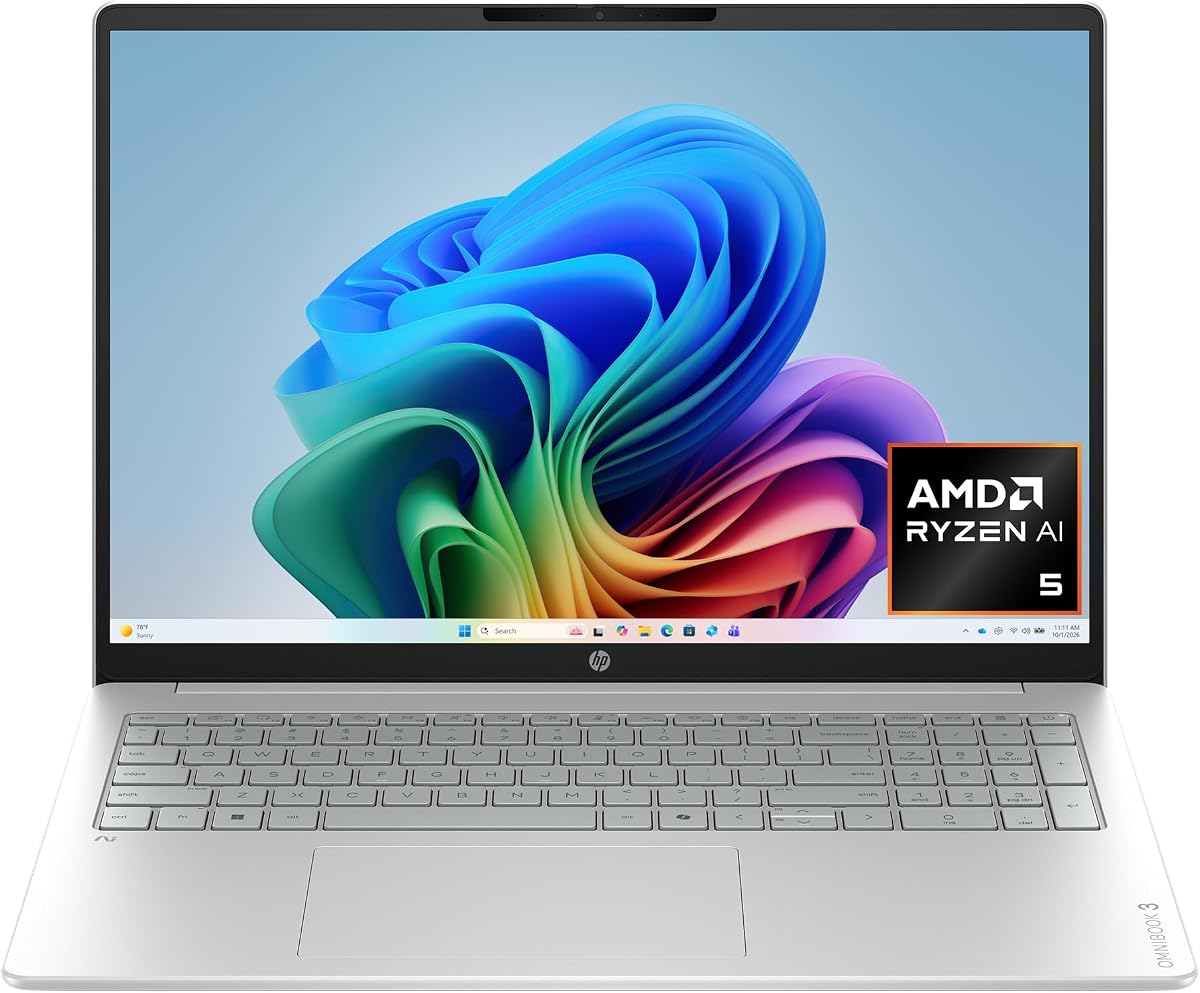
The HP OmniBook 3 16 inch Next Gen AI PC stands out as the top choice for users seeking a balanced blend of performance and efficiency. With a high rating of 4.8 stars, it delivers robust AI-driven experiences powered by the AMD Ryzen AI 5 430 processor, making it ideal for both work and creative tasks.
We may earn a commission when you buy through this link, at no additional cost to you.
Its standout qualities include a stunning 2K IPS touchscreen that offers wide viewing angles and lifelike color reproduction. The device supports up to 19 hours and 30 minutes of battery life, ensuring you stay productive throughout the day without constantly hunting for an outlet. Advanced AI noise reduction enhances team conversations by filtering out background noise automatically.
While the 512 GB SSD offers fast speed via PCIe Gen4 NVMe technology, some power users might find the storage limiting for large media libraries. However, the 16 GB DDR5 RAM provides sufficient bandwidth for smooth multitasking and running multiple applications simultaneously without lag.
This laptop is perfect for professionals, students, and home users who need a reliable machine for daily tasks and video conferencing. The inclusion of a Copilot key gives instant access to AI assistance, enhancing workflow efficiency. We recommend this model for anyone prioritizing battery life and display quality.
The Copilot+ PC experiences allow you to access intelligent AI assistants with a single press of a button, streamlining daily workflows significantly.
FHD camera with HDR auto-switch ensures smooth video calls even in challenging lighting, while the Radeon 840M GPU supports high resolution display needs.
We may earn a commission when you buy through this link, at no additional cost to you.
The Lenovo ThinkBook 16 Gen 8 is engineered specifically for business users who require top-tier performance and security. Rated at 4.6 stars, it features the Intel 16-Core Ultra 7 255H processor with AI acceleration, capable of handling complex spreadsheets and enterprise applications effortlessly.
We may earn a commission when you buy through this link, at no additional cost to you.
Key strengths include the generous 32 GB DDR5 RAM and 1 TB PCIe SSD, which eliminate lag when running multiple business applications simultaneously. The fingerprint reader and Windows 11 Professional provide advanced security features to protect sensitive business data, making it a reliable choice for corporate environments.
The 16 inch FHD+ display provides ample screen real estate for data analysis and presentations on the go. However, this focus on workstation capabilities means it may be heavier and more expensive than consumer focused ultrabooks, which could be a drawback for frequent travelers.
This device is ideal for IT departments and enterprise professionals needing robust security and performance. The seamless collaboration features via WiFi 6E ensure stable connections for video conferencing. We recommend this for businesses prioritizing data protection and heavy duty multitasking capabilities.
The high RAM and SSD capacity ensure smooth operation of virtual machines and complex datasets without system slowdowns.
Enterprise security features include fingerprint scanning and Windows 11 Professional to safeguard critical business information effectively.
We may earn a commission when you buy through this link, at no additional cost to you.
The HP OmniBook X 14 inch Next Gen AI PC is designed for users who prioritize visual fidelity and battery longevity. With a rating of 4.3 stars, it features a 3K OLED touchscreen that brings deeper blacks and richer contrast compared to traditional LED screens, enhancing media consumption and creative work.
We may earn a commission when you buy through this link, at no additional cost to you.
Its standout features include an impressive battery life of up to 27 hours and 30 minutes, supported by HP Fast Charge that restores battery from 0 to 50% in about 30 minutes. Smart Sense technology optimizes performance based on your activity, automatically adapting temperature and fan noise for comfort.
The 24 GB LPDDR5x RAM and 1 TB PCIe Gen4 NVMe SSD offer excellent storage and memory bandwidth. However, the premium price reflects these high-end components, and OLED panels can be susceptible to burn-in over time if static images are displayed for prolonged periods.
This laptop is best suited for creatives and multimedia enthusiasts who need a high quality display and long endurance. The Poly Studio Audio ensures pitch perfect sound for collaboration. We recommend this model for users willing to invest in top tier visual and battery performance.
The 3K OLED technology lights each pixel separately to deliver true color accuracy and enhanced color depth for creative tasks.
Smart Sense AI-driven optimizer switches modes to manage warmth and noise levels based on current user activity automatically.
We may earn a commission when you buy through this link, at no additional cost to you.
The HP OmniBook 5 16" Touchscreen AI Laptop offers a compelling combination of screen size and storage capacity. Rated at 4.5 stars, it features the latest Intel Core Ultra 7 processor with built-in AI acceleration, delivering fast and intelligent performance for productivity and creative workloads.
We may earn a commission when you buy through this link, at no additional cost to you.
Key strengths include the large 16-inch touchscreen which provides an immersive viewing experience perfect for presentations and creative tasks. The massive 1TB SSD ensures plenty of storage for files, photos, and applications, while the 16GB high-speed RAM supports smooth multitasking and ultra-fast boot times.
The premium silver aluminum design and backlit keyboard make it ideal for business professionals and home users alike. However, users should check the exact weight as 16-inch models tend to be heavier than smaller laptops, which could impact portability during daily commutes.
This model is perfect for those who prioritize screen real estate and storage over extreme portability. The Copilot AI support enhances workflows with intelligent suggestions. We recommend this for users needing a versatile workhorse for everyday use and content creation.
The large 16-inch touchscreen with crisp visuals allows for responsive touch control ideal for work and streaming tasks.
Features a sleek silver aluminum design and backlit keyboard alongside Wi-Fi 6E connectivity for stable wireless performance.
We may earn a commission when you buy through this link, at no additional cost to you.
The HP OmniBook 5 16 inch Next Gen AI PC leverages the Snapdragon X X1-26-100 processor to deliver exceptional efficiency and battery life. Rated at 4.2 stars, it offers up to 34 hours and 45 minutes of battery life, making it one of the most durable devices for on-the-go productivity.
We may earn a commission when you buy through this link, at no additional cost to you.
Standout features include the integrated Otter.ai assistant which records audio, writes notes, and generates meeting summaries automatically. The Qualcomm Adreno GPU optimizes power consumption while still delivering high performance graphics for mobile UI and advanced applications.
The 2K OLED display offers rich colors and crisp visuals with 1920×1200 resolution. However, users should be mindful of potential software compatibility issues with ARM-based architecture when running specific legacy Windows applications. Storage is limited to 512 GB compared to higher capacity SSDs in competitors.
This laptop is best for mobile workers who need to stay connected all day without carrying chargers. The Windows Hello IR camera adds a layer of security. We recommend this for professionals prioritizing battery endurance and modern connectivity features.
With Otter.ai, an AI assistant can record audio, write notes, and generate meeting summaries to save time and stay organized.
Qualcomm Wi-Fi 6E unlocks faster speeds and the HP True Vision FHD IR camera provides added security with Windows Hello.
We may earn a commission when you buy through this link, at no additional cost to you.
The HP OmniBook 3 14 inch Next Gen AI PC is the top budget-friendly option for those seeking essential AI capabilities without breaking the bank. With a 4.4 rating, it features the Snapdragon X X1-26-100 processor, designed for on-the-go productivity and long battery life.
We may earn a commission when you buy through this link, at no additional cost to you.
Its key strength lies in the incredible battery life of up to 41 hours and 45 minutes, ensuring you can work all day without charging. The 2K OLED display brings rich colors and crisp visuals to everyday productivity tasks, while the 16 GB LPDDR5x RAM supports bandwidth boost performance.
The main compromise is the 256 GB SSD, which may require external storage for heavy users. However, the fast charging capability restores battery from 0 to 50% in about 45 minutes. The lightweight 14-inch design enhances portability significantly.
This device is perfect for students and casual users needing reliable performance for web browsing, streaming, and basic office tasks. The Otter.ai integration adds value for meeting notes. We recommend this for anyone on a strict budget who values endurance.
Enjoy up to 41 hours and 45 minutes of battery life with HP Fast Charge restoring power quickly when needed.
Snapdragon X processor delivers essential performance and AI capabilities ensuring you stay connected all day every day.
We may earn a commission when you buy through this link, at no additional cost to you.
The Dell 16 Plus Touchscreen Laptop is a powerhouse built for professionals needing the latest connectivity and processing speeds. Rated at 4.5 stars, it features the Intel Core Ultra 9 288V vPro processor with a powerful NPU, making it an ideal replacement for older business laptops.
We may earn a commission when you buy through this link, at no additional cost to you.
Key strengths include the support for Wi-Fi 7 which offers unprecedented wireless performance and speed. The 32 GB LPDDR5X memory running at 8533MT/s ensures smooth multitasking. The 16-inch display with narrow bezels provides a roomy and detailed screen for productivity.
While the specs are robust, the price point is higher, and the device comes with Windows 11 Home instead of Pro, which might limit enterprise IT management features. The modular design enhances durability, and the numeric keypad adds convenience for data entry tasks.
This laptop is best for high-performance users and IT departments needing stable management. The noise cancellation features make video calls clearer. We recommend this for power users prioritizing speed and modern connectivity standards.
Wi-Fi 7 offers gig+ speeds and expanded capacity for seamless connectivity and faster wireless performance.
The 16:10 display and numeric keypad help you work more productively on a roomier screen.
We may earn a commission when you buy through this link, at no additional cost to you.
The ASUS Vivobook S16 Laptop (2026) earns a perfect 5.0 rating for its flawless blend of performance and design. Powered by the AMD Ryzen AI 9 465 processor with up to 50 NPU TOPS, it handles complex workloads effortlessly while maintaining a minimal and refined aesthetic.
We may earn a commission when you buy through this link, at no additional cost to you.
Key strengths include the immersive 16-inch WUXGA OLED display which delivers deep contrast and vivid detail. The laptop is incredibly portable at 3.75 lbs and 0.7 inches thin, yet houses 32 GB of memory and 1 TB of storage for a calm and confident computing edge.
While it is a premium model with a higher price tag, the performance and build quality justify the cost. The lack of Wi-Fi 7 is a minor drawback for users needing the absolute latest wireless standard. However, the port selection is comprehensive, including HDMI 2.1 and USB-C.
This device is ideal for creators and professionals who need a powerful, portable machine for daily use. The physical privacy shutter adds security peace of mind. We recommend this for those prioritizing screen quality and performance in a lightweight package.
Up to 50 NPU TOPS ensures tasks run seamlessly and writing feels effortless anywhere your day takes you.
The narrow-border OLED display creates a spacious feel and the sleek design is ultra-portable at just 3.75 lbs.
We may earn a commission when you buy through this link, at no additional cost to you.
The acer Aspire 16 AI Copilot+ PC brings a dynamic visual experience with its 120Hz multi-touch display. Rated at 4.2 stars, it leverages the Snapdragon X X1-26-100 processor to deliver best-in-class performance and power efficiency across CPU and GPU workloads.
We may earn a commission when you buy through this link, at no additional cost to you.
Key strengths include the 120Hz refresh rate which makes scrolling and animations look significantly smoother than standard 60Hz screens. It features a 45 TOPS NPU for optimized processing and AI acceleration, along with 16GB of high-speed memory for smooth multitasking.
The 16-inch WUXGA display offers 100% sRGB color accuracy and sharp detail. However, users should note that 512GB SSD is standard here but not expandable to higher capacities without external drives. The Wi-Fi 7 support ensures it stays future-ready for fast network environments.
This laptop is best for those who prioritize smooth visual interactions and connectivity. The Acer AI solutions streamline settings and optimize your video presence. We recommend this for users who want a modern display refresh rate in an AI-powered device.
The 16-inch 120Hz touchscreen provides sharp detail and immersive viewing for entertainment and creative expression.
Intelligent Acer AI solutions streamline settings and optimize your video presence to enhance communication easily.
We may earn a commission when you buy through this link, at no additional cost to you.
The HP Omnibook 16" 2K Touchscreen Laptop is built for elite performance with its latest 4nm Zen 5 architecture. Rated at 4.6 stars, it features an AMD Ryzen AI 7 processor paired with 32 GB of DDR5 RAM, ensuring seamless creativity and reliability for professional workflows.
We may earn a commission when you buy through this link, at no additional cost to you.
Key strengths include the Windows 11 Pro operating system which provides enterprise-grade security. The 50 TOPS NPU supports advanced AI workloads, and the 1TB SSD offers ample space for large project files and media libraries without lag.
The device also includes an HP True Vision 1080p FHD IR camera and DTS:X Ultra audio for premium collaboration. However, the 16-inch form factor and robust components mean it may not be the lightest option for frequent travelers. Connectivity is excellent with multiple USB-C and HDMI ports.
This laptop is perfect for creators and business users needing high capacity and security. The energy-efficient architecture supports all-day battery life. We recommend this for those prioritizing RAM and storage in a professional AI laptop.
Leverages 50 TOPS NPU for seamless AI workloads ensuring this is a future-ready workstation.
Features Windows 11 Pro software with enterprise-grade security and AI-powered Windows Studio Effects.
We may earn a commission when you buy through this link, at no additional cost to you.
Choosing the right AI laptop requires evaluating several critical components that define performance, efficiency, and user experience in this new era of computing.
The central processing unit and neural processing unit are the heart of any AI laptop. Modern chips from Intel, AMD, and Qualcomm now include dedicated NPUs designed to handle AI tasks efficiently without draining the main CPU or GPU.
Look for processors specifically labeled as AI-optimized or Copilot+ capable to ensure you get the promised local AI performance.
AI applications and multitasking require substantial RAM to run smoothly. 16 GB is the minimum, but 32 GB offers significantly better longevity for future software updates and heavier workloads.
Ensure the device has a fast PCIe SSD to avoid bottlenecks when loading large datasets or applications that utilize AI features.
Because AI tasks can be power-intensive, a laptop with efficient silicon architecture is crucial for portability. Check the manufacturer claims and independent reviews to verify real-world battery performance during typical usage scenarios.
Prioritize models with fast charging capabilities to minimize downtime during long days of work or travel.
A high-resolution display is essential for creative work and detailed data analysis. OLED and IPS panels offer better color accuracy and contrast, which are important for media consumption and professional output.
Consider touchscreen capabilities if you plan to use stylus input or gesture controls for enhanced interactivity with AI tools.
Modern AI laptops should include the latest wireless standards like Wi-Fi 6E or Wi-Fi 7 to support fast cloud syncing and video conferencing.
Check for USB-C ports with Power Delivery and DisplayPort capabilities to ensure compatibility with external monitors and charging setups.
Windows 11 Home and Pro offer different levels of security and management features. Ensure the OS supports the AI tools you intend to use, such as Copilot and local AI processing utilities.
Pro versions are better for enterprise environments where security and remote management are priorities.
Larger screens provide more workspace but often come with increased weight. Consider how much you will travel with the device to decide between a 14-inch and 16-inch chassis.
Slim profiles help you carry the laptop comfortably in a backpack without adding unnecessary bulk.
AI laptops vary widely in price based on specifications. Balance your needs with your budget by identifying which features are non-negotiable for your workflow.
Invest in the highest capacity RAM and storage you can afford, as these are harder to upgrade later on most modern designs.
Start by enabling AI features in your settings to ensure the NPU is active for local processing. Use the Copilot key for quick access to generative AI tools to streamline your workflow efficiently.
Protect your device by keeping it clean and away from extreme temperatures. Dust and debris can block airflow vents, causing the system to throttle performance during intensive AI tasks.
Update your firmware and drivers regularly to benefit from security patches and performance improvements. This ensures your AI capabilities remain compatible with the latest software updates and applications.
An AI laptop includes a dedicated Neural Processing Unit designed to handle machine learning tasks locally. This architecture allows for faster on-device processing of features like noise reduction and content generation without relying on cloud servers.
Most modern AI laptops include integrated GPUs that work with the NPU for standard AI features. However, heavy deep learning workloads may still benefit from dedicated external GPUs or specialized hardware configurations.
16 GB is sufficient for basic AI features and multitasking. However, running complex models or large applications simultaneously is more stable with 32 GB of RAM for long-term performance and reliability.
Copilot+ features leverage local processing to provide tools like Recall and advanced search without sending data to the cloud. This ensures privacy while delivering instant responses and context-aware assistance to users.
Yes, most run full Windows 11 Home or Professional. However, users with ARM-based chips should check app compatibility, as some legacy x86 applications may require emulation which could impact performance.
Many models include hardware security features like fingerprint readers and TPM chips. Opting for Windows 11 Professional versions provides additional management tools required for business environments and IT departments.
We highlighted ten top models ranging from budget-friendly 14-inch units to powerful 16-inch workstations. Each offers unique benefits tailored to different needs, whether you prioritize battery life, display quality, or raw processing power.
Consider what matters most to you before buying. If portability is key, the HP OmniBook 3 14-inch is an excellent choice. For power users needing extensive storage, the Dell 16 Plus or ASUS Vivobook S16 are standout options.
Remember that prices and availability change frequently. Always verify current listings and check for any new updates or promotions before finalizing your purchase decision to ensure you get the best deal available.