
Revopoint MIRACO Plus 3D Scanner
4.5Editor score
All-in-one photogrammetry
2K flip screen interface
High-speed processing power
Choosing the right 3D scanner can transform how you approach design, engineering, and creative projects. Whether you need to capture tiny details or large structures, modern devices offer incredible precision and speed.
We evaluated ten leading models based on accuracy, scanning speed, software capabilities, and ease of use. Each product was analyzed for its unique strengths and suitability for different professional and hobbyist needs.
Each pick highlights specific features and real-world applications. Keep in mind that prices and availability can change, so verify the latest details before making your final purchase decision today.
4.5Editor score

5.0Editor score

3.0Editor score
As an Amazon Associate we earn from qualifying purchases.
This table provides a side-by-side overview of the top 10 models, highlighting key specifications and unique selling points to help you decide quickly.


The Creality Pika stands out as a top contender with its 0.03mm accuracy and dual-mode scanning capabilities. Its combination of laser and structured light ensures versatility for various objects.
We may earn a commission when you buy through this link, at no additional cost to you.
AI-powered features like body completion and retexturing make it ideal for advanced projects. The Wi-Fi 6 connectivity and 110 FPS speed streamline workflows significantly for professionals.
While the price is higher, the included accessories and precision justify the investment. You may need to manage battery swaps for long sessions, but performance remains consistent.
This scanner is perfect for engineers and creators needing high detail. It balances portability with industrial-grade output for diverse applications today.
Switching between blue laser and NIR structured light allows capturing both fine details and full-body scans effortlessly.
Built-in AI repairs holes and generates textures, reducing post-processing time and improving model quality immediately.
We may earn a commission when you buy through this link, at no additional cost to you.
The POP 4 delivers industrial-grade accuracy with up to 0.03mm single-frame precision. It uses a mix of structured light and laser modes for different needs.
We may earn a commission when you buy through this link, at no additional cost to you.
Its five scanning modes cover everything from small parts to large objects. The all-weather design ensures reliability in bright sunlight or varied environments.
Software features like AI segmentation simplify post-processing. However, advanced tools like Revo Design require separate purchase and Windows only support.
Best for professionals needing consistent high-quality data. Its robust build and versatile modes handle demanding tasks effectively.
From VCSEL rapid scanning to cross laser lines, this scanner adapts to reflective, dark, or large objects easily.
Wi-Fi streaming allows real-time preview on mobile devices, enhancing control during complex scans.
We may earn a commission when you buy through this link, at no additional cost to you.
At just 190g, the INSPIRE 2 is incredibly light and easy to carry. Its dual scanning modules handle various sizes without much setup.
We may earn a commission when you buy through this link, at no additional cost to you.
Outdoor performance is strong with up to 20,000 lux tolerance. The optical zoom helps focus on mixed-geometry surfaces effectively.
Wireless streaming makes remote work possible. Calibration ensures high precision. but it lacks the extreme accuracy of higher-end models.
Ideal for field work or quick prototyping. It offers a balance of portability and professional features for mobile users.
Adjustable magnification captures fine details on small features without needing to move closer physically.
High-resolution RGB camera captures true-to-life colors, perfect for heritage preservation and design.
We may earn a commission when you buy through this link, at no additional cost to you.
The MetroY Ultra targets industrial inspection with 0.01mm precision. It uses advanced blue laser for fine details and high-reflectivity metals.
We may earn a commission when you buy through this link, at no additional cost to you.
90 FPS scanning speeds ensure quick data acquisition. This saves time on large projects while maintaining consistent quality across scans.
No-spray capability is a major benefit for delicate parts. Outdoor performance remains stable even in harsh sunlight conditions.
Best for quality control and reverse engineering. Its precision and speed justify the investment for serious industrial use.
Dark or shiny surfaces are captured directly, saving time on preparation and protecting sensitive items.
Wi-Fi 6 enables real-time monitoring via mobile devices, increasing flexibility during operations.
We may earn a commission when you buy through this link, at no additional cost to you.
MetroX Pro offers one-click automatic turntable scanning for hands-free workflows. Its 0.01mm precision meets high industrial standards.
We may earn a commission when you buy through this link, at no additional cost to you.
Tracking modes adapt to different object shapes and textures. Color capture ensures realistic models for design and prototyping.
Real-time PC-to-mobile streaming improves collaboration. The software allows easy export to industry formats for further use.
Great for production environments needing automation. It combines speed and accuracy for reliable repeatability.
Automated scanning reduces manual handling errors and ensures consistent alignment every time.
HD RGB camera captures vivid colors for accurate 3D models useful for marketing or design.
We may earn a commission when you buy through this link, at no additional cost to you.
The Fox offers medium-format scanning at an accessible price for beginners. Its 0.07mm accuracy delivers detailed results suitable for 3D printing.
We may earn a commission when you buy through this link, at no additional cost to you.
AI visual tracking relocks onto objects if movement occurs. JMStudio integrates editing and optimization into a seamless workflow.
Performance is reliable for hobbyists and small businesses. While not industrial-grade, it captures useful data for most creative projects.
A solid choice for those entering 3D scanning. It balances cost with features for meaningful outcomes.
Markerless AI relocks after movement, preventing scan restarts and saving time during manual handling.
Editing and optimizing tools are built-in, simplifying the process from scan to final file.
We may earn a commission when you buy through this link, at no additional cost to you.
The Otter Lite uses a quad-camera system to cover objects from coins to cars. Its 0.05mm accuracy balances precision with large coverage.
We may earn a commission when you buy through this link, at no additional cost to you.
No spray is needed for metallic or dark surfaces. Eye-safe infrared allows safe body scanning in under a minute.
Color textures are captured with a built-in RGB camera. This makes models vibrant for digital displays or archiving.
Great for automotive or large component scanning. The flexible design supports various scenarios without much prep.
Dual focal lenses capture both details and coverage, ensuring large projects finish quickly.
Class I laser safety makes it safe for full-body scanning without concerns.
We may earn a commission when you buy through this link, at no additional cost to you.
The Ferret SE offers anti-shake tracking for steady hands. Its 0.1mm precision is sufficient for hobby projects and prototypes.
We may earn a commission when you buy through this link, at no additional cost to you.
Color capture makes models lifelike with vivid textures. It handles black or metal objects without needing spray for contrast.
Beginners benefit from the high success rate. Software is simple but lacks advanced features for heavy-duty tasks.
An affordable entry into handheld scanning. It provides value for casual users needing basic functionality.
One-shot 3D imaging improves success rates even with shaky movements, ideal for beginners.
Built-in high-res camera records original colors for realistic 3D models.
We may earn a commission when you buy through this link, at no additional cost to you.
The Ferret Pro enhances mobility with WiFi 6 support. It maintains the same accuracy and tracking as the SE version.
We may earn a commission when you buy through this link, at no additional cost to you.
Wireless transfer speeds up data workflow. Compatible with iOS and Android devices for flexible usage options.
Outdoor performance holds up to moderate light levels. It avoids expensive prep while ensuring reliable scans.
Perfect for mobile professionals needing wireless convenience. It balances price with modern connectivity features.
Faster bandwidth ensures stable data transfer for high-precision scanning tasks.
Support for iOS, Android, and PC makes it versatile for different workflows.
We may earn a commission when you buy through this link, at no additional cost to you.
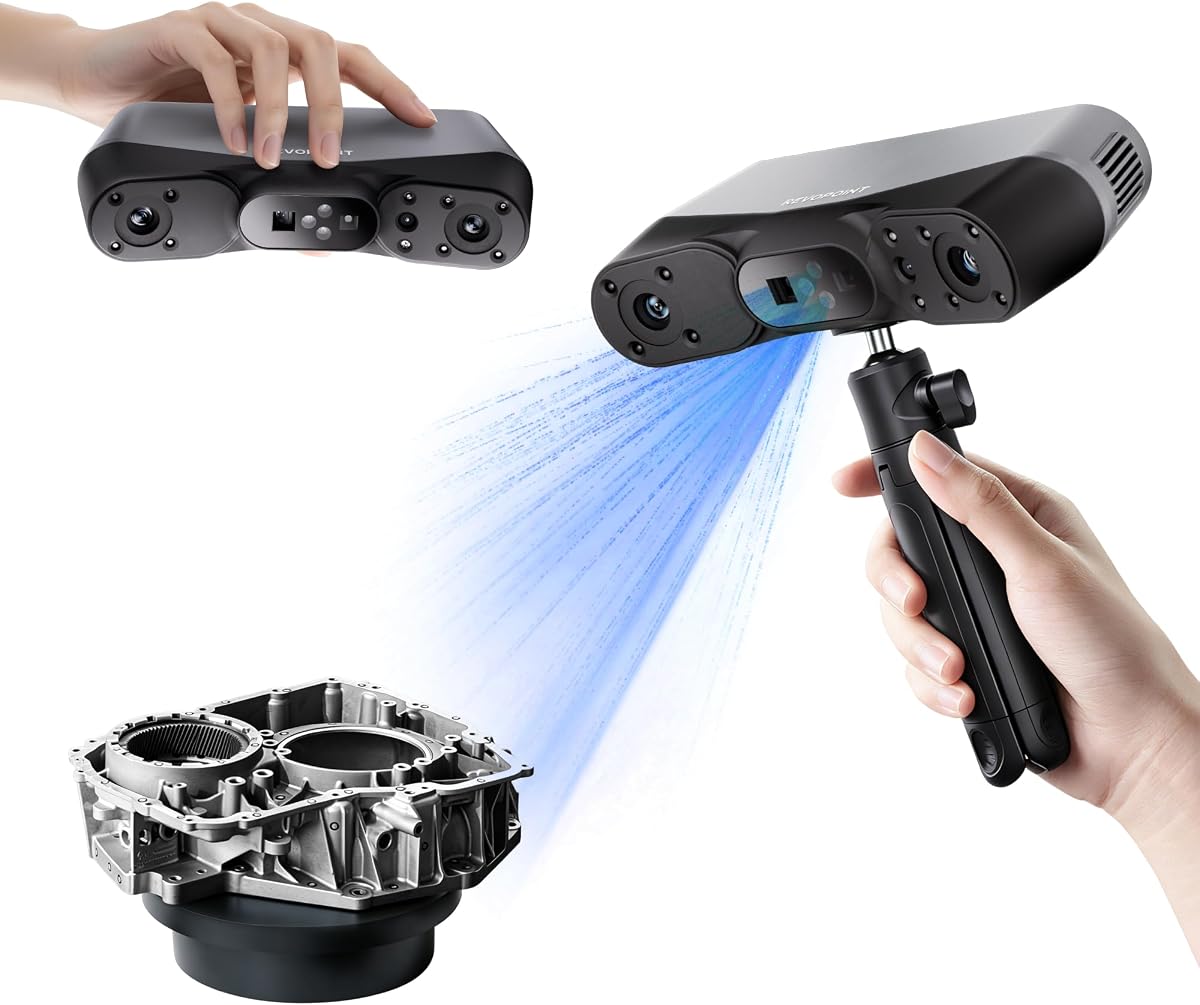
MIRACO Plus is an all-in-one device with integrated photogrammetric metrology. It handles small and large objects with high accuracy.
We may earn a commission when you buy through this link, at no additional cost to you.
The 2K flip screen allows easy viewing. Powerful hardware ensures fast processing and smooth software performance.
Battery life is strong with fast charging. The software supports CAD conversion for reverse engineering tasks.
Best for professionals needing a standalone powerhouse. It removes the need for external computers entirely.
Integrated scale bars enable precise measurements on large objects without external calibration.
8-core processor and 32GB RAM allow capturing up to 10,000 frames without lag.
We may earn a commission when you buy through this link, at no additional cost to you.
Selecting the right scanner involves evaluating accuracy, speed, connectivity, and software compatibility based on your intended use.
Accuracy determines how closely the scan matches reality. Look for values between 0.01mm and 0.1mm depending on part complexity.
Prioritize higher accuracy for engineering and reverse engineering tasks.
Speed affects workflow efficiency. Faster frame rates like 110 FPS reduce time on large projects.
Higher speeds matter when capturing moving objects or busy environments.
Handheld scanners range from 190g to over 700g. Lighter models suit field work while heavier ones may offer more power.
Consider weight if you carry it frequently to job sites.
Software must match your OS and export formats. Some require Windows only while others support cross-platform use.
Check for paid add-ons before purchasing to avoid hidden costs.
Wi-Fi 6 enables cable-free scanning and real-time preview. This increases flexibility and reduces tripping hazards.
Wireless is ideal for remote work or mobile setups.
Some scanners capture reflective or dark surfaces without spray. This saves prep time and protects sensitive parts.
Verify laser modes if you scan many shiny or black objects.
Battery capacity affects continuous usage time. Look for models with removable batteries or fast charging options.
Ensure enough power for your typical project length.
Cost varies from entry-level to industrial. Balance your budget with the features you truly need.
Higher investment usually means better accuracy and software support.
Begin by calibrating the scanner using the provided board to ensure accuracy. Follow the software guide to set correct modes for your object.
During scanning, move smoothly and keep the device steady for best results. Avoid direct sunlight if the model is not weather-rated.
After use, store the unit in its case away from moisture. Clean lenses gently with a microfiber cloth and charge regularly for longevity.
Most handheld scanners struggle with transparency unless using special settings or sprays. Some models offer better performance on non-reflective materials.
Processing heavy point clouds requires a capable machine. Check system specs for RAM and GPU to avoid lag during post-processing.
Look for STL or OBJ export options in the software. These formats are widely supported by 3D printing programs.
Yes, if it supports eye-safe infrared and body modes. Ensure the device is certified for human scanning before attempting.
Entry-level models with intuitive software and AI tracking are ideal. They reduce the learning curve while providing useful results.
Offline scanning works fine, but updates and cloud features need internet. Wi-Fi helps transfer data but isn't mandatory.
Most use Class I lasers that are eye-safe. Follow instructions to prevent accidental exposure to sensitive areas.
Time depends on object size and speed. Small parts take minutes, while large projects may require several passes.
The Creality Pika, MIRACO Plus, and CR-Scan Ferret SE lead their categories for precision, all-in-one power, and budget value.
Prioritize features that match your projects like accuracy or portability. Investing wisely now prevents frustration and rework later.
Always check current prices and availability before buying. Technology evolves fast, so stay updated for the best deals today.