
LG Smart Monitor Swing
4.1Editor score
Wheeled rolling stand
WebOS smart platform
Multi-device connectivity
Choosing the right display can transform your workflow significantly. A 32 inch touchscreen monitor offers a spacious canvas for creative tasks, presentations, and interactive work. These devices combine high resolution with responsive touch controls to streamline operations.
We compared ten leading models based on resolution, refresh rates, connectivity options, and stand flexibility. Our analysis focuses on real-world usability for professionals, gamers, and home office users seeking versatile large-screen solutions with touch capabilities.
Each pick highlights specific strengths like 4K clarity, portable stands, or smart OS features. Prices and availability fluctuate frequently so verify current details before purchasing. This guide ensures you find the ideal monitor for your specific needs today.
4.1Editor score

5.0Editor score

4.2Editor score
As an Amazon Associate we earn from qualifying purchases.
This side-by-side comparison evaluates all ten models across key specifications including resolution, touch technology, connectivity ports, and stand ergonomics to help you make an informed decision quickly.



This monitor leads our list with a stunning 4K resolution and lightning fast 144Hz refresh rate. It offers precise 10-point touch input ideal for creative workflows and interactive tasks requiring detailed control across a large screen area.
We may earn a commission when you buy through this link, at no additional cost to you.
The combination of HDMI 2.1, DP 1.4, and a full-featured Type-C port ensures seamless connectivity for modern laptops and desktops. The height-adjustable and rotatable stand allows perfect positioning whether you need portrait mode for code or landscape for media.
While macOS devices only support two-point touch due to system protocols the display quality remains exceptional for all users. Power up sequence matters here so always connect the power adapter before signal cables to ensure stable operation.
Ideal for professionals and gamers seeking a high-performance touchscreen this model delivers clarity and responsiveness. Its versatility makes it a top choice for those needing a powerful interactive display without sacrificing visual fidelity.
The 4K resolution ensures text and graphics appear sharp which reduces eye strain during long work sessions significantly.
Multiple ports allow you to connect gaming consoles and laptops simultaneously without needing extra docking stations or adapters.
We may earn a commission when you buy through this link, at no additional cost to you.
LGs Swing brings unique mobility to the table with a wheeled base that allows you to move the 32 inch display effortlessly around any space. It runs webOS natively so you can stream content without a connected computer when needed.
We may earn a commission when you buy through this link, at no additional cost to you.
The 4K UHD IPS screen delivers vibrant colors and wide viewing angles perfect for presentations in conference rooms or shared home offices. Its flexible stand supports tilt swivel height and pivot adjustments ensuring comfortable viewing from any position.
Cable management is thoughtful with a hidden adapter compartment keeping your setup clean and organized. Three USB-C ports provide power delivery and data transfer making it easy to connect laptops and charge devices simultaneously with minimal clutter.
Best suited for environments requiring frequent reconfiguration this monitor blends smart features with interactive touch. It excels for collaborative spaces where flexibility and entertainment capabilities are just as important as standard display performance.
Access apps and video services directly without needing a separate PC or streaming stick saving desk space and cables.
The rolling stand makes it simple to transport the monitor between rooms or different work zones quickly.
We may earn a commission when you buy through this link, at no additional cost to you.
For those seeking an affordable entry into large touchscreen displays this model offers strong performance at a competitive cost. The 2K resolution provides crisp text and graphics suitable for design work and general productivity tasks.
We may earn a commission when you buy through this link, at no additional cost to you.
A 100Hz refresh rate ensures fluid motion which helps reduce blur during video playback or fast-paced content viewing. The IPS panel delivers consistent colors across wide viewing angles making it great for collaborative office environments.
Touch compatibility is broad but note that gaming consoles and some Apple products may not support touch functions. The height-adjustable stand and VESA mounting options give you flexibility to position the screen comfortably on your desk.
This monitor is ideal for budget-conscious buyers who still want a large interactive screen for work. It balances cost and capability well making it a solid choice for educational settings or home offices needing interactive capabilities.
Offers a large interactive experience without breaking the bank which is perfect for schools or startups.
The 100Hz refresh rate minimizes motion blur providing smoother visuals during dynamic content viewing.
We may earn a commission when you buy through this link, at no additional cost to you.
Xyrio brings a distinct aesthetic with RGB ambient lighting that creates a premium desktop setup look. It features built-in speakers for basic audio needs and includes a stylus for precise touch interactions without needing extra tools.
We may earn a commission when you buy through this link, at no additional cost to you.
The 2K resolution and 100Hz refresh rate offer smooth visuals suitable for office tasks and casual gaming. It supports a wide range of operating systems including Windows and Linux which broadens its utility for various software environments.
Connectivity options cover HDMI DP and USB-C allowing flexible setups for different devices. The ergonomic stand supports tilt swivel and pivot adjustments to fit diverse workspace requirements comfortably for daily use.
This monitor suits users looking for style and functionality in one package. The inclusion of a stylus and speakers makes it convenient for digital artists or presenters needing immediate audio and input tools.
RGB lighting adds a custom visual touch to your workspace enhancing the overall aesthetic of your setup.
Precise input is available right out of the box for detailed drawing or annotation tasks easily.
We may earn a commission when you buy through this link, at no additional cost to you.
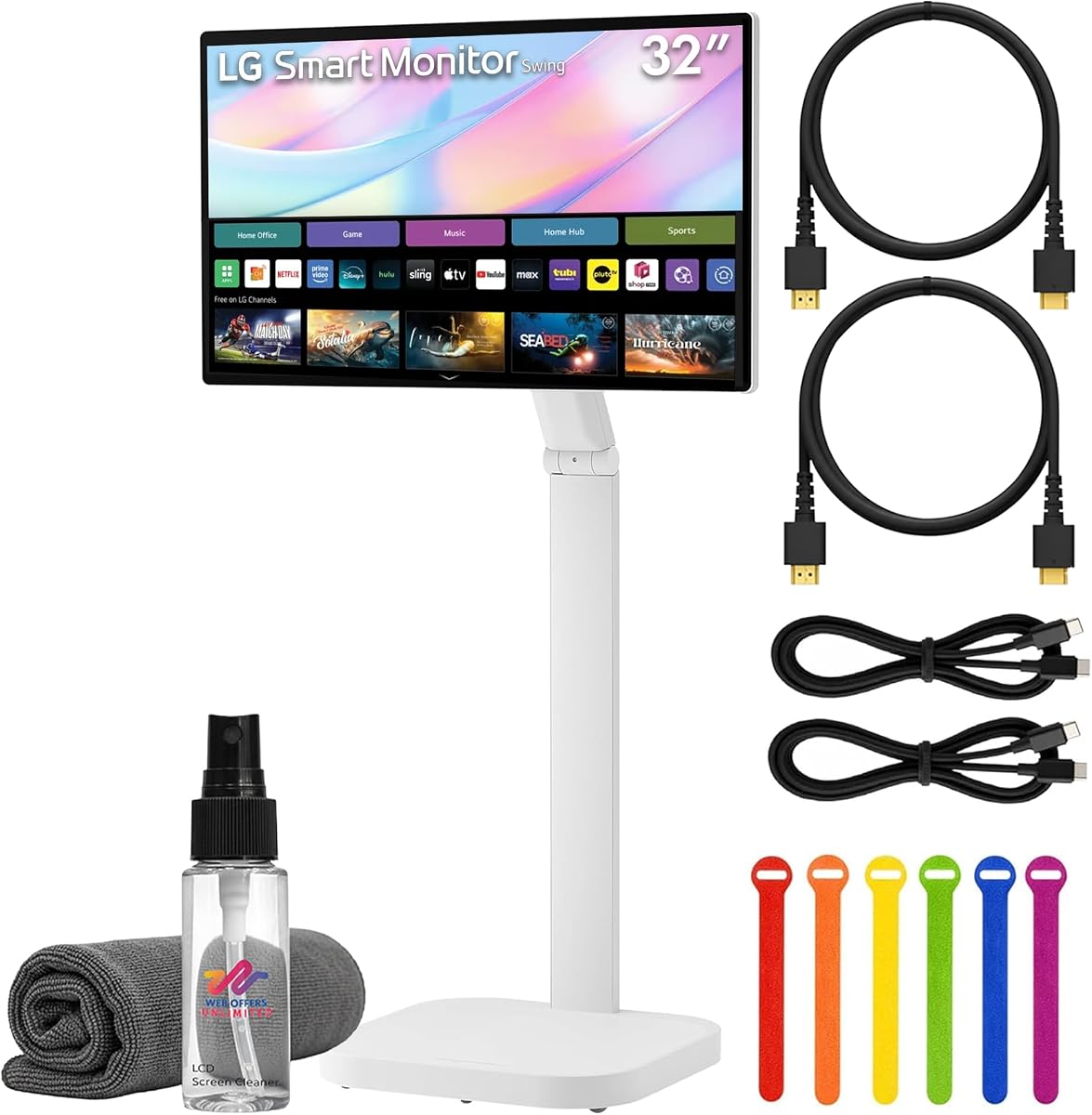
This bundle offers a complete setup with essential cables and accessories included to simplify installation immediately. The 4K UHD display ensures high clarity while the wheeled stand provides exceptional mobility for dynamic workspaces.
We may earn a commission when you buy through this link, at no additional cost to you.
Smart features via webOS allow streaming and productivity without a connected computer. This is ideal for meeting rooms or areas where quick access to content is required without setting up a full PC system.
Cable ties and a cleaning kit are included to maintain a tidy environment. The integrated speakers support video calls making it a self-contained solution for communication and media consumption tasks.
Best for organizations needing a ready-to-use display this bundle saves time on sourcing extra accessories. It combines smart functionality with physical flexibility for a highly adaptable monitoring solution.
All necessary cables and ties are included so you can install and use the monitor right out of the box.
The rolling stand allows easy repositioning across rooms for presentations or flexible office layouts.
We may earn a commission when you buy through this link, at no additional cost to you.
Designed specifically for high traffic environments this monitor is built to operate continuously for 24/7 usage without interruption. It meets stringent compliance standards ensuring reliability for commercial signage and industrial applications.
We may earn a commission when you buy through this link, at no additional cost to you.
VESA mounting and power passthrough simplify installation in public spaces where cable management and structural stability are critical. The built-in IoT control allows for remote management of the display which is essential for large networks.
Impact testing compliance adds a layer of durability against accidental bumps or contact in busy areas. This makes it a robust choice for retail stores or public information kiosks requiring long-term stability.
Ideal for businesses needing a rugged interactive display this model prioritizes endurance over consumer features. It ensures your digital signage remains functional and responsive in demanding daily operational conditions.
Engineered for continuous operation in public spaces ensuring high uptime and reliability for your business.
Built-in IoT capabilities allow easy updates and status monitoring from a central control system remotely.
We may earn a commission when you buy through this link, at no additional cost to you.
This model provides a straightforward 32-inch LED-lit display focused on basic visual performance. It uses an IPS panel to ensure consistent color and wide viewing angles across the screen area for general use.
We may earn a commission when you buy through this link, at no additional cost to you.
With a Full HD resolution it suits general office tasks and media viewing without requiring heavy graphics power. The brightness level ensures visibility in standard indoor lighting conditions for consistent daily usage.
Although it lacks touch capabilities it offers a reliable and cost-effective solution for simple display needs. It is a good option for environments where interaction is not required but screen real estate is.
Best for users needing a large screen for passive display tasks this monitor delivers consistent quality. It serves well for reference monitors or secondary screens in multi-monitor setups needing reliable performance.
Focuses on core display functions without extra features making it a dependable choice for standard work.
Provides a large viewing area at a lower cost point ideal for budget-conscious basic display needs.
We may earn a commission when you buy through this link, at no additional cost to you.
Samsung offers a commercial-grade touchscreen designed for professional environments where reliability is paramount. It delivers high-quality touch interaction suitable for kiosks or interactive presentations in business settings.
We may earn a commission when you buy through this link, at no additional cost to you.
The build quality reflects Samsungs reputation for durability ensuring the display withstands frequent use in public spaces. This makes it a solid choice for retail or corporate lobbies needing interactive information points.
While it carries a premium price it delivers consistent performance tailored for commercial applications. It focuses on stability and longevity rather than entertainment features found in consumer monitors.
Ideal for businesses needing a robust touchscreen this model ensures reliable daily operation. Its commercial focus makes it a top choice for interactive signage requiring sustained high performance.
Built to withstand heavy usage in public environments ensuring consistent operation for business needs.
High-quality materials ensure durability and a professional appearance in commercial spaces.
We may earn a commission when you buy through this link, at no additional cost to you.
This Samsung model focuses on standard LCD performance with a reliable black finish suitable for professional settings. It offers a stable display for daily tasks without requiring high refresh rates or touch input.
We may earn a commission when you buy through this link, at no additional cost to you.
The 75Hz refresh rate provides smooth enough visuals for general office work and static content. Its design blends into professional environments with a neutral black finish that matches most office furniture.
While it lacks advanced interactive features it delivers consistent quality for passive display needs. It is a solid choice for control rooms or reference monitors where reliability is more important than interactivity.
Best for environments needing a straightforward large screen this model ensures dependable performance. It fits well in settings where standard visual output is the primary requirement for the display.
The black finish and standard design make it easy to integrate into any office or control room.
Focuses on delivering a stable image without extra features ensuring reliability for daily tasks.
We may earn a commission when you buy through this link, at no additional cost to you.
This model combines 4K resolution with eyecare technology to reduce strain during extended viewing sessions. The 31.5-inch screen provides ample space while maintaining sharp details for various digital content types.
We may earn a commission when you buy through this link, at no additional cost to you.
AirPlay 2 and screen sharing allow seamless integration with Apple devices for easy presentation sharing. The rolling stand ensures you can move the display easily across different areas as needed for collaboration.
While the rating is moderate it offers robust smart features via webOS for entertainment and productivity tasks. The USB-C port supports power delivery allowing laptops to connect and charge simultaneously with minimal cables.
Ideal for users prioritizing eye health and smart connectivity this model is a strong contender. It balances visual comfort with flexible mobility making it suitable for dynamic home office or small business spaces.
Specialized eyecare features help reduce strain during long sessions keeping your eyes fresh throughout the day.
Seamless AirPlay integration ensures quick connection with iPhones and iPads for effortless content sharing.
We may earn a commission when you buy through this link, at no additional cost to you.
Selecting the right touchscreen monitor requires evaluating several technical and functional factors to ensure it meets your specific needs effectively.
Resolution determines how sharp your text and images appear on screen. For a 32-inch display a 4K resolution (3840×2160) provides the best detail making it ideal for design or detailed work. Lower resolutions like 2K or Full HD are acceptable for basic tasks but may show pixelation up close.
Prioritize higher resolution if you plan to read small text or work with intricate graphics regularly.
Capacitive touch like on modern smartphones offers a smooth and responsive experience compared to older resistive types. Look for 10-point multi-touch support to allow multiple gestures like pinching or zooming simultaneously.
Ensure your device supports the touch protocol as some systems like macOS may limit functionality.
A higher refresh rate ensures smoother motion which reduces blur during scrolling or video playback. 100Hz or 144Hz monitors are preferable for dynamic content while 60Hz models are adequate for static office work.
Choose a higher rate if you watch frequent videos or interact with moving elements often.
Versatile connectivity allows you to connect various devices without adapters. Look for HDMI USB-C and DisplayPort inputs to ensure compatibility with laptops consoles and desktops.
USB-C with power delivery is particularly useful for connecting laptops with a single cable.
An adjustable stand helps you position the screen at the correct height and angle to prevent neck strain. Features like height adjustment tilt swivel and pivot are valuable for different working positions.
VESA mounting compatibility allows you to use third-party arms for better flexibility if needed.
Some monitors run their own smart OS which can reduce dependency on a PC for streaming or basic tasks. Others rely entirely on your computer which means you need a connected device for full functionality.
Decide if you need a standalone smart display or a standard monitor for your setup.
Commercial-grade models are built for 24/7 operation and often come with longer warranties. Consumer monitors are designed for typical office hours and may not withstand constant heavy use over long periods.
Select a commercial grade if the display will be used in public or high-traffic environments.
Prices vary significantly based on features like 4K resolution or smart functionality. Basic models offer good value for simple needs while premium options deliver advanced capabilities for professional use.
Determine your must-have features to find the best balance between cost and performance.
Connect the monitor to power before signal cables to ensure stable operation. Use a USB-C or HDMI cable to link your device and enable touch through a USB data connection if required by the model.
Calibrate the touch screen in system settings to ensure your finger inputs match exactly what appears on the display. This step improves accuracy for drawing or precise navigation tasks significantly.
Clean the screen regularly using a soft microfiber cloth and screen-safe cleaning solutions. Avoid using harsh chemicals or abrasive materials that can scratch the glass or damage the touch layer.
Many 32 inch monitors have limited touch support on macOS due to system protocol restrictions. While display functions work perfectly touch might be restricted to two points or not fully available depending on the model.
Yes smart monitors with built-in operating systems like webOS can function independently. They allow streaming and app access directly without needing a connected computer for basic tasks.
10-point touch allows multiple fingers to interact with the screen at once. This enables natural gestures like pinching to zoom or swiping with multiple hands for collaborative editing.
Yes most touch monitors require a USB data connection in addition to video cables. This data link communicates touch inputs between your device and the monitor for interaction.
Rolling stands are very practical if you need to move your display between rooms frequently. They allow easy repositioning for meetings or cleaning without lifting the monitor manually.
A 32-inch monitor provides ample workspace but requires sufficient desk depth. Ensure you have enough room to maintain a comfortable viewing distance to avoid eye strain.
We reviewed ten models ranging from high-performance 4K displays to rugged commercial options. The 32 Inch 4K Touch Monitor stands out for general users while the LG Smart Monitor Swing leads in smart mobility.
Prioritize resolution and touch compatibility based on your specific workflow needs. Ensure your chosen model offers the right ports and stand adjustments to fit your physical workspace comfortably.
Prices and stock change frequently so always check current availability before purchasing. This guide provides a solid foundation to help you select the ideal interactive display for your setup.