
ASUS ProArt PA32QCV
3.9Editor score
Factory calibrated accuracy
MacBook color matching
Dual Thunderbolt 4
Selecting a high resolution display is crucial for modern creative workflows and professional tasks. A 32 inch 6K monitor offers exceptional pixel density and screen real estate for detailed work.
We compared ten leading models based on panel technology, color performance, connectivity options, and build quality. Our analysis focuses on real-world usability for designers, editors, and power users.
Each pick highlights specific strengths and ideal use cases to match your needs. Remember that availability and stock levels change frequently so verify details before purchasing.
3.9Editor score

3.8Editor score

5.0Editor score
As an Amazon Associate we earn from qualifying purchases.
This side by side comparison highlights key specifications and unique features across all ten models. Use this overview to quickly identify which display aligns with your specific workflow requirements.


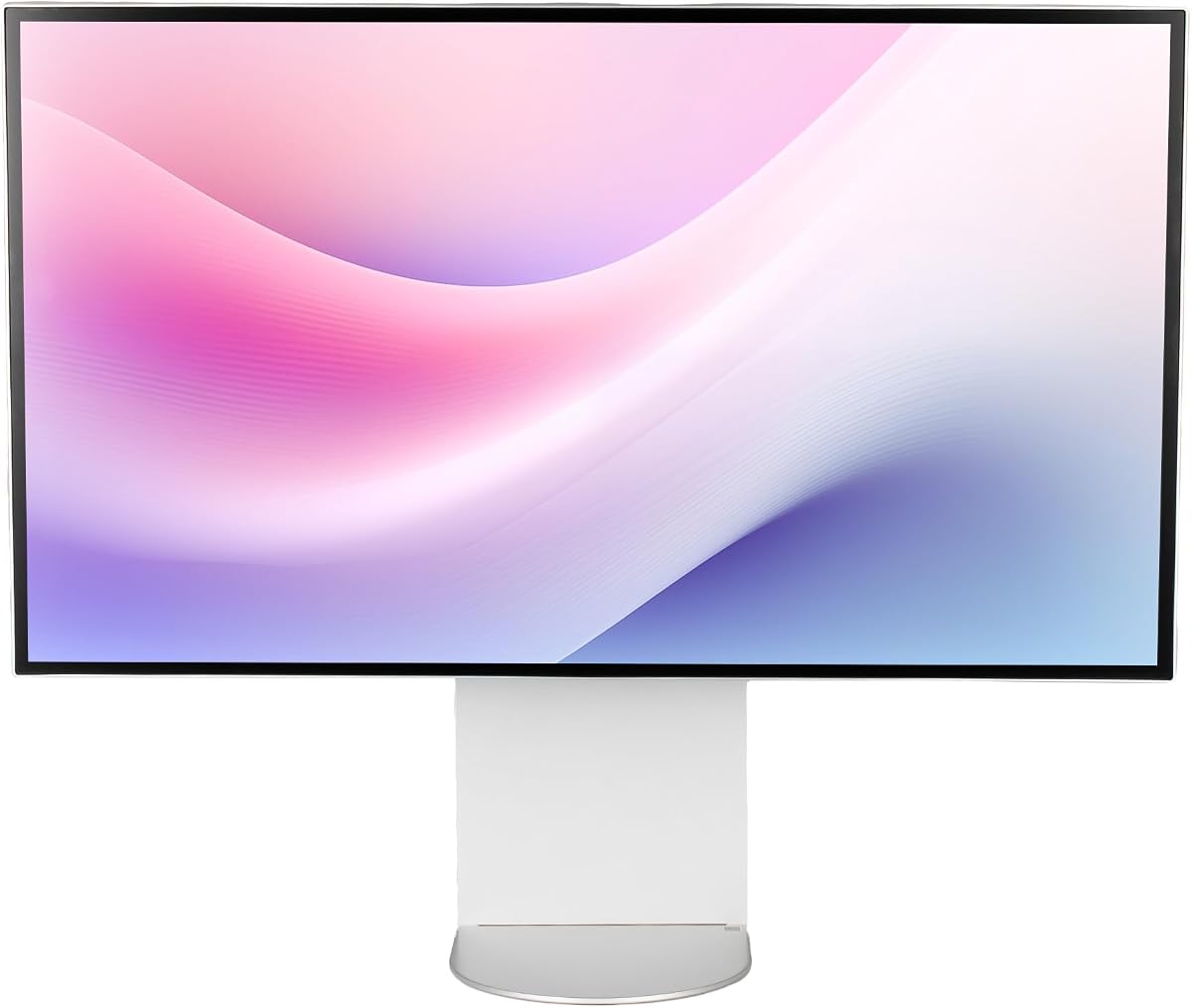
The LG 32U990A-S stands out as a top choice for creative professionals seeking high fidelity visuals. It combines a cutting edge Nano IPS Black panel with Thunderbolt 5 connectivity for future proof workflows.
We may earn a commission when you buy through this link, at no additional cost to you.
This monitor delivers stunning visual clarity with over 21 million pixels packed into a 32 inch display. The contrast ratio reaches 2000:1 which is rare for IPS technology and allows for deeper blacks and richer shadows.
While it excels in color grading and design tasks the 60Hz refresh rate may not suit competitive gamers. However for professional workflows the speed is sufficient for most rendering and editing applications.
If you require precise color accuracy and seamless Mac or Windows integration this model is highly recommended. Its versatility and premium build quality justify the investment for serious creators.
Nano IPS Black technology significantly improves contrast levels allowing for more realistic shadow details.
Thunderbolt 5 enables ultra-fast data transfers and supports 6K daisy chaining for expanded setups.
We may earn a commission when you buy through this link, at no additional cost to you.
The ASUS ProArt PA32QCV is engineered specifically for Mac users who demand precise color matching. It features factory calibration and a unique preset mode that mirrors MacBook display characteristics.
We may earn a commission when you buy through this link, at no additional cost to you.
Color accuracy is verified with Calman and delivers Delta E values under 2. The 98 percent DCI-P3 coverage ensures that digital projects translate well to print and other media standards.
Although it targets professional workflows the dual Thunderbolt 4 ports offer robust connectivity for docks and external drives. The Auto KVM switch simplifies managing multiple devices on a single desk.
This monitor is ideal for graphic designers and video editors working within the Apple ecosystem. Its reliability and color consistency make it a trusted tool for critical production tasks.
The color preset mode ensures seamless visual continuity between your laptop and external display.
Auto KVM switching allows control of two computers with one keyboard and mouse setup.
We may earn a commission when you buy through this link, at no additional cost to you.
The G32X offers a compelling mix of performance and features at a competitive price point. It brings high resolution visuals and solid color accuracy to users seeking value without compromising on core specs.
We may earn a commission when you buy through this link, at no additional cost to you.
With a 500-Nit brightness and 98 percent DCI-P3 coverage this monitor handles HDR content and professional editing effectively. The CNC-machined aluminum body adds a touch of durability and aesthetic appeal.
Connectivity is robust with high-speed ports capable of charging laptops while delivering video. This versatility makes it suitable for hybrid setups involving both work and entertainment tasks.
For those entering the 6K market or needing a reliable secondary display this model provides excellent utility. It balances essential features with a design that fits modern office environments.
High-speed ports support rapid data transfer and laptop charging through a single cable.
The aluminum construction ensures longevity and a sleek look on any desk.
We may earn a commission when you buy through this link, at no additional cost to you.
The Samsung Odyssey G8 introduces 6K gaming capabilities with a remarkable 165Hz refresh rate. It blends resolution with speed for users who want crisp visuals during intense gameplay.
We may earn a commission when you buy through this link, at no additional cost to you.
Fast IPS technology ensures vivid colors across wide viewing angles while maintaining quick response times. NVIDIA G-Sync compatibility reduces tearing and stuttering for a smoother experience.
While it excels in gaming the feature set is less tailored for creative professionals compared to other models. However the connectivity options still allow for general workstation use effectively.
Gamers seeking a high resolution display that does not sacrifice performance will find this monitor appealing. It bridges the gap between media consumption and high fidelity interactive experiences.
Switch between 6K resolution and higher refresh rates based on your current task needs.
Adaptive sync technologies minimize motion artifacts for cleaner action sequences.
We may earn a commission when you buy through this link, at no additional cost to you.
The Dell UltraSharp U3224KB focuses on productivity with a built-in webcam for convenient video calls. Its high resolution screen provides ample space for multitasking and document work.
We may earn a commission when you buy through this link, at no additional cost to you.
Text clarity is exceptional due to the high pixel density making it suitable for reading and coding. The LED backlight ensures consistent brightness for well-lit office environments.
While it lacks advanced color features it delivers dependability and standard connectivity that suits general business use. Dell's reputation adds confidence in long-term support and warranty coverage.
This model is well suited for corporate teams or individuals prioritizing functional efficiency over creative color work. It offers a straightforward solution for modern digital workspaces.
The built-in webcam streamlines video conferencing without needing external peripherals.
High pixel count ensures sharp text and crisp details for extended work sessions.
We may earn a commission when you buy through this link, at no additional cost to you.
This bundle version of the LG UltraFine evo includes essential accessories to simplify deployment. It offers the same high-end specs with added convenience for immediate use.
We may earn a commission when you buy through this link, at no additional cost to you.
The KVM switch allows control of two computers with one keyboard and mouse which boosts efficiency. DisplayHDR 600 and Nano IPS Black ensure visual fidelity for demanding tasks.
Cable management tools included in the package help maintain a tidy workspace. This is beneficial for studios where clutter can impact productivity and aesthetics.
Buyers looking for an all-inclusive solution will appreciate the ready-to-use nature of this package. It combines performance with practical extras that support a professional environment.
Included cable ties and cleaning kits aid in keeping the workspace organized and clear.
KVM functionality reduces hardware duplication and speeds up switching between systems.
We may earn a commission when you buy through this link, at no additional cost to you.
The G32P features a distinctive honeycomb design and high color fidelity. It is designed for users who prefer custom mounting solutions or specialized desk setups.
We may earn a commission when you buy through this link, at no additional cost to you.
With 99 percent DCI-P3 coverage it delivers vibrant colors for entertainment and media tasks. The aluminum body ensures a premium feel and robust structural integrity.
Note that this model does not include a stand so a VESA arm is required. This flexibility allows for tailored ergonomic positions but adds to setup complexity.
It appeals to enthusiasts who want a unique look and high specs without the constraints of a standard stand. Proper mounting ensures optimal viewing angles and stability.
Universal VESA mount support lets you choose an arm that fits your workspace.
High color gamut coverage enhances the realism of digital media and games.
We may earn a commission when you buy through this link, at no additional cost to you.
This bundle includes a two year extended protection plan offering peace of mind against unexpected issues. The monitor itself provides solid performance for general office and media tasks.
We may earn a commission when you buy through this link, at no additional cost to you.
USB-C connectivity supports high-speed data transfer making it easy to connect peripherals efficiently. The LED technology ensures bright and clear visuals for daily use.
The included cables and accessories simplify installation allowing for quick deployment. This is ideal for organizations deploying multiple units across different workstations.
Security and reliability are prioritized here over creative features. For users valuing long-term support and consistent operation this option is a practical choice.
The extended protection plan covers potential hardware failures beyond the standard warranty period.
Cables included in the box enable immediate setup without extra purchases.
We may earn a commission when you buy through this link, at no additional cost to you.
The ALOGIC Clarity Touch is the first 6K touchscreen monitor offering interactive control at this resolution. It includes a pressure-sensitive stylus for precise artistic input.
We may earn a commission when you buy through this link, at no additional cost to you.
The fold stand allows the screen to rest flat on a desk like a drafting board. This versatility supports both traditional viewing and hands-on creation workflows.
Color accuracy is high ensuring that what you draw matches the final output. The USB-C hub simplifies connectivity with laptops and peripherals for a clean setup.
It is ideal for digital artists and architects needing a large interactive canvas. While expensive it provides unique functionality that standard monitors cannot match.
The stylus and touch support allow for natural sketching and annotation directly on screen.
The rotating fold stand adapts to different work positions for maximum flexibility.
We may earn a commission when you buy through this link, at no additional cost to you.
This LG Ultrafine model delivers solid 6K performance without extra frills. It covers essential needs for high resolution displays and basic productivity.
We may earn a commission when you buy through this link, at no additional cost to you.
Nano IPS panels provide good color reproduction and wide viewing angles. HDR 600 support adds visual depth for media consumption.
The stand allows tilt and height adjustments ensuring comfortable viewing angles. It suits users who prioritize screen quality over advanced connectivity.
For those seeking a straightforward 6K display this model offers reliable value. It is a practical choice for general office and home use.
Delivers sharp visuals and accurate colors for standard professional tasks efficiently.
Height and tilt adjustments help maintain a comfortable posture during long work hours.
We may earn a commission when you buy through this link, at no additional cost to you.
Selecting the right 32 inch 6K monitor involves evaluating resolution, color performance, and connectivity options to match your specific workflow.
A 32 inch 6K monitor provides over 21 million pixels for incredibly sharp text and image detail. This density allows for multiple windows without scaling and is ideal for creative editing.
Look for resolutions like 6144×3456 or 6016×3384 to ensure the highest pixel count available for your needs.
IPS panels are preferred for their wide viewing angles and accurate color reproduction. Nano IPS Black technology can improve contrast levels significantly over standard IPS.
Check for DCI-P3 or Adobe RGB coverage percentages to ensure the monitor meets professional color standards for your industry.
Modern workflows require versatile connections such as Thunderbolt 4 or 5 for high-speed data and video. USB-C with power delivery can reduce cable clutter on your desk.
Confirm that the monitor supports the specific ports your computer uses to avoid needing extra adapters or hubs.
Professional monitors often run at 60Hz which is sufficient for design work. Gaming oriented models may offer higher refresh rates like 165Hz for smoother motion.
Consider your primary use case and choose a refresh rate that balances performance with cost effectively.
An adjustable stand with height, tilt, and pivot options reduces strain during long work sessions. VESA mount compatibility allows for custom arms if the stand is inadequate.
Prioritize stands that offer smooth adjustments to maintain a healthy posture throughout the day.
Some models include built-in webcams, speakers, or KVM switches to streamline your setup. Touchscreens or stylus support can be valuable for artists and designers.
Evaluate these extras to determine if they add genuine value to your specific workflow requirements.
Reputable brands often provide three to five year warranties with reliable support channels. Some bundles include extended protection plans for added security against hardware issues.
Verify warranty terms before purchasing to ensure long-term peace of mind for your investment.
Prices vary based on features like Thunderbolt versions and panel quality. Determine which specs are non-negotiable versus nice-to-have to optimize your spending.
Focus on core performance needs first to avoid overspending on features you may not use regularly.
Start by calibrating your monitor using built-in tools or external devices to ensure color accuracy. Adjust brightness and contrast settings to match your room lighting conditions.
Clean the screen gently with a soft microfiber cloth to avoid scratches. Use a specialized cleaning solution only if necessary and avoid direct spraying onto the panel.
Manage cables using ties or sleeves to prevent tangling and reduce dust accumulation. Ensure proper ventilation around the monitor to maintain optimal operating temperatures.
A 6K monitor offers significantly more pixels than 4K providing sharper text and more screen real estate. This increased density allows for viewing content at full resolution without scaling and improves detail visibility in creative work.
Yes driving a 6K resolution requires a capable GPU and processor to render images smoothly. Older systems may struggle with performance so check your computer specifications before purchasing.
Many 6K monitors are fully compatible with Mac especially those featuring Thunderbolt connectivity. Models like the LG UltraFine and ASUS ProArt are specifically optimized for macOS color management.
Thunderbolt 5 provides faster data transfer speeds and supports higher bandwidth for video. It allows for single-cable connectivity for power video and data which simplifies desk setups significantly.
Some 6K monitors support daisy chaining allowing you to connect multiple displays via a single cable. This reduces cable clutter and ensures consistent signal quality across your setup.
Nano IPS technology enhances color gamut and brightness compared to standard IPS. It often provides higher contrast ratios and better performance in HDR content for a more immersive visual experience.
We reviewed ten top models ranging from professional color tools to gaming focused displays. The LG 32U990A-S and ASUS ProArt PA32QCV lead in color fidelity and workflow integration.
Prioritize the features that matter most to your daily tasks such as color accuracy or refresh rates. Balancing performance with budget ensures you get the right tool for your specific needs.
Verify stock levels and current specifications before purchasing as product details can change. Choosing the right monitor will significantly enhance your productivity and visual experience.