
ARCTIC P12 Pro A-RGB
4.7Editor score
High Static Pressure
Fluid Dynamic Bearing
Wide PWM Range
This guide compares the top ten addressable RGB fans for PC builds, evaluating cooling performance, lighting effects, and build quality for gamers and
Addressable RGB fans have become essential for modern PC builds, offering customizable lighting and efficient cooling. Choosing the right set ensures your system stays cool while showcasing your style through vibrant color effects and synchronized visuals.
We evaluated ten top-rated models based on airflow, noise levels, bearing types, and lighting features. Our comparison highlights performance across different use cases, from budget-friendly options to premium kits with advanced daisy-chaining and sync capabilities.
Each pick includes detailed specs and real-world insights to help you decide. Note that product availability and pricing may change over time, so verify current details before purchasing to ensure you get the best value for your build.
4.7Editor score

4.7Editor score
4.8Editor score
This side-by-side comparison highlights the key specifications and features of the top ten addressable RGB fans available today, helping you identify the best match for your cooling and aesthetic needs.




The Thermalright TL-C12C-S 5 Pack delivers exceptional value with five high-performance ARGB fans. Rated 4.7 stars, these fans balance cooling efficiency and quiet operation through S-FDB bearings and PWM control.
We may earn a commission when you buy through this link, at no additional cost to you.
Their soft ARGB lighting reflects well off blades for a clean look. With 1550 RPM and 66.17 CFM airflow, they handle case and CPU cooling efficiently while staying under 25.6 dBA noise levels.
While they lack a controller, direct motherboard sync works well. The 55cm cable simplifies daisy-chaining across five fans, reducing clutter in most ATX builds and improving airflow distribution.
Ideal for budget-conscious builders seeking reliable RGB cooling. This pack ensures consistent lighting and airflow across your system without sacrificing performance or noise levels.
S-FDB bearings minimize blade shake and noise while maintaining steady performance under load for long-term reliability.
LED atomizing on blades creates diffused light that matches case aesthetics without harsh glare.
We may earn a commission when you buy through this link, at no additional cost to you.
The CORSAIR RS120 ARGB Triple Pack offers high-speed cooling with daisy-chain ease. Rated 4.6 stars, its fans push 2100 RPM and 72.8 CFM for robust airflow through radiators or dense cases.
We may earn a commission when you buy through this link, at no additional cost to you.
AirGuide technology directs airflow precisely to hot components. Magnetic Dome Bearings reduce friction, enabling smoother operation. Eight LEDs per fan ensure bright, customizable lighting via motherboard sync.
At full speed, noise increases slightly. However, PWM control allows fine-tuned balance between cooling and silence. Static pressure of 2.8mm H2O handles restricted airflow areas effectively.
Perfect for performance builds needing strong airflow. These fans excel in radiator setups where pressure and speed matter more than minimal noise.
Anti-vortex vanes concentrate air toward radiators or heatsinks for targeted cooling efficiency.
Single 4-pin PWM and ARGB connectors per fan reduce cable clutter during installation.
We may earn a commission when you buy through this link, at no additional cost to you.
The ARCTIC P12 Pro A-RGB stands out for its extreme speed and affordability. Rated 4.7 stars, it offers up to 3000 RPM with FDB bearings for smooth, quiet operation across diverse setups.
We may earn a commission when you buy through this link, at no additional cost to you.
Redesigned rotor blades optimize performance at low speeds. The fan stops below 5% PWM for silent idle. Its high static pressure pushes through dense radiators and perforated panels effectively.
No controller is included, so plan for a hub. Despite basic lighting, its cooling performance and price make it ideal for budget-focused builds prioritizing thermal efficiency over complex visuals.
Best for those seeking maximum performance per dollar. It delivers strong cooling and long life with minimal noise at typical operating speeds.
PWM adjustment spans 5% to 100% for precise thermal management in different scenarios.
High static pressure ensures effective heat removal through tight-fitting components and restricted airflow.
We may earn a commission when you buy through this link, at no additional cost to you.
The Thermaltake CT120 EX ARGB 3 Pack simplifies setup with MagForce 2.0 magnetic connectors. Rated 4.6 stars, it enables plug-and-play daisy-chaining, reducing cable clutter and port usage.
We may earn a commission when you buy through this link, at no additional cost to you.
Nine addressable LEDs per fan sync with 5V motherboard control for vibrant lighting. Optimized hydraulic bearings ensure silent performance under load. Anti-vibration mounts protect against resonance noise.
Magnetic connectors may loosen over time. Users should verify connections during system changes. Despite this, the ease of wiring makes it a top choice for quick RGB upgrades.
Ideal for builders prioritizing neat wiring. Its magnetic design and balanced performance suit cases where aesthetics and simplicity matter most.
Magnetic interlocking design allows quick, tool-free fan chaining for tidy internal layouts.
Optimized fluid dynamics reduce friction for whisper-quiet operation across speeds.
We may earn a commission when you buy through this link, at no additional cost to you.
This 6-pack combo includes four forward and two reverse fans for optimized intake-exhaust cycles. Rated 4.4 stars, it offers 28 LEDs per fan for vivid visuals and includes a controller for lighting control.
We may earn a commission when you buy through this link, at no additional cost to you.
Reverse blades ensure consistent aesthetics on side or bottom intake fans. PWM control adjusts speed to 1550 RPM based on temperature. The hub simplifies managing multiple ARGB and PWM devices.
The controller hub adds a bit of complexity. However, it centralizes control effectively for larger builds. The reverse design maintains visual consistency without sacrificing cooling performance.
Great for modern cases needing reverse fans. This set ensures lighting remains visible while maintaining efficient airflow patterns across your chassis.
Blade orientation preserves full RGB visibility when used on bottom or side intake positions.
Combined PWM and ARGB hub manages all devices via one connection for streamlined setup.
We may earn a commission when you buy through this link, at no additional cost to you.
The Thermalright TL-C12C-S X3 provides three quiet, efficient ARGB fans. Rated 4.6 stars, it mirrors the 5-pack features but in a smaller quantity ideal for medium cases or partial upgrades.
We may earn a commission when you buy through this link, at no additional cost to you.
S-FDB bearings keep noise low while delivering 66.17 CFM. PWM control adjusts speed to 1550 RPM. Soft ARGB lighting with 17 modes ensures compatibility with motherboard sync software.
Lack of controller requires motherboard control. The 55cm cable simplifies daisy-chaining all three. This makes it a solid pick for balanced airflow in smaller builds.
Perfect for targeted upgrades needing fewer fans. It maintains consistent performance and aesthetics across case and CPU cooling spots.
Three fans cover essential intake-exhaust points without overcomplicating cable management.
Atomized LED design creates diffuse lighting that matches case panels seamlessly.
We may earn a commission when you buy through this link, at no additional cost to you.
The Thermalright TL-C12C-S X5 offers five fans for full case coverage. Rated 4.7 stars, it combines S-FDB bearings with PWM speed control for quiet, effective cooling across all zones.
We may earn a commission when you buy through this link, at no additional cost to you.
Sixty-six point seventeen CFM airflow per fan supports strong pressure. LED lighting matches cases well via 17 modes. The 55cm cable ensures easy daisy-chain integration.
Motherboard sync required for lighting control. Still, five fans at this price deliver unmatched cooling coverage and consistent RGB visuals for comprehensive setups.
Ideal for large cases needing full RGB coverage. It ensures uniform lighting and strong cooling without sacrificing noise levels.
Five fans provide balanced airflow through intake, exhaust, and radiator mounts simultaneously.
Matching lighting across five units avoids color inconsistencies for seamless aesthetic appeal.
We may earn a commission when you buy through this link, at no additional cost to you.
This 2-pack offers strong cooling for small cases or radiators. Rated 4.6 stars, CT120 fans reach 2000 RPM with seven blades for high airflow and nine addressable LEDs per unit.
We may earn a commission when you buy through this link, at no additional cost to you.
Daisy-chain design minimizes wiring. Hydraulic bearings ensure quiet operation. Anti-vibration mounts protect against frame resonance. Perfect for adding extra RGB without clutter.
Limited to two units per pack. Users needing more will require multiple packs. Still, the solid build and bright lighting make it a reliable compact upgrade.
Best for small form factor builds. It delivers strong performance and vibrant lighting in a minimal footprint.
Seven-blade design enhances CFM and static pressure for radiator efficiency.
Reduced cables simplify wiring in compact cases with limited space.
We may earn a commission when you buy through this link, at no additional cost to you.
The LE120 3-pack simplifies wiring with an included PWM splitter. Rated 4.8 stars, it delivers 66.1 CFM airflow via nine blades and nine addressable LEDs per fan for balanced visuals and cooling.
We may earn a commission when you buy through this link, at no additional cost to you.
Daisy-chain ARGB cables streamline setup. Hydraulic bearings keep noise low at up to 1500 RPM. Lighting syncs via motherboard software for unified effects across all fans.
Splitter reduces connector needs but adds another link. Still, easy installation and solid performance suit most users needing quick RGB expansion without hassle.
Ideal for straightforward builds needing simplicity. It ensures even lighting and steady cooling with minimal setup steps.
Reduces motherboard header usage while managing multiple fans from a single connection.
Nine LEDs per fan provide brighter, more detailed color transitions.
We may earn a commission when you buy through this link, at no additional cost to you.
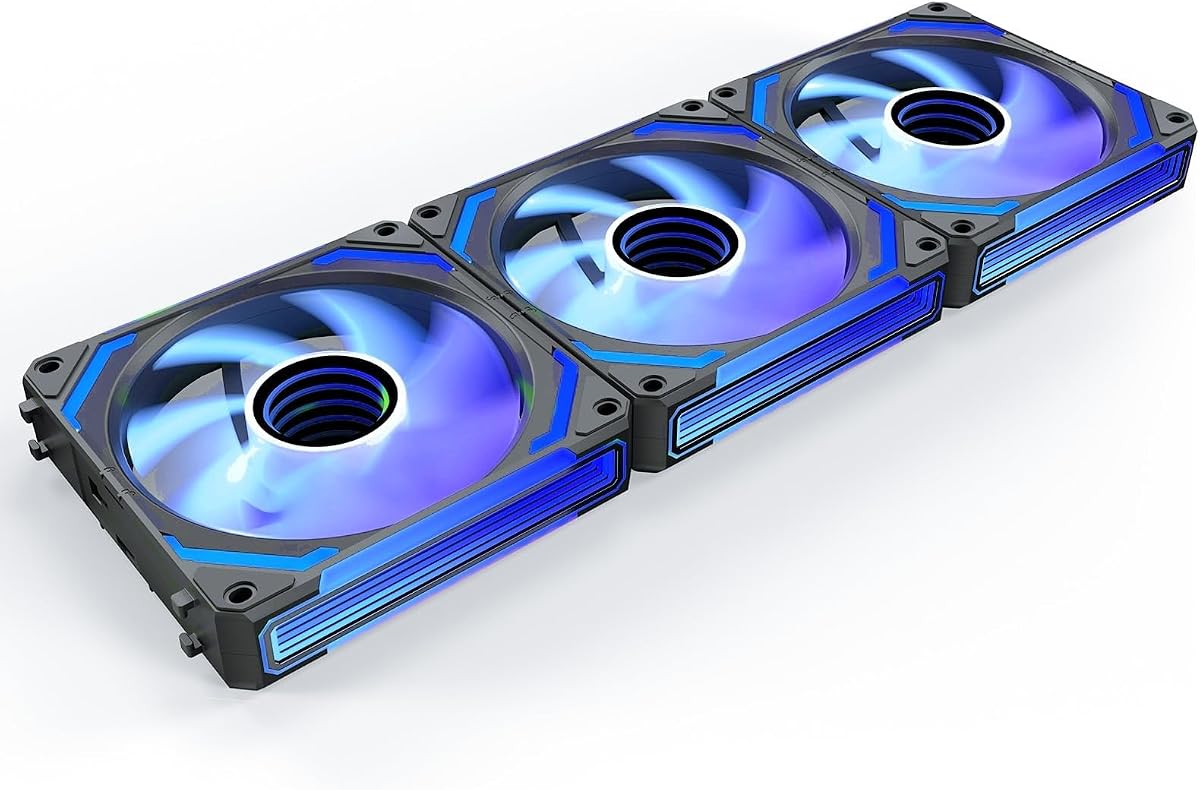
The AsiaHorse COSMIQ 3 Pack delivers stunning visuals with infinity mirror LEDs. Rated 4.8 stars, it combines reverse blades and FDB bearings for quiet, efficient cooling at up to 2000 RPM.
We may earn a commission when you buy through this link, at no additional cost to you.
Music sync lighting adds unique flair with sound-activated effects. Daisy-chain design keeps wiring tidy. Controller enables independent RGB control, enhancing customization for high-end builds.
Cost is higher than basic options. However, premium aesthetics and advanced features justify the investment for modders and enthusiasts seeking standout visuals.
Perfect for high-end builds prioritizing looks. It blends quiet performance with layered lighting effects for a premium desktop landscape.
Layered LED design creates depth and high-end visual appeal inside the case.
Sound pickup enables rhythm-responsive lighting that reacts to game audio or music.
We may earn a commission when you buy through this link, at no additional cost to you.
Selecting addressable RGB fans involves balancing cooling performance, noise, lighting effects, and budget. This guide covers key factors to help you find the right set for your PC build.
Airflow measured in CFM indicates how much air the fan moves. Static pressure determines its ability to push air through restricted areas like radiators. High airflow suits case ventilation, while high pressure suits radiators.
For cases, prioritize CFM. For radiators, look for higher static pressure ratings to ensure effective cooling under resistance.
Bearings determine fan lifespan and noise levels. S-FDB and fluid dynamic bearings offer quiet, long-lasting performance. Ball bearings are durable but may be noisier over time.
Choose fluid or S-FDB bearings for quieter, more reliable cooling especially in silent or compact builds.
RPM affects airflow and noise. Higher RPM delivers stronger cooling but increases noise. PWM control lets you adjust speeds based on temperature for balanced performance.
Select fans with wide PWM ranges to optimize cooling and noise dynamically during different workloads.
Addressable RGB fans allow individual LED control for custom effects. Look for high LED counts and motherboard sync compatibility. Some offer unique effects like mirrors or music sync.
Prioritize fans with software support and multiple lighting modes to match your build's aesthetic theme.
Daisy-chain fans simplify cabling by using one connector per device. This reduces clutter and saves motherboard ports. Magnetic or magnetic-style connectors ease setup further.
Choose sets with daisy-chain capability to maintain neat internal layouts and easier installation.
Standard fans blow air one way. Reverse fans maintain visual consistency on intake spots. Consider your case layout to decide if reverse fans are needed for visible blade aesthetics.
Mix forward and reverse fans as needed to maintain RGB visibility on all intake positions.
Fans come in packs of two, three, five, or six. Larger packs offer better value and coverage but may require more ports. Match pack size to your case needs to avoid waste.
Buy packs that match your setup to save money and ensure uniform lighting across all fans.
Some kits include controllers for standalone lighting control. Others rely on motherboard ARGB headers and software. Controllers offer independent sync but add complexity.
Decide if you need a standalone controller or motherboard sync based on your motherboard capabilities.
Install fans securely using anti-vibration mounts to minimize noise and resonance. Ensure connectors are fully seated to avoid flickering or detection issues.
Configure RGB effects via motherboard software or included controllers. Synchronize fans for unified color patterns. Adjust PWM curves in BIOS for desired noise-performance balance.
Dust fans regularly to maintain airflow and reduce bearing wear. Check cables occasionally for wear. Restart software or reset controllers if lighting becomes inconsistent.
RGB fans display a single color at a time across all LEDs. Addressable RGB fans allow individual LED control for custom patterns, effects, and per-fan color variations.
Not always. Many fans sync directly with 5V motherboard ARGB headers. Controllers are needed if your motherboard lacks headers or you want standalone lighting control.
Typically three to five fans ensure balanced intake and exhaust. Use more if your case supports them and you want extra airflow for high-performance components.
Reverse fans preserve visible blade lighting on intake positions. They perform similarly to standard fans but improve aesthetics when mounted on side or bottom intakes.
Fluid dynamic and S-FDB bearings offer long life with low noise. Ball bearings last long too but may generate more noise as they age.
Mixing brands may cause sync issues unless they share software standards. Best results come from matching fans within one brand and RGB ecosystem.
RGB adds minimal power draw compared to fan motors. Even high-LED-count fans use negligible wattage relative to system power supplies.
Use PWM settings to lower speeds under light loads. Ensure tight mounting to avoid vibration noise. Choose fans with fluid or S-FDB bearings.
The top picks range from value-focused packs to premium mirror lighting kits. Thermalright offers reliable cooling while AsiaHorse delivers standout visuals with music sync.
Prioritize airflow needs, noise tolerance, and lighting complexity. Balance budget with performance to ensure your cooling meets both thermal and aesthetic goals.
Always verify pricing and availability before purchase. Product specs and availability change frequently, so check current details to secure the best deal for your system.