
ARCTIC P9 Silent
4.6Editor score
Fixed 1900 RPM speed
High static pressure design
German developed bearing quality
This guide compares the top 92mm case fans for quiet cooling and high performance across different budgets and PC builds.
Finding the right airflow for your system starts with selecting reliable components. A quality fan ensures stability and longevity for sensitive hardware inside tight enclosures.
We evaluated ten top rated options based on noise levels and build quality. Each model offers unique features suitable for various cooling needs and compact configurations.
Every pick highlights key specs and real world performance traits. Prices vary by retailer so always check current listings before purchasing your next upgrade.
4.6Editor score

4.8Editor score

4.6Editor score
The table below offers a side by side look at each model specifications and key features to help you compare them quickly.




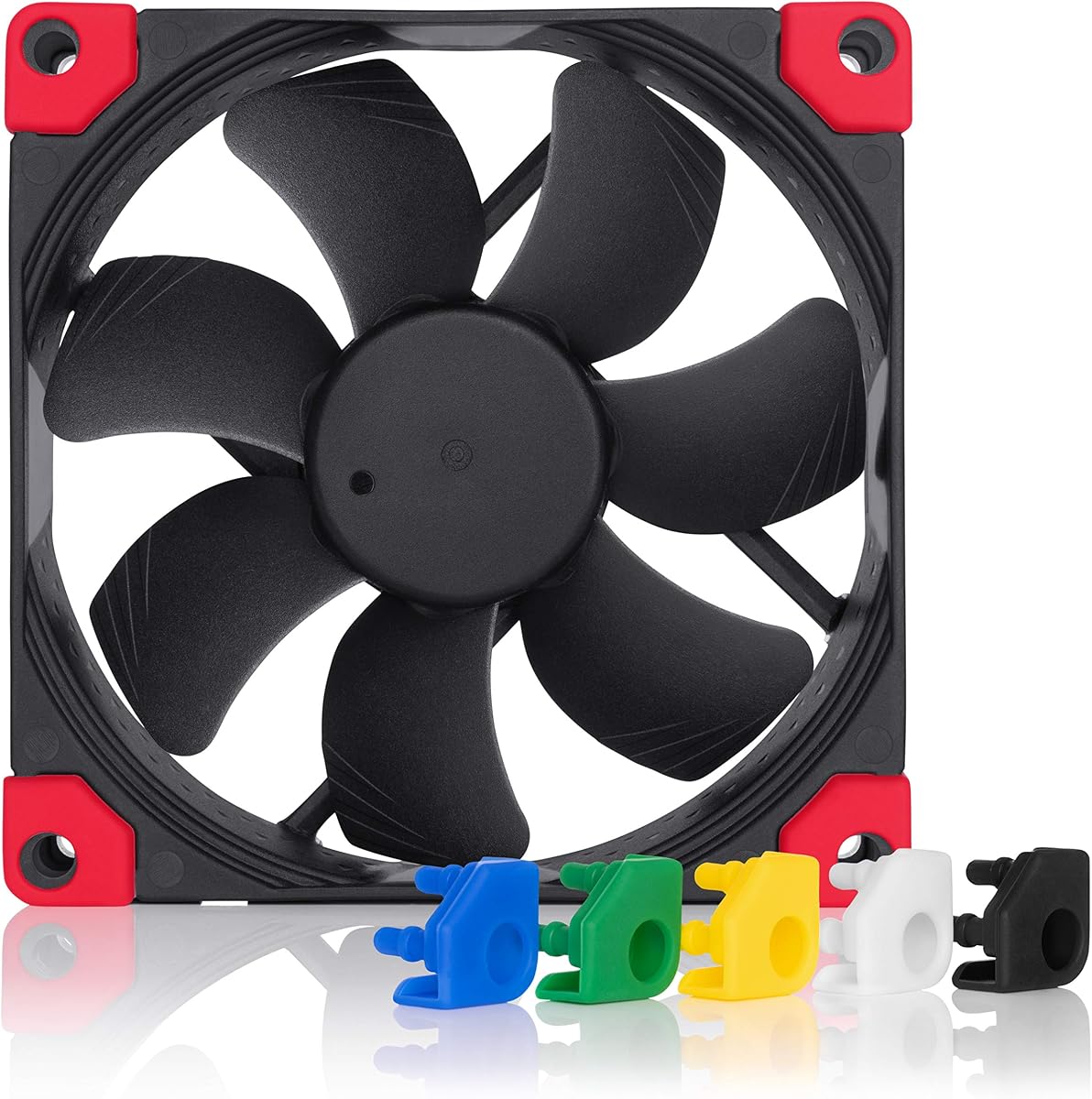

This premium fan stands out as a top choice for silent cooling systems. It features a 4-pin PWM connection and delivers reliable airflow up to 2000 RPM.
We may earn a commission when you buy through this link, at no additional cost to you.
The A-series frame with Flow Acceleration Channels ensures efficient cooling while keeping noise levels low. Users report smooth operation even at maximum speeds.
While it costs more than budget options the build quality and included accessories justify the investment. The anti-vibration mounts reduce resonance effectively.
If you value silence and reliability this model is the best pick for compact builds and low-noise NAS setups.
The frame design minimizes air turbulence which reduces noise without sacrificing cooling performance.
The 4-pin PWM interface allows the motherboard to adjust speeds based on real time thermal demands.
We may earn a commission when you buy through this link, at no additional cost to you.
The ARCTIC P9 PWM PST offers excellent performance for its low cost. It supports speeds up to 3000 RPM and includes a useful cable splitter for daisy chaining.
We may earn a commission when you buy through this link, at no additional cost to you.
Designed with high static pressure it performs well on radiators and heat sinks. The motor stays quiet even when spinning fast which is rare at this price.
Build materials are functional but not premium. The frame lacks the refined feel of higher end fans yet it does the job effectively.
For budget builds or extra case fans this unit delivers solid cooling without breaking the bank.
The blade design pushes air through tight spaces making it ideal for radiators and restricted areas.
Full 4-pin PWM support lets you fine tune speeds for silence or performance via BIOS settings.
We may earn a commission when you buy through this link, at no additional cost to you.
This fan pushes the limits of 92mm cooling with speeds up to 4300 RPM. It uses a Fluid Dynamic Bearing for longevity and smooth operation.
We may earn a commission when you buy through this link, at no additional cost to you.
The high static pressure ensures air moves through dense heatsinks and radiators easily. Airflow reaches nearly 60 CFM which is impressive for this size.
At top speed it generates noticeable noise but lower settings remain quiet. The black design fits modern builds better than older brown options.
Choose this for high performance builds needing maximum airflow from a compact 92mm form factor.
This bearing type reduces friction to extend service life and maintain smooth rotation over years.
Below 5 percent PWM the fan stops completely for silent operation when cooling loads are low.
We may earn a commission when you buy through this link, at no additional cost to you.
This 14mm fan solves clearance issues in compact cases while maintaining strong cooling. It reaches 2500 RPM and uses the HS-PWM connector for control.
We may earn a commission when you buy through this link, at no additional cost to you.
The chromax.black.swap edition offers black frames and swappable anti-vibration pads in six colors. This allows custom matching to your build aesthetic.
Due to thin profile it moves less air than thicker fans but still cools efficiently. It fits low profile coolers perfectly.
Ideal for HTPC or ITX builds where space is tight but quiet cooling is essential.
At only 14mm thick it fits where standard fans would block other components or limit clearance.
Swappable pads let you match colors to your theme without replacing the entire fan unit.
We may earn a commission when you buy through this link, at no additional cost to you.
This version offers the same slim 14mm design in the classic Noctua brown. It maintains the high quality SSO2 bearing and PWM control for reliability.
We may earn a commission when you buy through this link, at no additional cost to you.
It excels in low profile CPU coolers and compact cases. The blade geometry focuses on balancing noise and airflow efficiently.
Users appreciate the consistent performance and smooth operation. It is slightly pricier than generic slim fans but lasts longer.
A trusted choice for builders who need compact cooling with proven performance standards.
This self-stabilizing bearing design reduces vibration and extends lifespan significantly over time.
Automatic speed adjustment ensures optimal cooling while minimizing noise during idle periods.
We may earn a commission when you buy through this link, at no additional cost to you.
Thermalright delivers strong value with this 92mm fan. It features a S-FDB bearing and seven blades designed to minimize noise at 2200 RPM.
We may earn a commission when you buy through this link, at no additional cost to you.
Vibration damping pads around the frame reduce rattling during operation. The PWM interface allows speeds to scale with temperature needs.
Performance matches more expensive brands while costing less. It lacks premium extras but the cooling capability is solid.
Great for users seeking quiet performance without the premium price of top tier brands.
The bearing design reduces friction to lower noise and increase longevity compared to standard sleeve bearings.
Silicone feet absorb frame vibrations ensuring smoother operation and less cabin noise.
We may earn a commission when you buy through this link, at no additional cost to you.
This fan runs at a fixed 1900 RPM which simplifies installation. It is optimized for static pressure making it suitable for radiators.
We may earn a commission when you buy through this link, at no additional cost to you.
The motor remains quiet despite the constant speed. German developed bearing technology ensures it runs smoothly for years without issues.
Without PWM you cannot auto adjust speed but voltage control is possible on compatible headers. It remains a stable choice.
Ideal for setups preferring set and forget cooling without complex configuration.
Fixed RPM removes configuration steps making setup easier for users unfamiliar with PWM headers.
High static pressure moves air through dense components like heatsinks effectively without stalling.
We may earn a commission when you buy through this link, at no additional cost to you.
This variant combines Noctua performance with modern aesthetics. The all-black frame and swappable pads offer flexibility to match build themes.
We may earn a commission when you buy through this link, at no additional cost to you.
It retains the Flow Acceleration Channels and AAO frame for superior quiet cooling. Noise levels stay low even at full speed.
The chromax.black.swap edition provides customization without sacrificing quality. You get the best of Noctua engineering with better looks.
Perfect for builders who want top tier cooling that fits black case designs.
Swappable pads come in multiple colors allowing you to update fan appearance easily when building.
The frame reduces turbulence and noise ensuring silence without compromising airflow efficiency.
We may earn a commission when you buy through this link, at no additional cost to you.
This 15mm slim fan offers high speeds and low noise at a low price. It reaches 2700 RPM and moves over 42 CFM of air.
We may earn a commission when you buy through this link, at no additional cost to you.
Vibration damping pads help keep noise levels down. The PWM interface allows speed control which is useful for balancing performance and silence.
While brand recognition is lower the specs suggest solid performance. It is a strong option for budget slim builds.
Recommended for users needing thin profiles without sacrificing speed or cost efficiency.
At 15mm thick this fan fits low clearance spaces while still delivering high RPM speeds.
Vibration damping pads reduce mechanical noise ensuring smoother operation during high loads.
We may earn a commission when you buy through this link, at no additional cost to you.
This model provides three fixed speeds via included Low-Noise Adaptors. It connects via 3-pin Molex for simple installation on older headers.
We may earn a commission when you buy through this link, at no additional cost to you.
The slowest setting is incredibly quiet while the highest offers decent airflow. It suits users who prefer manual control over PWM.
Quality matches other Noctua models with robust construction and long lifespan. It is perfect for systems needing simplicity.
Choose this for silent builds or older motherboards lacking PWM support.
Three speed levels let you tune noise versus airflow without complex software settings.
The 3-pin interface works on most headers ensuring compatibility with older hardware systems.
We may earn a commission when you buy through this link, at no additional cost to you.
Selecting the right fan requires balancing speed noise and connector types for your specific build needs.
PWM fans use a 4-pin connector to allow precise speed control by the motherboard. This ensures automatic cooling based on temperature. DC fans often use 3-pin connectors which rely on voltage changes for speed. PWM offers more flexibility but DC works fine on simple setups.
Standard 92mm fans are 25mm thick while slim variants are 14mm or 15mm. Slim fans fit low profile coolers and tight cases but move less air. Check clearance before buying to ensure proper fit.
Static pressure fans push air through dense components like radiators and heatsinks. Airflow focused fans work best in open cases. For CPU coolers and radiators choose high static pressure models.
Look for dB(A) ratings below 25 for quiet operation. Fans with vibration damping pads reduce mechanical noise. Slower RPM speeds generally produce less noise but provide less cooling.
Fluid Dynamic Bearings offer long life and smooth operation. Sleeve bearings are cheaper but may wear faster. Quality bearings ensure stable speeds and consistent noise over time.
Metal hubs are durable but plastic frames reduce weight. Premium fans often include anti-vibration mounts. These accessories help reduce noise and improve mounting security.
Premium brands cost more but offer longer warranties and better support. Budget fans may lack accessories but still provide decent cooling. Consider long term value when selecting a model.
Brown frames suit classic builds while black options match modern cases. Some models offer swappable pads for customization. Choose colors that match your overall system theme.
Install the fan facing the desired airflow direction. Use the included screws or anti-vibration mounts to secure it firmly.
Connect the fan to a motherboard header. Ensure PWM fans use 4-pin headers for proper control.
Keep the fan dust free to maintain performance. Use compressed air periodically to clear debris from blades.
Yes many models like the Noctua NF-A9 are designed specifically for quiet operation. They often stay below 25 dBA which is nearly silent in a room.
Yes fans with high static pressure ratings work well on radiators. They push air through fins more effectively than standard airflow fans.
PWM fans use digital signals for automatic speed control. FLX fans use analog adaptors to set fixed speeds. PWM offers more flexibility for automation.
Some models come with splitters or Y-cables for multiple fans. Check the product details to see if extra connectors are included.
Most premium models advertise over 150000 hours of lifespan. Proper installation and dust cleaning help maintain this longevity.
Yes mixing brands is common. Ensure they support the same voltage and use compatible connectors. Speeds can be balanced via BIOS.
The top picks include the Noctua NF-A9 PWM for overall quality and the ARCTIC P9 Max for speed. Budget buyers will appreciate the ARCTIC P9 Silent.
Prioritize static pressure for radiators and noise ratings for quiet builds. Slim fans solve tight space issues in compact systems.
Prices change frequently so verify current deals before buying. Check your motherboard headers to ensure compatibility with your chosen fan.