
Akai Professional LPK25
4.7Editor score
Compact USB-powered design
Built-in arpeggiator
Octave up down buttons
This guide compares the top 25 key MIDI controllers for music production, highlighting features, compatibility, and design to help you choose the right
Finding the right 25 key MIDI controller can transform your music production workflow. These compact keyboards offer essential controls for composing and performing without taking up much desk space.
We evaluated ten popular models based on build quality, key sensitivity, software integration, and overall value. Each product was reviewed to ensure it meets the needs of modern creators.
Each pick highlights unique strengths and ideal use cases for different types of producers. Keep in mind that prices and availability may change over time as new models arrive.
4.7Editor score

4.6Editor score

4.6Editor score
The following comparison table provides a side-by-side overview of the key specifications and features for each of the ten controllers reviewed in this guide.



The Akai Professional MPK Mini MK3 stands out as a leading choice for producers needing a compact yet feature-rich controller. With a rating of 4.6 stars, it delivers robust performance across music production tasks.
We may earn a commission when you buy through this link, at no additional cost to you.
Its standout feature is the combination of velocity-sensitive mini keys and eight MPC-style drum pads. The four-way thumbstick offers precise pitch and modulation control, while the included software bundle adds significant value for new users.
While the keys have a slightly stiff feel compared to larger models, this design ensures durability and portability. The compact form factor might limit complex workflows for advanced users who need more physical controls.
This controller is ideal for beginners and intermediate producers looking for an all-in-one solution. Its strong integration with major DAWs and inclusion of exclusive sound libraries make it a top recommendation for modern workflows.
The built-in arpeggiator and assignable knobs provide extensive control over your virtual instruments without leaving your keyboard.
Users receive complimentary access to Native Instruments Komplete 15 Select bundles, expanding their sound palette significantly.
We may earn a commission when you buy through this link, at no additional cost to you.
The Akai Professional LPK25 is a budget-friendly option that maintains high quality despite its low price point. With a 4.7-star rating, it is beloved by users for its straightforward functionality.
We may earn a commission when you buy through this link, at no additional cost to you.
Its primary strength lies in its simplicity and ease of use. The responsive mini keys allow for expressive playing, while the built-in arpeggiator offers creative possibilities without needing additional software.
The lack of drum pads limits its versatility for beat-making tasks. Additionally, the limited programmable presets might restrict advanced customization compared to more expensive models.
This controller is perfect for songwriters and travelers who need a reliable keyboard for quick ideas. Its plug-and-play nature ensures you can start creating music immediately without complex configuration.
Weighing very little and powered by USB, it fits easily into any bag for on-the-go composition sessions.
Dedicated octave buttons and a sustain button provide the necessary range and expressiveness for most melodic tasks.
We may earn a commission when you buy through this link, at no additional cost to you.
The Novation Launchkey Mini 25 MK4 brings professional-grade features to a compact form factor. It receives a 4.6-star rating for its seamless integration with popular music software.
We may earn a commission when you buy through this link, at no additional cost to you.
This controller excels with its sixteen FSR pads and premium keybed. The Scale Mode prevents wrong notes, making it accessible for producers with less music theory knowledge while remaining powerful for experts.
The price is higher than basic models, which might be a barrier for some users. Additionally, its integration is optimized for specific DAWs, which could limit flexibility for those using niche software.
For serious producers and performers, the workflow enhancements justify the cost. The inclusion of premium software and lessons ensures that users get a complete package to start their production journey.
Scale Mode allows you to play complex melodies and chords without hitting wrong notes, enhancing creativity during live performance.
Users receive Ableton Live Lite and Cubase LE, providing a professional starting point for recording and mixing tracks.
We may earn a commission when you buy through this link, at no additional cost to you.
The Arturia MiniLab 3 is designed to adapt fluidly to your workflow with a clean and modern aesthetic. It achieves a 4.7-star rating thanks to its thoughtful control layout.
We may earn a commission when you buy through this link, at no additional cost to you.
This model stands out with four motorized faders and high-quality keys. The layout allows for seamless control of volumes, filters, and effects without needing to reach for a mouse.
The white finish may require more maintenance to keep looking clean over time. Documentation could be more extensive to help users unlock all its advanced features effectively.
Ideal for producers who value aesthetics and workflow efficiency, this controller offers a premium feel. Its integration with Arturia's software ecosystem provides a robust environment for sound design.
The dedicated faders allow for precise control over automation and mixing, giving you a tactile experience similar to larger consoles.
Comes with analog lab lite software, offering a wide range of sounds to inspire creativity immediately upon setup.
We may earn a commission when you buy through this link, at no additional cost to you.
The Donner N-25 targets beginners with a focus on learning and ease of use. It holds a 4.1-star rating based on its helpful features for new musicians.
We may earn a commission when you buy through this link, at no additional cost to you.
Its key feature is the inclusion of 40 keyboard-teaching courses directly designed for novices. The light-up buttons add a fun visual element that helps users track their progress effectively.
The build quality is functional but feels more plastic than metal compared to premium models. It lacks some of the advanced controls needed for professional-level mixing and automation.
This controller is a great gift for those just starting their musical journey. The educational content provides a structured path to learn music production without feeling overwhelmed by complex settings.
The bundled lessons cover essentials like rhythm and melody, helping users build a strong foundation in music theory.
Light-up buttons guide users through patterns, making the learning process more interactive and engaging for all ages.
We may earn a commission when you buy through this link, at no additional cost to you.
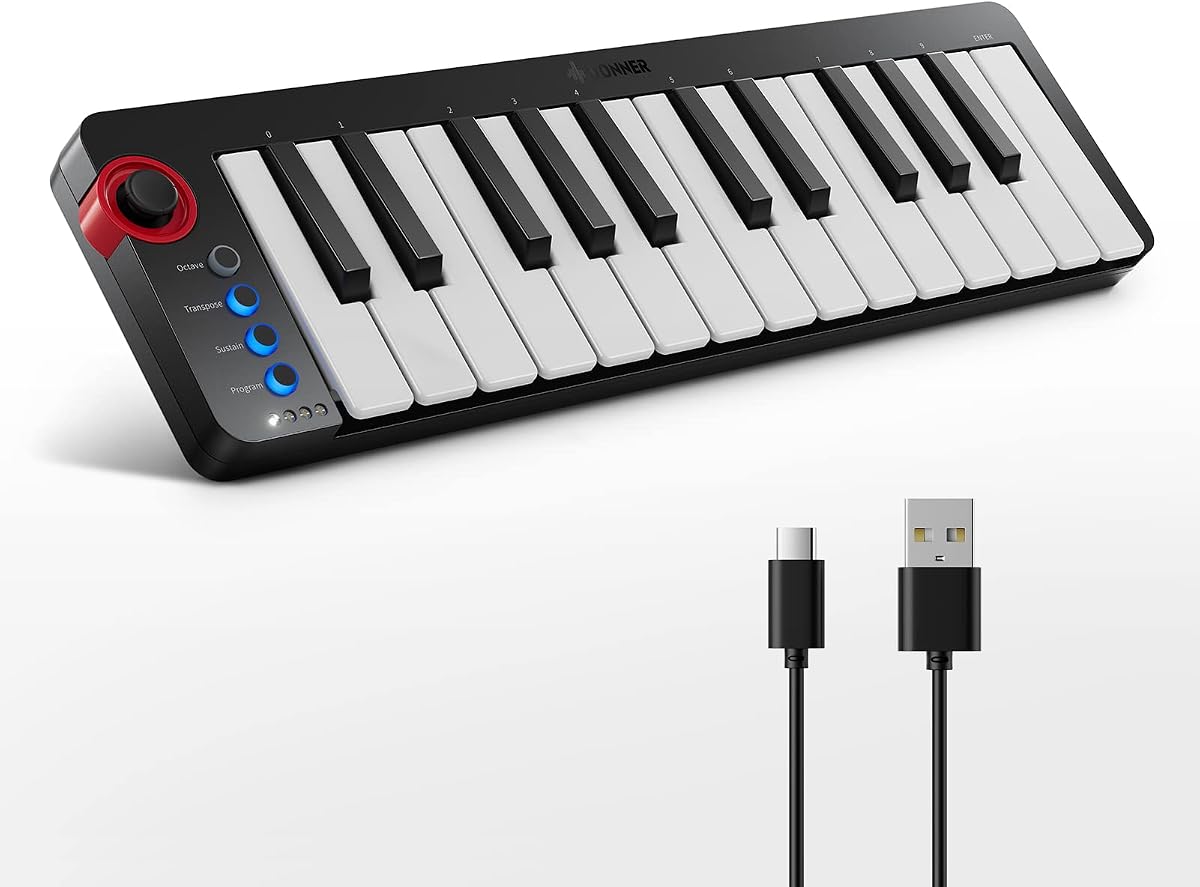
The Rhymo 25 Key MIDI Controller offers a modern take on portability with USB-C and Bluetooth MIDI connectivity. It earns a 4.1-star rating for its innovative connection options.
We may earn a commission when you buy through this link, at no additional cost to you.
Users appreciate the USB-C power source which simplifies cabling for modern laptops and tablets. The X-Y joystick provides dynamic control for pitch and modulation in a small form factor.
The integration with DAWs is functional but may require manual mapping for optimal performance. The key feel is standard, which may not satisfy players accustomed to weighted or high-response keys.
This controller is excellent for mobile producers who need flexibility across different devices. Its wireless capabilities and compact size make it a strong candidate for live performances or travel.
Bluetooth MIDI allows connection to iOS and Android devices without physical cables, enabling wireless music creation anywhere.
The X-Y joystick adds expressive capabilities, allowing for real-time modulation of sound parameters during playback.
We may earn a commission when you buy through this link, at no additional cost to you.
The M-VAVE 25 Key Controller stands out with its long battery life and wireless capability. It achieves a 4.5-star rating for its balance of features and mobility.
We may earn a commission when you buy through this link, at no additional cost to you.
Its built-in 2,000 mAh battery allows for hours of uninterrupted use without needing a power source. The smart scale feature simplifies chord creation, making it accessible for beginners and pros alike.
Charging the battery can take several hours before full capacity is restored. There is also a potential risk of Bluetooth latency depending on your system and environment during live performance.
Ideal for users who need to move away from their desk, this controller offers freedom and functionality. Its smart features and RGB feedback enhance the interactive experience during creative sessions.
With up to 16 hours of battery life, you can compose and perform for entire sessions without worrying about charging.
The scale feature ensures you hit the right notes, allowing you to focus on creativity rather than theory.
We may earn a commission when you buy through this link, at no additional cost to you.
The Akai MPK Mini Play MK3 offers unique standalone capabilities that let you create music without a computer. It holds a 4.5-star rating for its versatile use cases.
We may earn a commission when you buy through this link, at no additional cost to you.
Its built-in speaker and internal sounds allow for immediate playback and recording without connecting to a DAW. The OLED display provides clear feedback on parameters and settings during performance.
The speaker volume is low and mainly suited for quiet environments or personal practice. Batteries are not included, which adds to the initial cost of setting up for mobile use.
This model is perfect for musicians who want to record ideas anywhere. The combination of portable sound and MIDI controller functionality makes it a unique tool for spontaneous creativity.
You can record directly into the unit or use it as a controller, giving flexibility for songwriting on the go.
The OLED display simplifies navigation through presets and settings, ensuring quick adjustments during live use.
We may earn a commission when you buy through this link, at no additional cost to you.
The Akai MPK Mini MK3 in black offers the same powerful performance as the standard version with a sleeker look. It has a 4.6-star rating for its reliable and timeless design.
We may earn a commission when you buy through this link, at no additional cost to you.
It features velocity-sensitive keys, drum pads, and a thumbstick that provide comprehensive control over your music. The black finish fits well with most studio setups without standing out too much.
The finish may show fingerprints easily, requiring regular cleaning to maintain a professional appearance. Functionally, it shares identical specs with other versions, offering no unique technical advantages.
For those preferring a traditional look, this is an excellent choice. It delivers the same high-quality performance and software support as other models while blending seamlessly into any environment.
The matte black finish provides a professional look that matches standard studio equipment and laptop accessories.
Users consistently praise its durability and performance, making it a safe investment for serious music creators.
We may earn a commission when you buy through this link, at no additional cost to you.
The Akai APC Key 25 MK2 is specifically tailored for Ableton Live users with a matrix of clip launching pads. It holds a 4.4-star rating for its specialized functionality and reliability.
We may earn a commission when you buy through this link, at no additional cost to you.
Its main strength is the 5×8 RGB pad matrix which allows for intuitive clip launching and scene control within Ableton. The arrow buttons facilitate easy navigation through tracks and sessions during live sets.
Support for other DAWs is less comprehensive compared to universal controllers. Additionally, not all keys are velocity-sensitive, which may limit expressive performance for users relying heavily on keyboard dynamics.
This controller is the ultimate choice for live performers using Ableton. Its specialized design streamlines workflow for electronic musicians, making it a preferred tool for stage performance and production.
Pre-mapped controls ensure immediate compatibility with Ableton Live 11, allowing instant setup for recording or performance.
RGB feedback on pads helps identify active clips visually, enhancing organization and navigation during complex sets.
We may earn a commission when you buy through this link, at no additional cost to you.
Selecting the right 25 key MIDI controller depends on your specific needs and workflow. This guide outlines key factors to consider before making a purchase.
The type of keys affects how expressive your playing can be. Velocity-sensitive keys are essential for dynamic performance, while mini keys offer portability. Test them if possible to ensure comfort.
Choose velocity-sensitive keys for dynamic control and mini keys for travel.
Pads are crucial for triggering samples and drum beats. Ensure there are enough pads and knobs to control your DAW effectively. Look for backlit pads for better visibility in low light.
Ensure enough pads and knobs are included to meet your production needs.
Check if the controller integrates well with your Digital Audio Workstation. Some models are optimized for specific DAWs like Ableton or Logic. Full compatibility ensures seamless automation and transport control.
Select a controller that supports your preferred DAW software natively.
Consider how you plan to transport the controller. USB-powered models are lighter but require a computer connection. Battery-powered options offer true standalone use but add weight. USB-C is becoming a standard.
Decide between USB-only or battery power based on your mobility needs.
Many controllers come with free DAWs, plugins, and samples. These can save money for beginners. Check the value of the bundle against your current software needs to ensure relevance.
Verify the included software matches your workflow to maximize value.
Sturdy construction ensures the controller withstands regular transport and use. Look for metal components and robust knobs. A durable controller is a long-term investment for your studio.
Prioritize models with metal or high-quality plastic construction for longevity.
Determine your budget and compare it against features offered. Higher prices usually mean better keys and software, but budget models offer great value. Balance cost with essential features.
Compare feature sets against cost to find the best value for your budget.
Check for MIDI out, sustain pedal inputs, and Bluetooth options. Additional ports allow you to connect to hardware synthesizers. Bluetooth adds convenience for mobile use without cables.
Ensure the controller has necessary ports for your existing studio gear.
To begin, connect your controller to your computer via USB. Install any necessary drivers or mapping software from the manufacturer. Set your DAW to recognize the MIDI input and map controls as needed.
Adjust the velocity curve in your software settings to match your playing style. This ensures that your dynamics are captured accurately by the recording software. Experiment with settings to find your preference.
Clean the keys and pads regularly with a soft dry cloth to prevent dust buildup. Avoid using liquids directly on the device. Store it in a protective case when not in use to prevent physical damage.
Most 25 key controllers act as input devices and rely on your computer for sound. However, some models like the MPK Mini Play MK3 have built-in speakers and internal sounds for standalone use without a computer.
Mini keys are ideal for travel and sketching ideas but feel different from standard keys. If you are practicing for performance, it is recommended to supplement with a full-sized keyboard occasionally to adapt to different key sizes.
Yes, many modern controllers support iOS via USB-C or Bluetooth. You may need an adapter to connect to the Lightning port on older devices. Check compatibility details before purchasing to ensure seamless connection.
Velocity sensitivity allows the controller to detect how hard you press a key, affecting volume and timbre. This dynamic range is crucial for expressive playing and mimicking real instruments like pianos and drums.
Most controllers work plug-and-play with major DAWs like GarageBand and FL Studio. However, some manufacturers provide editor software for mapping and customization. You can use the controller without installing additional software if not needed.
Factory reset procedures vary by brand. Usually, holding specific buttons while plugging in the USB cable resets the device. Refer to the user manual for exact steps to avoid accidental changes to your configuration.
We have reviewed ten top options ranging from budget-friendly to premium models. Each offers unique benefits like portability, advanced software integration, or standalone capabilities for different needs.
Prioritize features like key feel, DAW compatibility, and included software when making your choice. Understanding your workflow ensures you select a controller that supports your growth as a producer.
Always check current prices and availability before purchasing as these details change over time. We hope this guide helps you find the perfect tool for your musical journey.