
EMEET C960 1080P Webcam with Microphone, 2 Mics, 90° FOV, Computer Camera
4.4Editor score
Privacy cover included
Automatic light adjustment
Plug-and-Play setup
Compare the best 1080p webcams for 2026. This guide reviews top models for streaming, meetings, and clarity with expert insights on features and performance.
Finding the right webcam is essential for clear video calls and streaming. A good 1080p webcam ensures you look professional and sharp during meetings or content creation.
We compared ten top models based on image quality, microphone performance, and ease of use. Each option offers unique features to suit different budgets and needs effectively.
Each pick highlights key strengths and ideal use cases for buyers. Prices and availability change frequently so check the links for current details before purchasing.
4.4Editor score

4.6Editor score

4.6Editor score
This side-by-side comparison highlights the core specs and features of each webcam to help you decide which model fits your specific setup and workflow needs.




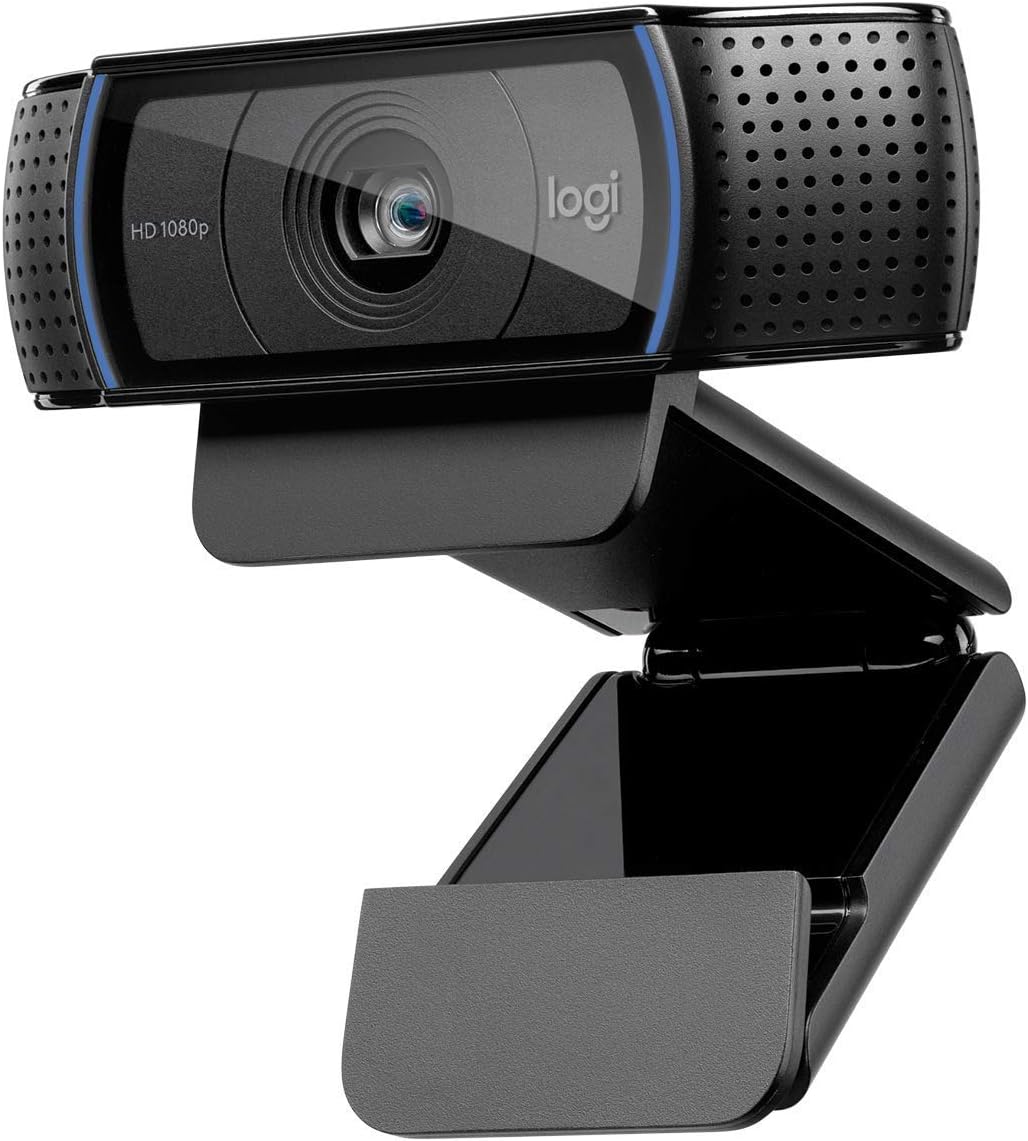


The Logitech C920e stands out as a top choice for professional environments needing reliable performance. It holds a 4.6 rating and is certified for major platforms like Zoom and Microsoft Teams ensuring seamless integration into business workflows without extra setup steps or compatibility issues.
We may earn a commission when you buy through this link, at no additional cost to you.
Its 78-degree field of view frames individuals well while still allowing space to share documents or products visually. The built-in omnidirectional microphones capture voice clearly from a meter away which reduces the need for external audio gear. Automatic light correction helps you look polished even in less than ideal lighting conditions during calls.
While it carries a higher price than basic models it includes a privacy screen and sturdy mounting options like tripod threads which add long-term value. The lack of additional software might be a limitation for those wanting extensive customization but the core video and audio quality remain consistent.
This webcam is ideal for office workers or teams needing trusted compatibility with enterprise tools. If you prioritize certification and privacy features over budget savings the C920e delivers a dependable solution for daily video communication needs.
Certification ensures seamless integration with workplace software like Zoom and Teams reducing IT setup time and compatibility risks for organizations.
The attachable privacy screen and tripod threads add physical security and mounting flexibility making it suitable for varied office or home setups.
We may earn a commission when you buy through this link, at no additional cost to you.
The Logitech C920x HD Pro earns top marks for delivering crisp visuals and reliable audio for streaming or meetings. With a 4.6 rating it offers full HD 1080p video at 30fps and an autofocus system that keeps you sharp during movement which is vital for dynamic content creation.
We may earn a commission when you buy through this link, at no additional cost to you.
Its dual microphones capture stereo audio making your voice sound natural and clear on calls or recordings. The HD lighting adjustment ensures you look bright even in dimmer rooms while the included XSplit VCam license lets you remove backgrounds without a green screen for a polished look.
One drawback is the lack of a built-in privacy shutter which means you must rely on physical covers or software settings to block the lens when not in use. Also the viewing angle is fixed which may limit flexibility if you need to adjust framing frequently during sessions.
This model is perfect for streamers or remote workers wanting pro-level video without complex setups. Prioritize it if you value autofocus and audio quality and don't mind managing privacy separately.
Autofocus and stereo audio support dynamic streaming needs while XSplit VCam software adds virtual background tools for professional presentation effects.
Automatic light fine-tuning keeps images bright and sharp even in less than ideal conditions ensuring you look your best on camera.
We may earn a commission when you buy through this link, at no additional cost to you.
The EMEET C960 delivers excellent value with Full HD 1080p video and a wide 90-degree field of view ideal for group calls or broader setups. Rated 4.4 it includes built-in privacy cover that removes automatically ensuring convenience and security without manual adjustment each time you log in.
We may earn a commission when you buy through this link, at no additional cost to you.
Its two omnidirectional microphones pick up voice clearly from various angles while automatic light adjustment balances exposure for a better look on screen. The webcam supports both USB A and C connections making it versatile for modern laptops and desktops without needing extra adapters or dongles.
The fixed focus lens works best at specific distances but may not adapt well to rapid movement or varied seating positions. Additionally it is not compatible with Windows Hello requiring alternative login methods for security which might be a minor inconvenience for some users.
Best for budget-conscious buyers seeking core 1080p performance with essential privacy features. If you need a reliable plug-and-play solution for Zoom or Teams without breaking the bank this model is a solid choice.
The C960 balances price and performance with wide angle coverage and auto privacy cover making it accessible for home offices on a budget.
Support for both USB A and C ports ensures compatibility across diverse devices without requiring additional dongles or adapters for connection.
We may earn a commission when you buy through this link, at no additional cost to you.
The Logitech Brio 101 offers a practical blend of video quality and privacy features at a accessible price point. With a 4.4 rating it uses RightLight technology to boost brightness and reduce shadows ensuring you look clear in various lighting conditions without manual tweaking or software dependencies.
We may earn a commission when you buy through this link, at no additional cost to you.
An integrated privacy slide gives you total control over lens exposure and it is made with 77 percent recycled plastic supporting sustainability goals. The built-in microphone works well for calls and it connects via USB A for reliable plug-and-play functionality across most video platforms like Teams or Zoom.
The fixed cable limits positioning flexibility compared to detachable models and software customization is minimal. While it offers color choices to match setups this does not impact video performance but may appeal to users prioritizing aesthetics over technical depth.
Ideal for general users needing a straightforward webcam with solid privacy options. If you want a balance of eco-friendly design and dependable video quality without complexity this model fits well.
The physical privacy slide ensures lens control while recycled materials support eco-friendly manufacturing without compromising core performance features.
RightLight technology adjusts brightness automatically to reduce shadows and improve visibility in varying lighting conditions for clearer calls.
We may earn a commission when you buy through this link, at no additional cost to you.
The Logitech C920S builds on the classic C920 design with a built-in privacy shutter for added security during calls. It holds a 4.6 rating and delivers Full HD 1080p video with a glass lens for vibrant colors and sharp detail that remains consistent across typical usage scenarios.
We may earn a commission when you buy through this link, at no additional cost to you.
Its autofocus and light correction features help maintain a polished look even when lighting changes. The stereo audio with dual mics captures natural sound which is helpful for meetings or recorded content. This version omits the XSplit VCam license found in other models which may affect users seeking background removal.
The privacy shutter adds peace of mind but requires manual sliding to cover the lens. It also uses a fixed field of view so positioning matters for framing. These trade-offs keep the price lower while still offering core professional features.
Choose this if you need a secure well-tested webcam with strong image quality. It suits remote workers who prioritize privacy and clarity over extra software perks.
The privacy shutter offers reliable lens protection and adds confidence for users concerned about privacy during work from home sessions.
Glass optics and HD light correction ensure crisp and colorful video that looks professional in standard indoor lighting conditions.
We may earn a commission when you buy through this link, at no additional cost to you.
The NexiGo N60 offers Full HD 1080p video at 30fps with a glass lens and noise-canceling microphone for clear communication. Rated 4.3 it includes a privacy cover to protect the lens and works across many operating systems including Windows macOS and Linux for broad accessibility.
We may earn a commission when you buy through this link, at no additional cost to you.
Its noise-canceling feature reduces background sounds making voice capture clearer during calls. The built-in privacy cover adds security and the software control allows basic adjustments without needing third-party tools. However it lacks autofocus and may require firmware updates if audio delays are noticed.
The fixed focus is optimized for distances between 19.6 inches and 13 feet which works for most desks but limits flexibility. Software support is available though not as extensive as top-tier models and this balances ease of use with some manual tuning needs.
Best for users needing reliable compatibility and decent audio features on a budget. Choose this if you value broad OS support and basic privacy protection without complex settings.
Noise-canceling mic and privacy cover address core concerns for clear calls and security without needing extra accessories or software.
Broad operating system compatibility ensures the webcam works on most desktops and laptops without requiring driver installation or specific OS versions.
We may earn a commission when you buy through this link, at no additional cost to you.
The EMEET S600 brings advanced features to 1080p webcams with a Sony 4K sensor and PDAF autofocus for fast precise focusing. Rated 4.4 it offers 1080p at 60fps for smooth video and adjustable field of view options at lower resolutions giving users control over framing.
We may earn a commission when you buy through this link, at no additional cost to you.
Its proprietary algorithm filters background noise and auto light adjustment balances shadows and highlights in low light. The included EMEETLINK software allows deep customization of image and sound settings which appeals to streamers needing fine-tuned visuals.
The 4K capability may not work on all systems and the price sits above basic models. Also firmware updates or software tweaks may be required for full feature access which could add setup time for casual users.
Ideal for creators wanting high-end controls without full 4K costs. If you need smooth frame rates and adjustable FOV for professional streaming this model stands out.
Phase detection autofocus provides faster and more accurate focus than standard systems improving clarity during movement or dynamic sessions.
Adjustable FOV and dedicated software allow users to tailor framing and audio settings to match their streaming setup and audience needs.
We may earn a commission when you buy through this link, at no additional cost to you.
The Logitech HD Pro C920 remains a trusted classic for Full HD 1080p video calls and recording. Rated 4.6 it supports widescreen video and works on both desktops and laptops. Its built-in microphone ensures audio is ready for calls without extra gear.
We may earn a commission when you buy through this link, at no additional cost to you.
This model offers solid image quality and reliable performance over years of use. The clip design adapts to monitors or laptops easily and the fixed angle suits standard setups well. However it lacks newer features like privacy shutters or advanced software tools found in updated models.
Being an older model it may not match the latest autofocus or light tech of newer options. Still its proven track record and simplicity make it a safe choice for general video calls.
Best for users wanting a reliable no-fuss webcam. If you prioritize longevity and core features over new tech this model delivers steady value.
Years of field use confirm consistent Full HD performance making this a safe pick for users who prioritize stability over new features.
Built-in audio and universal clip design reduce setup time and keep the focus on clear video without complex configuration steps.
We may earn a commission when you buy through this link, at no additional cost to you.
The Logitech Brio 105 offers a great value for businesses needing 1080p video with essential privacy and lighting features. Rated 4.4 it uses RightLight 2 technology to improve image quality in suboptimal conditions and includes an integrated privacy shutter to keep you secure.
We may earn a commission when you buy through this link, at no additional cost to you.
Certified for Google Meet and supported by Logitech Sync it works well for remote deployment across teams. The plug-and-play setup simplifies onboarding and it works on Chromebooks which broadens its use in education or enterprise settings.
Audio is handled by a built-in mic but lacks stereo or advanced noise control. Also the fixed focus may not suit dynamic movements but works well for static meetings. These trade-offs keep the price competitive while still covering core business needs.
Best for organizations needing dependable video with privacy on a budget. If you prioritize ease of deployment and Meet certification this model fits the bill.
Remote deployment tools and Chromebook support simplify rollout across teams ensuring consistent video standards with minimal IT overhead.
RightLight 2 and privacy shutter maintain video quality and security in varying office lighting without needing manual adjustments.
We may earn a commission when you buy through this link, at no additional cost to you.
The Logitech Brio 100 renewed offers Full HD 1080p video at a budget-friendly price point. Rated 4.5 it provides clear streaming and recording with a 58-degree field of view. The built-in microphone and easy USB connection make setup simple for most users.
We may earn a commission when you buy through this link, at no additional cost to you.
As a renewed product it offers reliable performance without the full cost of a new unit. The plug-and-play compatibility with major apps ensures it works out of the box without drivers or extra software installations for daily use cases.
The narrower field of view may limit group shots and the lack of a privacy cover means relying on software solutions for lens security. These factors make it better suited for individual use rather than collaborative setups.
Best for personal users needing an affordable Full HD webcam. If cost is the main concern and you use it for solo calls this option delivers value.
Renewed pricing lowers the barrier to entry for Full HD video making quality webcams accessible without sacrificing core performance features.
Simple USB setup and built-in mic remove technical steps letting users join calls quickly without configuration delays.
We may earn a commission when you buy through this link, at no additional cost to you.
Selecting the right 1080p webcam involves balancing video quality, audio performance, and privacy features for your specific needs.
Ensure the webcam supports Full HD 1080p at 30fps or higher for smooth video. Look for autofocus to keep you sharp during movement.
Prioritize 1080p with autofocus for consistent clarity during calls.
Dual microphones or noise-canceling tech improve audio clarity. Stereo audio helps separate voices in calls better than single mics.
Check for dual mics and noise reduction if you lack external audio gear.
Built-in privacy shutters or covers protect your lens when not in use. This adds a physical layer of security beyond software settings.
Choose models with physical privacy covers for added security.
A wider FOV captures more of your surroundings or multiple people. Typical ranges vary from 58 to 90 degrees depending on the model.
Select a wider FOV for group calls or broader desk setups.
Auto light balance or correction tech adjusts exposure to reduce shadows. This helps you look clearer in varied room lighting without manual tweaking.
Look for automatic light adjustment to handle changing room conditions.
Certification with major platforms like Zoom ensures seamless integration. Check support for your operating system and video software to avoid conflicts.
Prioritize certified models for smoother enterprise workflow integration.
USB A or C support ensures compatibility with your device. Some models include both ports for wider adaptability across newer or older systems.
Choose USB A and C options for maximum device flexibility.
A sturdy clip or tripod mount ensures stability on monitors. Also consider recycled materials for sustainability and build quality for long-term use.
Look for durable mounting and sustainable materials for longevity.
Connect the webcam to a USB port on your computer and select it as the default camera in your video conferencing app settings for proper function.
Position the lens at eye level for a natural view and ensure lighting comes from in front of you to avoid backlighting shadows on your face.
Clean the lens gently with a soft cloth to remove dust and use privacy covers when not in use to maintain security and lens longevity.
A good streaming webcam offers sharp autofocus, stable frame rates, and clear audio. Look for models with low light performance and software compatibility for overlays.
Most models listed work plug-and-play without drivers. Some offer optional software for customization but basic use requires no extra installation on modern systems.
Check if your camera supports autofocus and clean the lens. Ensure proper lighting and adjust your position to match the camera's focus range for clearer images.
The Logitech C920e is certified for Zoom ensuring seamless integration. Most others work well too but certification helps avoid common compatibility issues during calls.
Yes all listed models support macOS with varying version minimums. Check your OS version and ensure USB drivers are enabled for plug-and-play functionality on Apple devices.
Physical shutters or sliding covers offer reliable lens protection. Avoid relying solely on software as hardware blocks provide peace of mind against accidental access.
Use the mic settings in your conferencing app to select the webcam as the default input. Position the webcam close to you for clearer voice capture.
Most work with PCs and mobile devices but consoles may need specific adapters. Check product notes for compatibility as many exclude game consoles in their data.
The Logitech C920e, C920x, and EMEET C960 offer strong options across premium professional and budget categories based on core performance and feature sets.
Prioritize autofocus, noise-canceling mics, and privacy covers to ensure your setup delivers clear reliable video without needing extra accessories or complex configurations.
Check current prices and availability through the links as offers change frequently to secure the best deal for your specific video calling or streaming needs.