
AI Voice Recorder Lite
4.4Editor score
Unlimited transcription included
Web search integration
Enterprise privacy standards
Compare the best AI Meeting Transcription Devices of October 2026. This guide reviews top devices for accuracy, battery life, security, and seamless workflow
In today fast fast-paced professional environment, capturing every detail from meetings and calls is crucial. AI Meeting Transcription Devices have evolved to offer seamless recording, real-time transcription, and actionable insights without manual note-taking.
We evaluated ten leading devices based on audio quality, transcription accuracy, battery longevity, privacy standards, and ecosystem integration. Our analysis focuses on how well each device serves diverse professional needs from legal to corporate settings.
Each selection highlights unique strengths such as multimodal inputs, offline capabilities, or specialized security compliance. Please note that device availability and specific features may change over time so always verify current details before purchasing.
4.4Editor score

4.5Editor score

4.8Editor score
This table provides a side-by-side overview of the top ten AI Meeting Transcription Devices available in the market today. Compare essential specifications to determine which device aligns best with your specific professional recording needs.


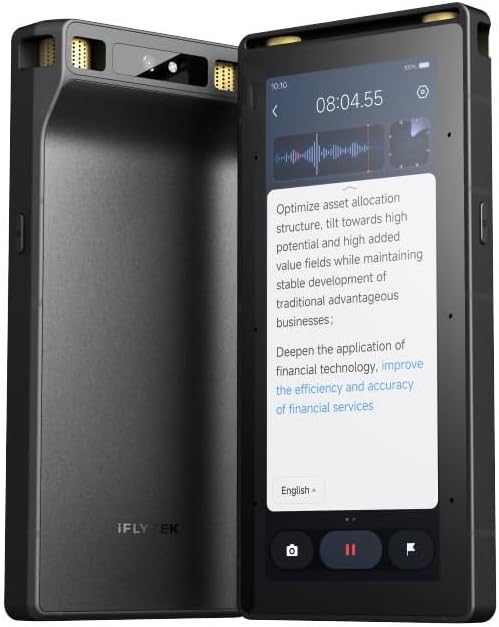
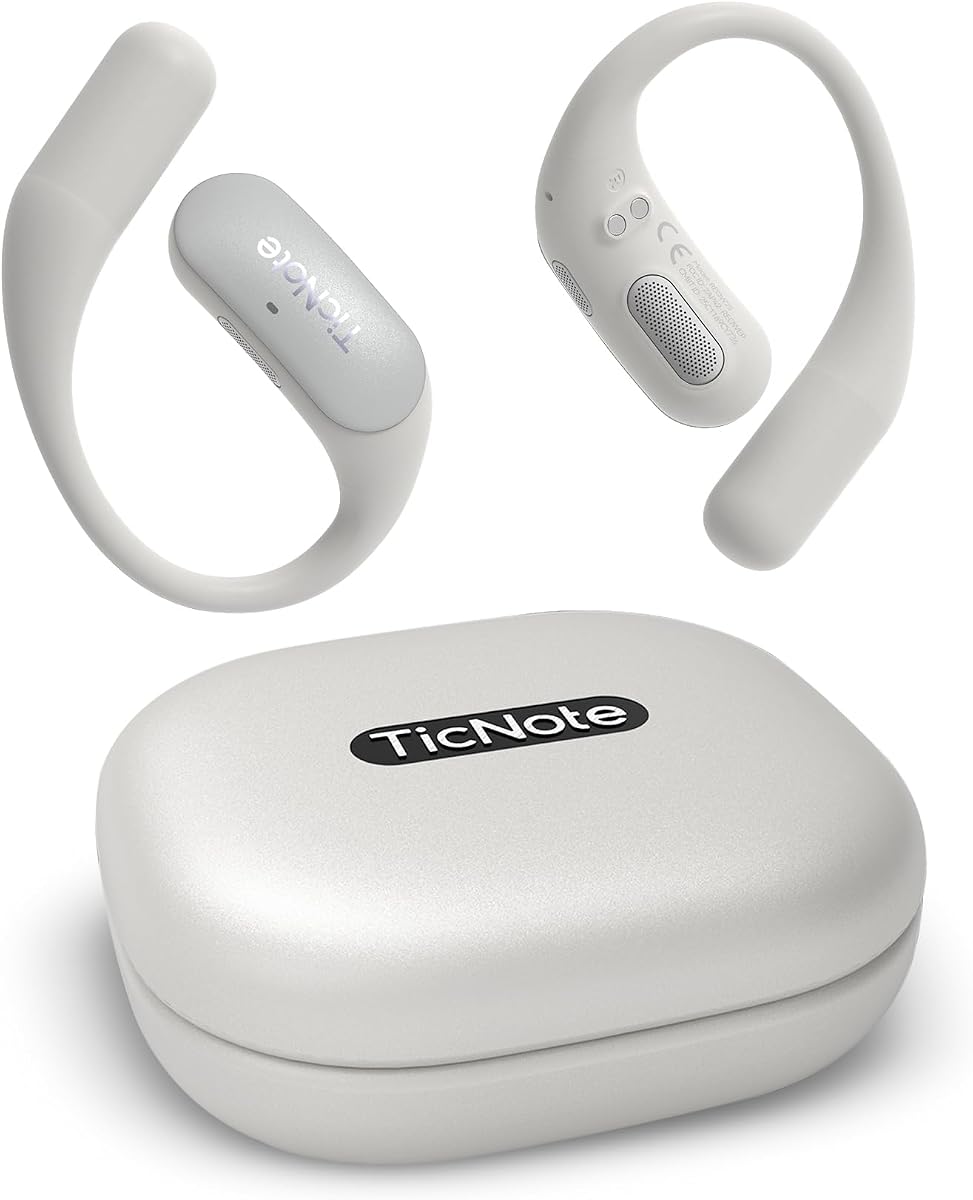

The Plaud Note Pro stands out as the premier choice for professionals needing comprehensive recording solutions. With a rating of 4.5 stars it delivers exceptional audio capture and intelligent processing capabilities.
We may earn a commission when you buy through this link, at no additional cost to you.
Its multimodal input allows users to combine audio with typed notes and images providing richer context for summaries. The spatial awareness feature minimizes noise ensuring crystal clear voice capture even in crowded environments.
While it offers a generous starter plan the unlimited transcription requires a monthly upgrade which might be a consideration for budget conscious users. The premium build quality justifies the cost for frequent users.
This device is ideal for legal and medical professionals handling sensitive information due to its robust security compliance. It transforms raw audio into actionable insights making it a top recommendation.
By integrating typed notes and images with audio recordings the device creates a more complete record of meetings ensuring no visual details are lost during transcription.
Built with ISO 27001 and HIPAA compliance the device ensures that all conversation data remains encrypted and exclusive to the user providing peace of mind for sensitive discussions.
We may earn a commission when you buy through this link, at no additional cost to you.
The Pocket AI Voice Recorder is designed specifically for users deeply integrated into the Apple ecosystem. Its MagSafe compatibility allows for hands free recording which is perfect for dynamic meeting environments.
We may earn a commission when you buy through this link, at no additional cost to you.
With a battery life of four days on a single charge it ensures you never run out of power during long work weeks. The automatic organization into summaries and action items saves significant review time.
Some advanced features require a subscription which may limit full functionality for those unwilling to pay monthly fees. However the core transcription and note taking features work well out of the box.
Ideal for mobile professionals who need a seamless and convenient solution this device combines hardware and software effortlessly. It stands as a strong contender for everyday productivity.
The MagSafe compatible design allows users to attach the device to their phone securely enabling them to focus entirely on the conversation while recording continues in the background.
Recordings are automatically transformed into clear summaries and structured conversation maps allowing users to quickly identify key points without listening to hours of audio.
We may earn a commission when you buy through this link, at no additional cost to you.
The AI Voice Recorder Lite offers exceptional value by providing unlimited transcription in its starter plan which is rare in this category. It combines affordability with powerful AI features for everyday use.
We may earn a commission when you buy through this link, at no additional cost to you.
Its unique web search integration allows users to ask AI questions that bring in external insights beyond just the recording. This enhances the utility of meetings by adding context from broader sources.
Advanced tools like calendar sync require an upgrade which is a minor limitation compared to the core free offerings. The device maintains enterprise level privacy standards ensuring data safety.
For students and professionals seeking a reliable and cost effective solution this device is highly recommended. It balances performance and price better than most competitors in the market.
The built in Ask AI feature can search the web for deeper insights allowing users to get answers that connect meeting notes with external industry information instantly.
With ISO 27001 certification the device ensures that all recording processing and storage are secure protecting sensitive business data from unauthorized access.
We may earn a commission when you buy through this link, at no additional cost to you.
The Comulytic Note Pro is tailored for professionals in specific industries like law and real estate with a vertical knowledge base that captures precise industry terms. This ensures higher accuracy in specialized contexts.
We may earn a commission when you buy through this link, at no additional cost to you.
Its Wi-Fi sync speed is ten times faster than Bluetooth allowing for near real-time backup of recordings without interrupting the meeting flow. This is crucial for long sessions where storage fills up quickly.
The free starter plan includes unlimited transcription which is a significant benefit though premium analysis tools require a subscription. The hardware is slim and magnetic making it easy to carry.
This device is an excellent choice for consultants and agents who need industry specific accuracy. It simplifies note taking by understanding the jargon of your specific field automatically.
By training on specific industry terms such as legal clauses or real estate contracts the AI delivers transcripts that are more accurate and relevant to professional needs.
Using Wi-Fi instead of Bluetooth for data transfer means recordings are backed up to the cloud almost instantly ensuring no data loss during critical meetings.
We may earn a commission when you buy through this link, at no additional cost to you.
The Comu Action Pro offers a high-end experience with automatic document generation that turns conversations into slides and emails without needing prompts. It excels in automation and workflow integration.
We may earn a commission when you buy through this link, at no additional cost to you.
Its battery life of seventy hours is industry-leading ensuring it can handle back-to-back meetings over weeks without recharging. The six-mic setup captures clear audio even in noisy environments.
While it comes at a higher price point the convenience of auto-drafted documents saves significant time for busy executives. The premium features justify the investment for heavy users.
This device is perfect for leaders who need to delegate documentation tasks. It bridges the gap between recording and action by generating ready-to-use files instantly.
The device automatically creates editable slides, email drafts, and to-do lists from audio recordings allowing users to focus on strategy rather than manual documentation.
With four omnidirectional mics and two directional ones the device captures sound from all angles ensuring that every participant is heard clearly regardless of seating position.
We may earn a commission when you buy through this link, at no additional cost to you.
The Note AI Voice Recorder supports 150 languages and real-time translation making it ideal for international business and travel. Its GPT-5.5 engine delivers high accuracy in transcription.
We may earn a commission when you buy through this link, at no additional cost to you.
It includes a robust desktop software suite for advanced management which is valuable for users who need to organize large volumes of audio. The build quality is durable with aluminum alloy casing.
While the core features are accessible premium ecosystem features require extra fees which might add to the total cost. However the free minutes included are generous for most users.
This device is a top choice for global teams and researchers. Its language capabilities ensure that no conversation is lost due to language barriers.
Supporting 150 languages the device ensures that meetings with international participants are transcribed accurately making it a reliable tool for cross-border collaboration.
The included desktop software provides advanced editing and exporting options allowing for detailed management of meeting notes beyond basic mobile app functionality.
We may earn a commission when you buy through this link, at no additional cost to you.
The Plaud Note Non-Pro brings advanced AI capabilities to personal users with a slim and lightweight design that is easy to carry. It features vibration sensors for clear call recordings.
We may earn a commission when you buy through this link, at no additional cost to you.
Its dual-mode recording switches between phone calls and ambient meetings ensuring the right settings are always used. The global security compliance provides safety for personal data.
While it lacks the advanced upgrades of the Pro version it still offers generous starter features for everyday note taking. The build quality remains premium despite the lower price.
Ideal for students and casual users this device offers great value. It brings the Plaud ecosystem to those who do not need enterprise-level features.
This sensor captures internal phone sounds ensuring that phone call recordings are clear without external noise which is a key feature for remote workers.
Built with ISO 27001 and HIPAA compliance the device ensures that personal conversations are stored securely protecting privacy for all users.
We may earn a commission when you buy through this link, at no additional cost to you.
This device is unique in offering offline transcription and translation which is vital for secure environments where internet access is restricted. It ensures privacy by processing data locally.
We may earn a commission when you buy through this link, at no additional cost to you.
The eight-microphone array captures audio from up to 20 meters making it suitable for large conferences. Hardware level encryption further secures the data against unauthorized access.
It comes with a five-year Pro membership which is a long-term value proposition. However the interface may be complex for casual users compared to simpler alternatives.
Recommended for government and enterprise use this device offers unparalleled security and offline reliability. It is a robust tool for critical meetings.
By processing data locally without internet dependence this device ensures that sensitive conversations remain private and secure from external network vulnerabilities.
Three-tier hardware encryption including lock and file security ensures that physical access to the device does not compromise the recorded data.
We may earn a commission when you buy through this link, at no additional cost to you.
The Mobvoi TicNote Pods are designed for office environments where Wi-Fi is readily available. This allows for seamless cloud syncing and team collaboration features.
We may earn a commission when you buy through this link, at no additional cost to you.
With Shadow AI support it helps organize information into useful outputs for work. The 120+ language support makes it versatile for diverse teams.
Battery life is shorter at five hours but this is acceptable for office use. The encrypted cloud storage ensures team data remains private.
Ideal for teams who need shared notes this device integrates well with modern office workflows. It simplifies collaboration by centralizing meeting records.
Cloud sync allows team members to access and edit notes securely ensuring that everyone is aligned on outcomes and next steps.
Automatic voice activation starts recording when voices are detected reducing the need for manual buttons during dynamic meetings.
We may earn a commission when you buy through this link, at no additional cost to you.
The Comulytic Note Pro V2 offers dual storage options combining local and unlimited cloud backup for maximum security. It includes unlimited basic transcription which is highly competitive.
We may earn a commission when you buy through this link, at no additional cost to you.
Adaptive recording modes automatically detect the environment ensuring optimal audio capture. The battery lasts up to 45 hours allowing for extensive use.
Wi-Fi sync speeds are fast ensuring quick transfers. However users must connect to Wi-Fi for full cloud functionality which may limit offline use.
This device is a great choice for professionals who prioritize data security. It ensures that notes are accessible and protected.
By using both local and cloud storage the device ensures that data remains available even if one connection fails providing robust backup.
The device automatically detects whether a call or meeting is occurring adjusting settings accordingly to ensure high quality capture without manual input.
We may earn a commission when you buy through this link, at no additional cost to you.
Selecting the right device depends on specific professional needs including privacy, language support, and workflow integration. This section details key factors to evaluate before making a purchase.
Accuracy is the most critical factor for any transcription device. Look for models utilizing advanced AI engines like GPT-5.5 or specialized vertical knowledge bases that can handle industry jargon effectively. High accuracy reduces the time spent editing transcripts.
Choose a device with proven accuracy rates above 95% to ensure reliability in professional settings.
Battery life determines how long you can record without interruption. Devices offering over 30 hours of continuous recording are ideal for long meetings or conferences. Consider standby time as well for infrequent use.
Prioritize models with at least 40 hours of battery life to avoid missing critical moments.
For legal and medical professionals security is paramount. Ensure the device complies with standards like ISO 27001, HIPAA, or SOC 2. Look for hardware encryption and end-to-end cloud encryption features.
Select devices that offer local processing and strict data control to protect sensitive information.
Some environments restrict internet access requiring offline transcription capabilities. Devices that support local AI processing are essential for secure meetings or remote locations. Ensure translation features work offline if needed.
Opt for offline capable devices if you frequently work in secure or disconnected environments.
Beyond audio, modern devices often support typed notes and image capture. This multimodal approach provides richer context for summaries. Features like highlighting key moments during recording enhance usability.
Choose devices that allow combining text and images with audio for better meeting recall.
For global teams, language support is vital. Look for devices supporting 100+ languages and real-time translation. Accuracy in capturing accents and different languages impacts overall effectiveness.
Ensure the device supports the specific languages required for your team.
Integration with your existing workflow is crucial. Devices that sync to mobile apps, desktop software, or email systems save time. Features like auto-generated emails or calendar integration improve productivity.
Prioritize devices that integrate seamlessly with your current work tools.
The device should be durable and easy to carry. Ultra-slim designs that fit in wallets or MagSafe compatible models enhance portability. Premium materials like aluminum ensure longevity.
Select a device that is lightweight and rugged enough for daily professional use.
To maximize performance always charge your device before important meetings. Ensure the firmware is updated to access the latest AI improvements. Position the device centrally during conversations for optimal audio capture.
Regularly export and back up your transcripts to external storage or cloud accounts. Delete old files to manage storage space and maintain privacy. Organize notes into folders by project for easy retrieval.
Clean the microphone ports with a soft brush to prevent dust accumulation. Avoid exposing the device to extreme temperatures or moisture. If the device includes MagSafe, ensure the attachment is secure to prevent loss during use.
Yes many models include vibration conduction sensors that capture internal phone audio clearly. These features ensure clear recordings without external interference.
Most devices offer cloud-based transcription but some premium models support offline processing. Check the device specs for offline capabilities if you work in restricted environments.
Data is typically encrypted and stored securely in the cloud or locally. Many devices comply with strict privacy standards like HIPAA ensuring data protection.
Yes all devices allow you to edit transcripts within their apps or software. You can also export to formats like Word or PDF for further adjustments.
Accuracy varies by model but top devices achieve over 95% accuracy. Factors like audio quality and language support impact overall precision.
Yes devices with high security compliance are trusted for legal settings. Always verify the specific compliance certifications like SOC 2 before use.
The top picks cover a wide range of needs from budget-friendly options to premium enterprise solutions. Each device offers unique strengths such as multimodal inputs, offline capabilities, or specialized security.
When selecting a device prioritize features that align with your workflow such as battery life, language support, and integration capabilities. A device that fits your daily routine ensures consistent use.
Please remember that product features and availability may change. Verify current pricing and specifications directly with the retailer before finalizing your purchase decision.