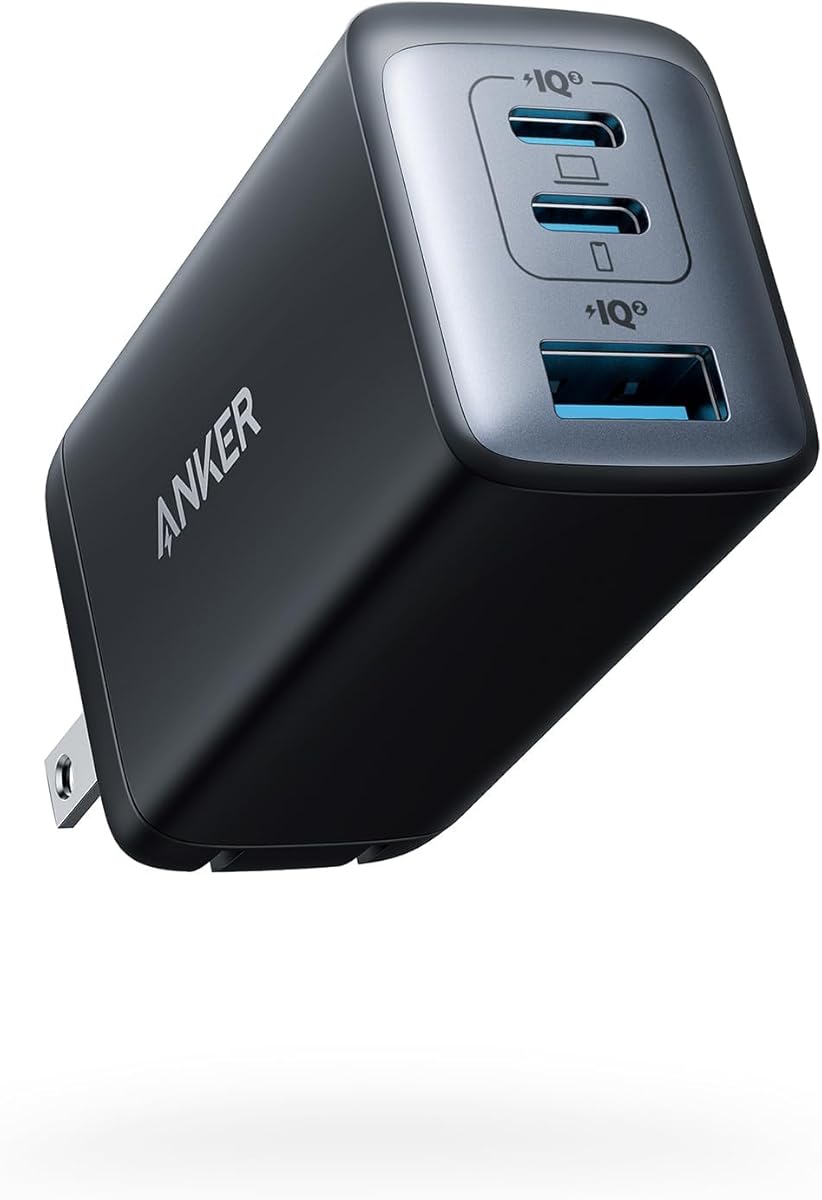
Anker 65W Max 3-Port USB C Charger Block
4.7Editor score
65W maximum power output
Compact foldable design
Charges three devices at once
This guide compares the top 10 Anker Gan Charger models for October 2026, reviewing power output, port counts, and compact designs to help you choose the right
Finding the right charging solution can be challenging when you have multiple devices to power every day. Anker has become a leading name in providing reliable and efficient charging options for modern electronics. Their GaN technology allows for smaller sizes without sacrificing the power needed for laptops and phones.
We have carefully reviewed ten different models to help you find the perfect match for your needs. Each charger offers unique features like smart displays, multiple ports, and varying wattage levels. Our comparison looks at design, safety features, and how well they handle different device combinations.
Each pick shows detailed specs and real-world usage scenarios to guide your decision making process. Please note that prices and availability can change frequently on online marketplaces. Always check the current listing for the most up to date information before purchasing your next charging accessory.
4.7Editor score

4.6Editor score
4.6Editor score
The following table provides a side by side overview of all ten selected models to help you compare key specifications at a glance.




This premium desktop charger offers unmatched power for users with many devices needing simultaneous charging. Its high rating reflects reliable performance and advanced monitoring capabilities that give users full control over their charging setup.
We may earn a commission when you buy through this link, at no additional cost to you.
The standout feature is the massive 250W total output which allows you to charge a 16-inch MacBook Pro and multiple phones or tablets at once. The LCD display provides instant feedback on power distribution and temperature ensuring safe operations at all times.
While it excels in performance the bulkiness makes it unsuitable for travel. You need dedicated space on a desk or shelf. The weight is significant compared to portable models but it is a fair trade-off for the power it delivers.
This charger is ideal for professionals working from home who need a central hub for all their tech. If you value speed and visibility over portability this is the top choice for powering your entire tech ecosystem efficiently.
The 2.26 inch LCD display updates you on charging status and speed so you always know how your devices are performing.
Adjust energy output immediately with the personalized dial ensuring each device charges at its optimal speed without manual setup.
We may earn a commission when you buy through this link, at no additional cost to you.
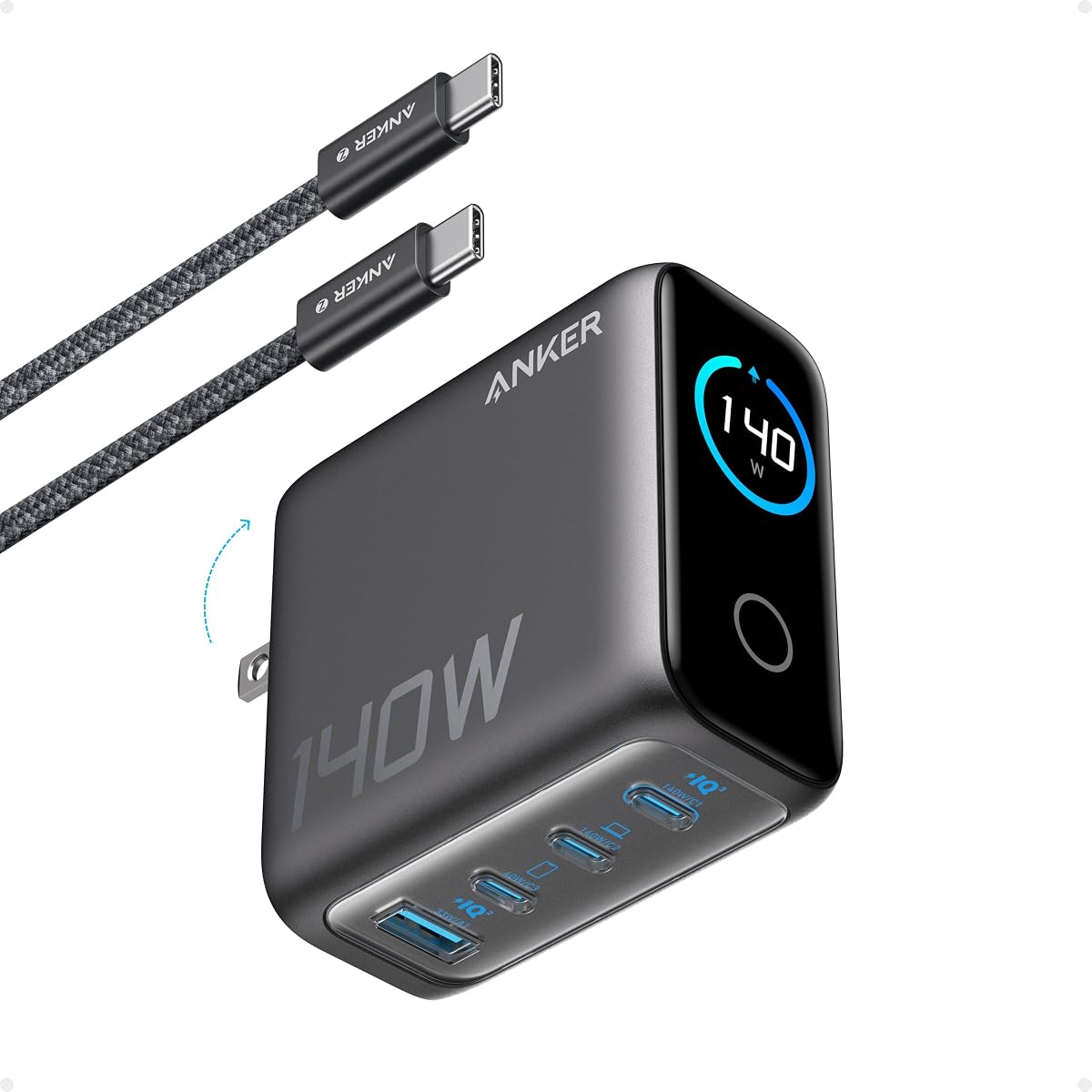
This charger pushes the boundaries of what is possible in a compact form factor. With its powerful output and smart features it stands out as a top choice for demanding users who need speed and precision.
We may earn a commission when you buy through this link, at no additional cost to you.
It delivers a consistent 140W single port output which is enough to charge a 16-inch MacBook Pro to 50 percent in just 25 minutes. The unique smart display lets you monitor power in real time and switch modes instantly for different needs.
The premium price is justified by the advanced technology but some features require pairing with a mobile app. While the display is useful you might not need all the custom modes if you just want simple fast charging.
Buy this if you are a power user who needs maximum speed for high end laptops while still wanting to charge a phone and tablet. It is perfect for those who want the latest tech in a sleek portable package.
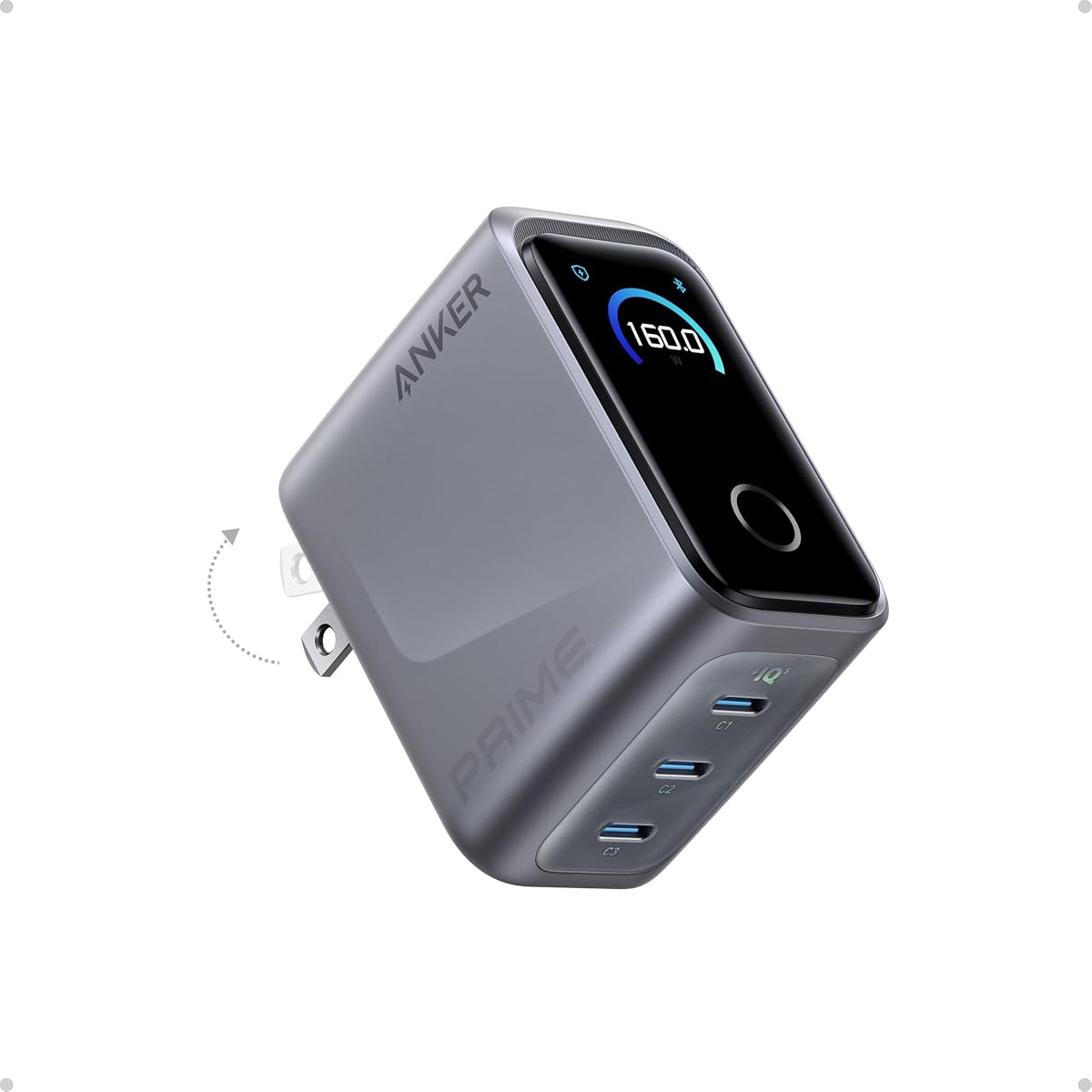
Despite its 160W power this unit is as small as an AirPods Pro case making it incredibly easy to carry in any bag.
Smart power distribution allows you to run a MacBook Pro iPhone and iPad at once with efficiency similar to using three separate chargers.
We may earn a commission when you buy through this link, at no additional cost to you.
This model offers incredible value by combining high speed charging with a very affordable price tag. It is a perfect entry point for anyone looking to upgrade from older chargers without spending too much money.
We may earn a commission when you buy through this link, at no additional cost to you.
It provides a 65W max charge which is sufficient to power up a 13-inch MacBook Pro at full speed. The GaN II technology ensures it remains small and cool even when running at high output for long periods.
The main limitation is the lack of advanced features like a display or higher wattage for multiple laptops. However for most daily users this does not matter. The compact design and low cost make it a practical choice for everyone.
This is the best pick for students or travelers who need one charger for a laptop and a phone. It balances performance and cost better than almost any other option on the market today.
You can connect a phone tablet and notebook all at once and get efficient power distribution from this single compact unit.
Roughly the size of an AirPods Pro case it is designed to be carried anywhere without adding bulk to your bag.
We may earn a commission when you buy through this link, at no additional cost to you.
This charger is designed for people who prioritize size and safety above all else. It delivers a solid 67W of power in a package that is significantly smaller than the standard chargers that come with laptops.
We may earn a commission when you buy through this link, at no additional cost to you.
The Ultra Compact Design is its main selling point allowing you to take it anywhere. It features two USB-C ports and one USB-A port giving you flexibility to charge a phone tablet and notebook from a single brick.
While it lacks a display the ActiveShield 2.0 system provides robust safety by monitoring temperature. You might lose some speed when using multiple ports at once but the convenience of having three ports is worth it for most.
Choose this if you want a reliable travel companion that charges your laptop and phone simultaneously without taking up much space. It is a simple no fuss solution that works very well for on the go use.
Being 51 percent smaller than the original 67W MacBook charger makes it easy to bring anywhere you go without bulk.
The upgraded ActiveShield 2.0 system provides secure charging with built-in protections for added peace of mind during use.
We may earn a commission when you buy through this link, at no additional cost to you.
This model brings a high definition smart display to the mid range price point. It allows you to see charging details in real time which adds a layer of control that is rare in this category.
We may earn a commission when you buy through this link, at no additional cost to you.
It delivers a steady 100W output on any USB-C port and is 330 percent smaller than many comparable chargers. The display shows status temperature and port performance giving you instant visibility into what is happening.
The trade-off is that you cannot get 100W on all ports at once but it adapts to low power devices safely. The foldable plug makes it easy to pack and the size fits perfectly in a coat pocket.
This is perfect for users who want to monitor their charging sessions without paying for the top tier models. It balances smart features with strong power in a package that is easy to carry every day.
The high definition smart display shows real-time details on charging status temperature and port performance for instant visibility.
USB-C2 or USB-A automatically switches to Low-Current Mode when output is low to safely charge earbuds and other small devices.
We may earn a commission when you buy through this link, at no additional cost to you.
This unit is designed for those who need to power four gadgets at once without carrying multiple bricks. It combines a high wattage output with a clear color display to keep you informed about the status.
We may earn a commission when you buy through this link, at no additional cost to you.
It features two high-speed USB-C ports each capable of 140W output so you can charge a MacBook Air to 50 percent in 30 minutes. The color display provides a detailed view of temperature and port details.
The ActiveShield 4.0 system monitors device temperatures over 10 million times a day ensuring enhanced safety. While it is rated slightly lower than others it still delivers strong performance for multi device setups.
This charger is ideal for families or professionals who need to keep a laptop phone tablet and maybe another device running simultaneously. It offers a great balance of power and visibility for a single desk setup.
Rapidly charge your 15-inch MacBook Air to 50 percent in just 30 minutes with either of the two USB-C ports.
The high-definition color display provides a detailed view of the charging status temperature and port details.
We may earn a commission when you buy through this link, at no additional cost to you.
This charger focuses on practical design features that make it durable and easy to carry. It offers a solid 100W of power for laptops while keeping a compact profile with built-in safety features.
We may earn a commission when you buy through this link, at no additional cost to you.
The foldable prongs and robust build make it perfect for on-the-go use. Each USB-C port delivers a full 100W so you can charge a 14-inch MacBook Pro from 0 to 50 percent in just 30 minutes.
It is built to remain firmly connected with thicker prongs for improved grip. While it does not have a display the focus on physical build quality and drop-proof structure makes it reliable for daily travel.
Choose this if you need a simple durable charger that can handle a laptop and two smaller devices without worry. It is a strong choice for anyone who wants a premium build without extra digital features.
Power up three devices simultaneously with a total of 100W output through two USB-C and one USB-A port.
Its foldable prongs and compact design make it perfect for on-the-go use easily fitting into any bag or pocket.
We may earn a commission when you buy through this link, at no additional cost to you.
This station is built to power a large number of devices in a single location. It is perfect for offices or home desks where space is available and speed is a priority.
We may earn a commission when you buy through this link, at no additional cost to you.
It offers 200W total power allowing you to charge six devices simultaneously. Each USB-C port supports up to 100W which is enough to charge two 14-inch MacBook Pros to 50 percent in 28 minutes.
The design keeps the unit stable on your desk while it handles the load. Safety features monitor temperature continuously to protect your devices. It is not meant for travel but it excels as a permanent station.
This is the best option for a busy household or workspace with many gadgets needing power. It eliminates cable clutter by bringing all your charging needs to one central spot with high speed.
Power 6 devices simultaneously in one convenient location ensuring all your tech is ready and fully charged.
When using two USB-C ports simultaneously each can provide up to 100W of power transforming charging times.
We may earn a commission when you buy through this link, at no additional cost to you.
This tiny charger packs a lot of power into a very small body. It is designed for users who want to carry only one brick for their laptop and phone without the weight of a traditional block.
We may earn a commission when you buy through this link, at no additional cost to you.
It is 58 percent smaller than the original 61W USB-C charger and features GaN II technology. You can charge a MacBook Pro 13 at full speed and get fast charging for Samsung phones with PPS support.
The foldable plug makes it easy to pack but it is only one port. You cannot charge multiple devices at once so you may need a splitter if you have many gadgets. However for simplicity it is great.
This is ideal for travelers who want the lightest option that still handles a laptop. It is a reliable choice for anyone who wants to replace multiple bricks with a single high-performance portable unit.
At 58 percent smaller than an original 61W USB-C charger it takes up less space while giving you just as much power.
Charge a 2020 MacBook Air in less than 2 hours and a MacBook Pro 13 at full speed.
We may earn a commission when you buy through this link, at no additional cost to you.
This is a versatile travel charger that can handle different electrical standards across the world. It is perfect for international travelers who need to charge a laptop and phones without carrying multiple adapters.
We may earn a commission when you buy through this link, at no additional cost to you.
It supports over 200 countries with built-in US UK and EU plugs. It detects local voltage in 1 second and shows it on a smart display. It can deliver up to 100W for laptops using its USB-C ports.
The plug design is secure and flat to avoid blocking other outlets. The only downside is that the included US UK and EU plugs are built-in so you must buy the adapter head separately for different regions.
Choose this for international trips where you need a single reliable solution for all your devices. It simplifies your packing list and ensures you can charge safely no matter where you are in the world.
Built-in US UK and EU plugs mean you can charge in most locations with just one device.
The charger detects local voltage in just 1 second so you can use it safely anywhere.
We may earn a commission when you buy through this link, at no additional cost to you.
Selecting the right charger depends on your devices and where you plan to use them.
Consider the total wattage required by your devices. Laptops usually need at least 65W to charge effectively while tablets and phones can work with lower wattages. If you plan to charge multiple devices at once ensure the total output of the charger is enough to handle all of them together.
Look for a charger that meets the highest power requirement of your main device plus extra for accessories.
Count how many ports you need for your daily setup. Some chargers have two USB-C ports while others have a mix of USB-C and USB-A. Make sure the number and type of ports match the cables you own to avoid buying new ones.
Choose a model with enough ports to keep all your devices connected without swapping cables frequently.
Think about how often you will carry the charger in your bag. Compact models with foldable plugs are better for travel while larger desktop units stay put on a desk. GaN technology helps keep sizes small so look for those if space is a concern.
Select a size that fits easily in your bag if you move around or pick a larger one for a home office.
Some chargers offer displays or app controls to track power usage and temperature. These features give you more visibility into what is happening while charging. Decide if you want to monitor your devices or prefer a simple plug and play experience.
Pick a model with smart displays if you want real time data or skip them for a simpler cheaper option.
Safety is critical for long term use to protect your devices from heat or voltage issues. Look for systems like ActiveShield that monitor temperature continuously. This helps prevent overheating and ensures your electronics stay safe during long charging sessions.
Always choose a charger with built-in safety systems to avoid damage to your valuable devices.
Check if the charger comes with a cable or if you need to buy one separately. High wattage chargers often need thick cables to deliver full power. Verify that you have the right cable length and rating to avoid charging speed issues.
Make sure the included or required cable supports the maximum wattage of your charger for best performance.
A good warranty ensures you are covered if the charger stops working or has defects. Anker typically offers long warranties so check the details before you buy. Having access to customer service can save you money if something goes wrong.
Opt for a model with a solid warranty to ensure peace of mind after your purchase.
Set a budget that fits your financial situation while still meeting your power needs. Basic models cost less but may lack ports or displays. Higher end models offer more features but come at a higher price. Balance what you need with what you can spend.
Compare prices across models to find the best value for the features you require.
Plug the charger into a wall outlet and connect your devices using compatible cables. Ensure the ports match the connectors on your gadgets to establish a secure connection. Check that the indicator light or display shows it is active before leaving it.
Avoid placing the charger on soft surfaces like bedding where it might overheat. Keep it in a well-ventilated area to allow heat to escape safely. Do not cover the charger with objects that could block airflow during use.
Unplug the charger when not in use to save energy and reduce wear. Clean the surface with a dry cloth to remove dust. Inspect the cables and ports regularly for any signs of damage or dirt buildup.
Yes you need a high quality cable rated for the wattage of your charger. For high power outputs like 100W or more use a certified USB-C cable that supports that speed. Using a low rated cable can limit charging speed and cause issues.
GaN chargers run cooler than standard silicon chargers which helps prevent overheating. They are designed with safety systems to protect against heat and voltage spikes. This makes them a safe choice for daily use on your devices.
Yes these chargers distribute power between ports to ensure safe charging for multiple devices. As long as the total wattage covers your needs they will charge both at once without issues. You can trust the internal systems to manage the load.
Most chargers last several years with proper care and usage. Regular cleaning and avoiding heat exposure can extend their life. If you use them daily they may wear out faster but generally they are built to last long.
Yes they work with any device that supports USB-C or USB-A charging standards. You can use them to charge phones tablets or laptops from other brands. The charging speed depends on what your specific device supports.
If your iPhone supports fast charging this charger can deliver faster speeds than the standard block. It may take advantage of higher wattage to reduce charge time. Check your iPhone model to confirm if it supports these fast speeds.
If the charger feels hot to the touch it might be getting too warm. Check for indicator lights or warnings on a smart display. Stop using it if it is excessively hot and let it cool down before continuing.
The Universal model includes US UK and EU plug adapters so you can charge in many countries. You may need to check if your destination uses these plug types before traveling. The adapter heads are part of the package.
We have reviewed ten models from basic portable chargers to powerful desktop stations. Each option offers unique benefits for different needs and preferences. Your ideal pick will depend on how many devices you own and where you use them.
Focus on the wattage and port count to ensure you get what you need. If you travel a lot choose a compact model with foldable plugs. For home offices look for higher power and more ports to keep everything charged.
Prices and availability change so check the current details before you buy. Compare the models in our guide to find the one that fits your budget and power requirements. Happy charging with the right Anker Gan charger for you.