
SunFounder AI Fusion Lab Kit
4.6Editor score
Supports Multi LLMs
Includes Pan Tilt HAT
Video lessons included
This guide compares the top ten AI Raspberry Pi kits for beginners and experts. It explores hardware specs, AI features, and learning resources to help you
Artificial intelligence has become more accessible thanks to compact computing boards like the Raspberry Pi. These kits offer everything needed to build smart projects from home without expensive equipment. They combine sensors, cameras, and processing power for hands-on learning.
We evaluated ten distinct options based on their included components, software support, and overall value. Our analysis focuses on how well each kit supports modern AI tasks like voice recognition and object detection. We also considered the quality of tutorials and community support available.
Each selection highlights specific strengths for different user needs and skill levels. Some kits include the board while others focus on add-ons. Prices and availability can change frequently so please check the links for the most current information.
4.6Editor score
4.5Editor score

4.5Editor score
This table provides a quick side-by-side view of the hardware and capabilities for each kit. It helps you identify which option matches your specific project requirements and budget constraints.

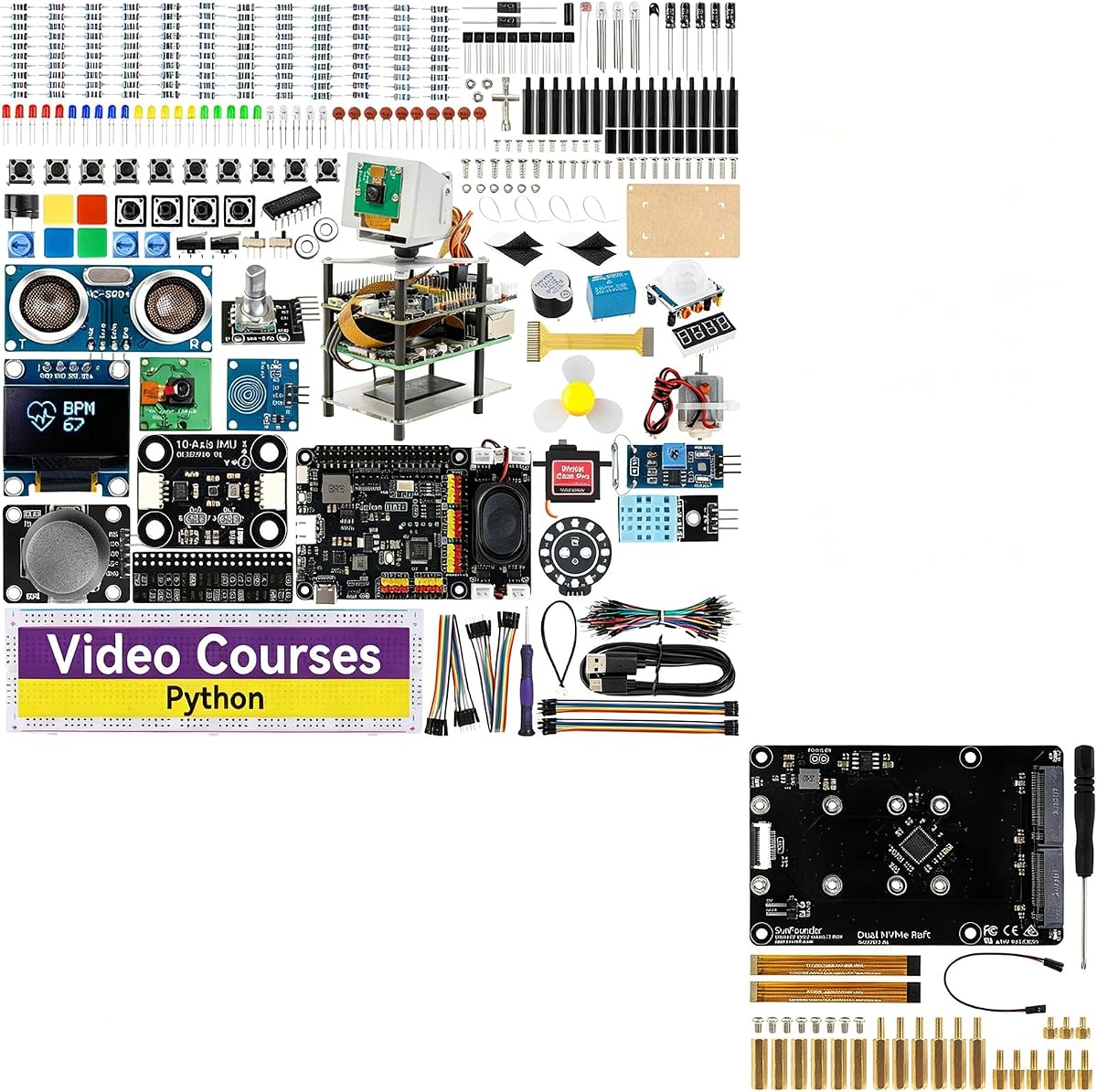


This kit offers an all-in-one learning experience for those new to AI on Raspberry Pi. With a rating of 4.6 it provides a structured path through complex concepts using guided video lessons. It stands out for including hardware for vision and voice interaction right away.
We may earn a commission when you buy through this link, at no additional cost to you.
The inclusion of multiple large language models like ChatGPT and Gemini allows for diverse project exploration. The Pan-Tilt HAT combined with OpenCV and MediaPipe enables real-time object tracking without needing advanced coding skills. This makes abstract AI ideas tangible for students.
Users should note that the Raspberry Pi board itself is not included in this package. Power management is handled via a Fusion HAT which requires a separate compatible supply. While this adds cost it simplifies the hardware wiring significantly for learners.
This is the ideal choice for students or hobbyists starting their journey into artificial intelligence. The combination of hardware and curriculum ensures you learn the why behind the code not just the how. It is a solid foundation for future advanced projects.
The curriculum is designed to take you from Python basics to functional AI projects quickly.
Sensors and cameras are integrated to make learning vision and voice recognition intuitive.
We may earn a commission when you buy through this link, at no additional cost to you.
Vilros provides a complete solution that includes the Raspberry Pi 5 board with 8GB of RAM. The kit is designed for serious AI work with a focus on performance through the Hailo-8 accelerator. It scored a perfect 5.0 rating likely due to its comprehensive nature.
We may earn a commission when you buy through this link, at no additional cost to you.
This kit includes everything from the case to the power supply and a microSD card with a preloaded OS. The accelerator offers up to 26 TOPS which is significant for real-time object detection tasks. It integrates well with the Pi camera software for seamless setup.
The main consideration is the cost which is higher than basic learning kits. You need to be comfortable setting up AI models on Linux to fully utilize the power. It is less about guided lessons and more about providing high-end tools.
Choose this if you need a robust platform for development or prototyping at home. The active cooler ensures stability during long training sessions. It removes the guesswork of sourcing compatible parts for a high-performance AI build.
The 26 TOPS accelerator provides the computing power needed for demanding neural networks.
From case to cable this kit ensures no missing components upon arrival.
We may earn a commission when you buy through this link, at no additional cost to you.
The CrowPi3 Basic Kit focuses heavily on the educational experience with 200 lessons included. It supports Raspberry Pi 5 but requires you to purchase the board separately. The kit comes with a capacitive touch display which makes interaction more direct.
We may earn a commission when you buy through this link, at no additional cost to you.
It includes 41 different sensors and modules in a tidy package that requires minimal wiring. This is excellent for learning coding logic without getting stuck on circuit assembly. The lessons guide you from reading code to running it in the terminal.
Since it does not include the Pi board the total cost can add up depending on what you buy. It is strictly a learning station and not a server or high-power solution. You will need to ensure your OS choice matches the sensor requirements.
This kit is best for students in schools or self-learners who value structure. The visual feedback from the touch screen and pre-mounted sensors keeps frustration low. It is a smart choice for mastering the basics of AI and electronics.
The extensive lesson library ensures you have a structured path for learning.
Sensors are pre-mounted so you can focus on coding rather than connections.
We may earn a commission when you buy through this link, at no additional cost to you.
This bundle combines the educational strengths of the SunFounder AI Fusion Lab with high-speed storage. The Dual NVMe Raft allows for two SSDs to be connected directly to the Raspberry Pi 5. It brings enterprise-level storage features to a hobbyist board.
We may earn a commission when you buy through this link, at no additional cost to you.
You can set up RAID arrays for redundancy or speed depending on your project needs. The base kit still provides the Pan-Tilt HAT and video lessons for learning AI vision. This makes it a hybrid of a learning tool and a server build.
The lack of user ratings suggests this is a newer or less common bundle. You should verify compatibility with the Pi 5 version you have before buying. It is more complex than standard kits and better for those building specific infrastructure.
Select this if you need local storage for AI models or media files. It transforms a learning kit into a functional home server. It is a unique option for makers who want to combine robotics with storage.
The NVMe slots provide significantly faster speeds than standard SD cards.
Learn AI while building a robust storage solution in one package.
We may earn a commission when you buy through this link, at no additional cost to you.
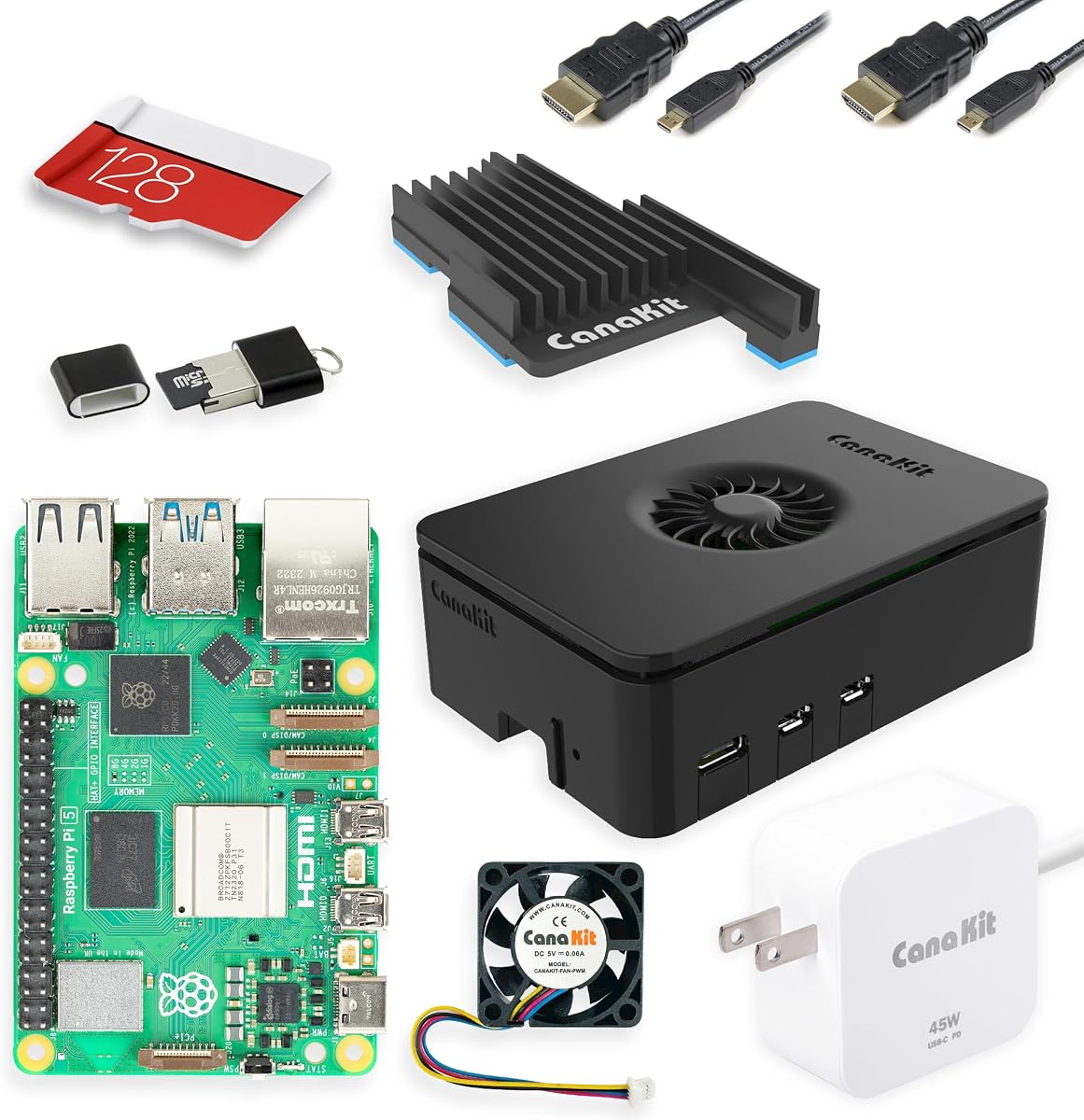
CanaKit is known for reliable starter kits that include a high-quality case and power supply. The Turbine Black case offers a distinct look with noise reduction features. It includes the Raspberry Pi 5 with 8GB RAM which is essential for heavy tasks.
We may earn a commission when you buy through this link, at no additional cost to you.
This kit provides the raw computing power needed for AI but does not include specialized sensors. You will need to add a camera or sensor module separately to build AI projects. It is a solid base for those who want custom hardware choices.
The 45W power supply is generous and supports expansion boards like HATs easily. The 128GB SD card is ample for storing multiple projects. You should be aware that it is a general purpose kit rather than AI specific.
Choose this if you want a high-quality foundation to build your own AI stack. The cooling is effective and the power is sufficient for most add-ons. It is a dependable starting point for advanced Raspberry Pi enthusiasts.
The robust power and cooling ensure your board runs reliably under load.
Use the GPIO to attach whatever specific sensors you need.
We may earn a commission when you buy through this link, at no additional cost to you.
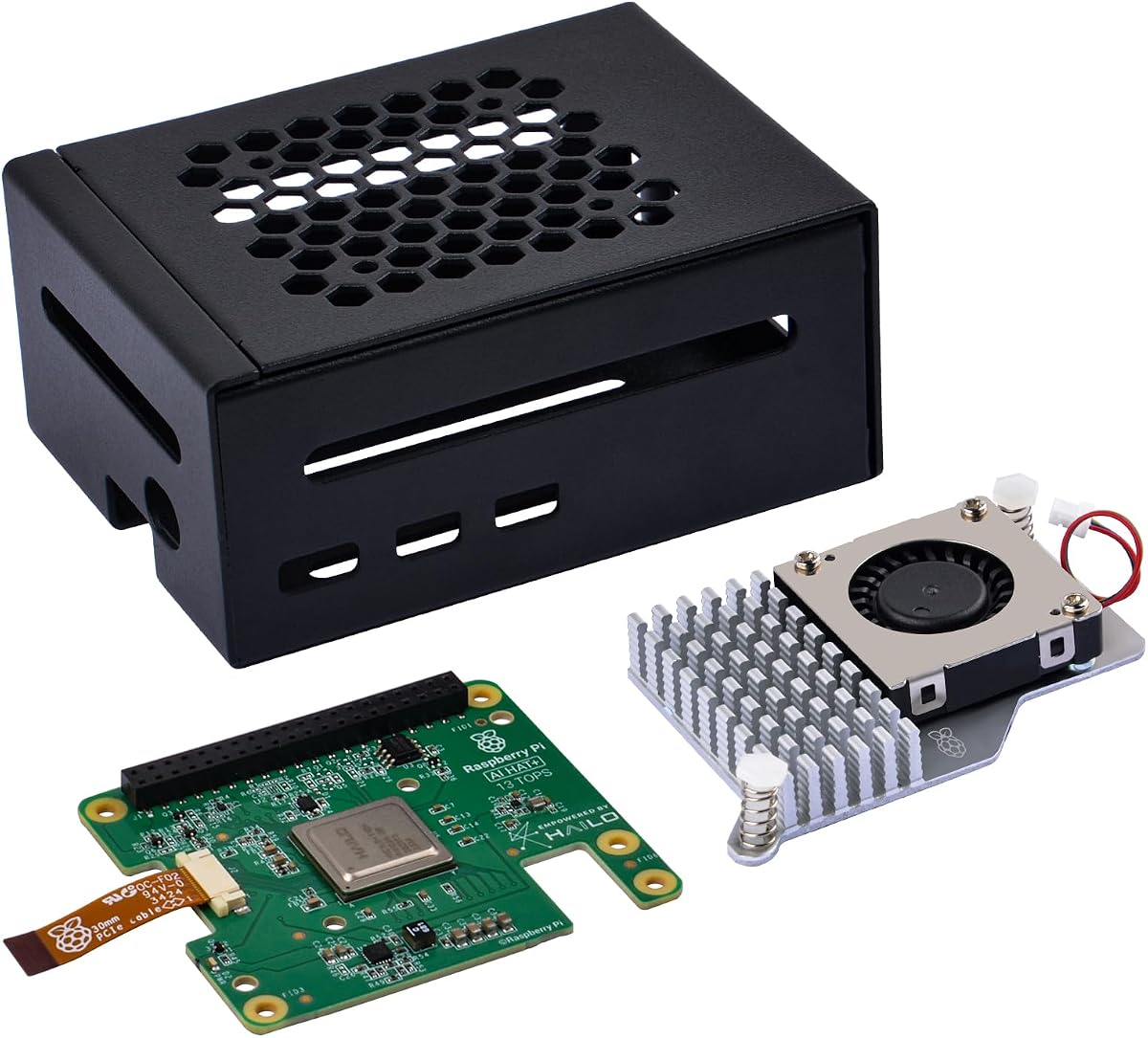
This kit focuses on the core of AI: processing power through the Hailo-8 accelerator. It provides 13 TOPS which makes running object detection models very efficient. The metal case protects the board and helps with heat dissipation during use.
We may earn a commission when you buy through this link, at no additional cost to you.
The active cooler ensures that the processor does not throttle during intensive tasks. It connects via PCIe Gen 3 which provides high bandwidth for the accelerator. This allows for smooth real-time performance on tasks like pose estimation.
While it does not include a curriculum it is perfect for those who already have plans. The hardware is specifically designed for AI which is rare at this price point. The metal case is functional but less decorative than others.
This is the top choice for makers focused on performance and robotics. It handles the heavy lifting of AI workloads so the Pi CPU stays free. It is an excellent value for a dedicated AI upgrade.
The dedicated NPU handles neural networks efficiently without slowing down the system.
The metal case and fan keep temperatures low during long sessions.
We may earn a commission when you buy through this link, at no additional cost to you.
This kit is assembled by Seeed Studio using official components from the Raspberry Pi Foundation. It includes the active cooling case which is vital for high performance tasks. The SD card comes preloaded with the OS so you can start immediately.
We may earn a commission when you buy through this link, at no additional cost to you.
The official power supply ensures stable voltage for connected devices like SSDs. It is a reliable option for setting up a workstation that can run Docker containers. The warranty and support from the manufacturer are generally strong.
It is a general purpose kit and lacks specific AI hardware like cameras or HATs. You will need to source sensors separately for vision or voice projects. It is more about computing reliability than specialized learning tools.
Choose this if you prefer official parts for peace of mind. It is great for setting up a server or a home hub. It provides a clean foundation for adding AI capabilities on your own.
Using official components ensures compatibility and reliability for your build.
The preloaded OS saves time on initial configuration.
We may earn a commission when you buy through this link, at no additional cost to you.
This kit is a pre-built robot that comes with the Raspberry Pi Zero 2 W. It uses 12 servos to allow for complex movements like walking and sitting. The ChatGPT integration lets you control it with natural voice commands.
We may earn a commission when you buy through this link, at no additional cost to you.
You can view the camera feed live on your phone which adds a remote control element. The gyroscope helps it stay balanced during tricks. It is designed to be an engaging toy that doubles as a learning platform.
The Zero 2 W has limited power compared to the full Pi 5. Complex models might run slowly or require cloud processing. It is a fun project but less suited for heavy local AI work.
Select this if you want a ready-made interactive robot. It is great for learning servos and basic AI integration. The app interface makes it accessible for younger learners.
ChatGPT allows you to give commands using natural language easily.
FPV lets you see what the robot sees live on your device.
We may earn a commission when you buy through this link, at no additional cost to you.
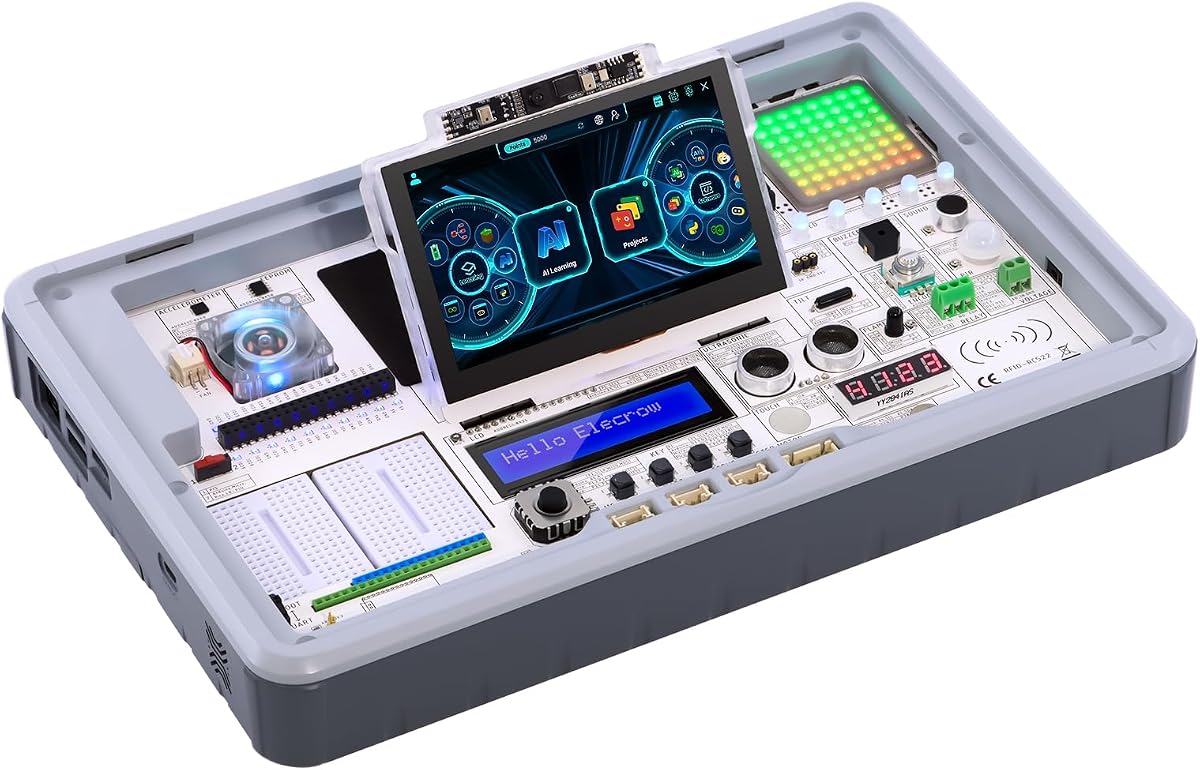
The CrowPi 3 offers a dedicated development station with a 4.3-inch touch display. It supports large language models and facial recognition out of the box. The microphone allows for voice interaction projects directly from the device.
We may earn a commission when you buy through this link, at no additional cost to you.
All 41 sensors are integrated on the board so you do not need to wire them. This makes it very easy to test different inputs for your AI. It is aimed at education with a focus on user experience.
The board itself is not included so you must buy a compatible Pi separately. This can increase the total price. The user manual links are useful for getting started quickly.
This is a great option for classrooms or home schools. The touch interface makes it intuitive for beginners. It simplifies the hardware side so you can focus on code and logic.
The touch screen and pre-mounted sensors make testing simple.
Integrated microphone supports direct voice recognition projects.
We may earn a commission when you buy through this link, at no additional cost to you.
This package includes the Raspberry Pi 5 16GB board along with the CrowPi 3 station. It is the most complete option on the list. The extra memory helps with running multiple models simultaneously without slowdown.
We may earn a commission when you buy through this link, at no additional cost to you.
You get 200 structured lessons which cover everything from basics to IoT. The touch display and high sensitivity microphone enable rich human computer interaction. It is designed for rapid prototyping in an educational setting.
The price is higher due to the inclusion of the board and advanced features. It may be overkill for simple hobby projects. But for deep learning it offers a comprehensive environment.
Choose this if you want the most capable station available. It is perfect for serious students and developers. The combination of hardware and course material is unmatched.
16GB of RAM ensures smooth multitasking for complex projects.
Everything needed to start is in one box ready to use.
We may earn a commission when you buy through this link, at no additional cost to you.
Choosing the right kit depends on your skill level and project goals. We outline the key factors to consider before you buy.
Check if the kit includes the Raspberry Pi board itself. Some focus on add-ons while others are complete solutions. Knowing this helps you calculate the total cost.
Ensure the package contains all necessary cables and power supplies to avoid hidden costs.
Look for kits with dedicated AI accelerators like Hailo chips. These handle neural networks faster than standard CPUs.
A dedicated NPU improves performance for real-time tasks like object detection.
The number of sensors affects what you can build. Kits with many sensors simplify wiring and setup.
Integrated sensors save time and reduce errors for beginners.
AI tasks generate heat so active cooling is vital. Passive cases may throttle performance under load.
Active fans ensure your board runs at full speed during long projects.
Video lessons and documentation are key for learning. Look for structured paths from basic to advanced.
A clear curriculum helps you progress steadily without confusion.
Support for different AI models like YOLO and MediaPipe expands your options. Ensure the software is up to date.
Open support for various models allows for flexible project development.
Check the wattage of the power supply. AI projects may need more power than standard uses.
A high-wattage supply prevents unexpected shutdowns.
Active forums help solve problems quickly. Look for brands with responsive support teams.
Community help ensures you can find answers when stuck.
Start by reading the manual and installing the OS on the SD card. Use a monitor to set up the network connection before connecting sensors.
Keep your kit in a dry place away from dust. The active cooler needs airflow so do not block the fan vents.
Always shut down the system properly via software to prevent file corruption. Unplug the power only after the system has stopped.
Not all kits include the board. Some focus on add-ons like HATs or sensors. Always check the product description to see what is included.
An accelerator is a chip designed to run neural networks faster. It offloads work from the main CPU for better performance.
Most kits allow commercial use but check the license for any software included. The hardware is generally open for any use.
Python is the standard for most AI kits. Some also support C or Node-RED for different tasks.
You need a computer to set up the SD card first. Many OS images support Mac for initial flashing.
Active coolers make some noise but modern fans are quiet. It is better than overheating the system.
We reviewed ten kits that cater to different needs from beginners to pros. The SunFounder Fusion Lab and GeeekPi AI HAT+ stand out for their value and performance.
Prioritize what you need most whether it is sensors or compute power. A clear goal helps you pick the right tool for the job.
Remember to check current prices before buying as they may vary. Links are updated to reflect the latest deals.