
YOOPAI 3D Printer Enclosure
4.4Editor score
Built in LED light strip
Real time temperature monitor
Fits Ender 3 models
Compare the top 10 3D printer enclosures for ABS printing including ventilation, heat retention, and safety features for reliable high temp results.
Finding the right 3D printer enclosure for ABS printing is essential for reducing warping and ensuring consistent results. A good enclosure traps heat, filters fumes, and protects your workspace from odors and dust while you print.
We compared ten real products based on size, ventilation options, material quality, and compatibility with common printers. Each pick offers unique benefits for controlling temperature and managing emissions during high-temperature prints.
Each section shows key features, pros, cons, and detailed analysis to help you choose quickly. Prices and availability change frequently, so verify details before buying to ensure the best fit for your specific setup and needs.
4.4Editor score

4.8Editor score
4.5Editor score
This side-by-side comparison highlights the key differences between the top ten enclosures available today. Review each product size, ventilation capabilities, safety features, and compatibility to find the perfect match for your ABS printing workflow.


This large enclosure stands out with its 4.8 rating and massive dimensions designed for big printers. It offers a stable warm environment essential for reducing warping during ABS printing sessions.
We may earn a commission when you buy through this link, at no additional cost to you.
The fully enclosed design with a warming layer helps improve surface smoothness and increases success rates by maintaining consistent temperatures. It also prevents resin curing prematurely due to its UV filtering window feature.
While effective, it requires purchasing the ventilation kit separately and needs ample room on your desk to accommodate its huge footprint. Assembly can take 15 to 20 minutes with help.
Users with large format printers or multiple machines will benefit most from this spacious setup. It is an ideal choice for those prioritizing size and thermal stability over quick setup.
The specialized warming layer maintains a stable ambient temperature crucial for preventing layer cracking and bed warping in ABS prints.
Dual side openings allow you to position large printers like CR-10 Max or multiple smaller units depending on your workspace needs.
We may earn a commission when you buy through this link, at no additional cost to you.
YOOPAI offers a budget-friendly option specifically tailored for Creality Ender 3 users. Its 4.4 rating reflects solid performance in maintaining constant temperature for better print quality.
We may earn a commission when you buy through this link, at no additional cost to you.
The built-in LED strip improves visibility to spot filament jams quickly. Real-time monitoring helps optimize conditions while fire-resistant materials ensure safety during high-temperature ABS printing.
While it fits common models well, the dimensions limit use to printers under 29.5 inches height. Users must measure carefully to avoid compatibility issues before purchasing.
This enclosure is perfect for hobbyists on a budget who own an Ender 3. It balances cost with essential features like lighting and monitoring for reliable results.
Advanced monitoring provides real-time temperature and humidity readings to help you optimize printing conditions for higher quality results.
All six sides block noise transmission effectively, reducing operational sounds for a quieter environment suitable for homes or offices.
We may earn a commission when you buy through this link, at no additional cost to you.
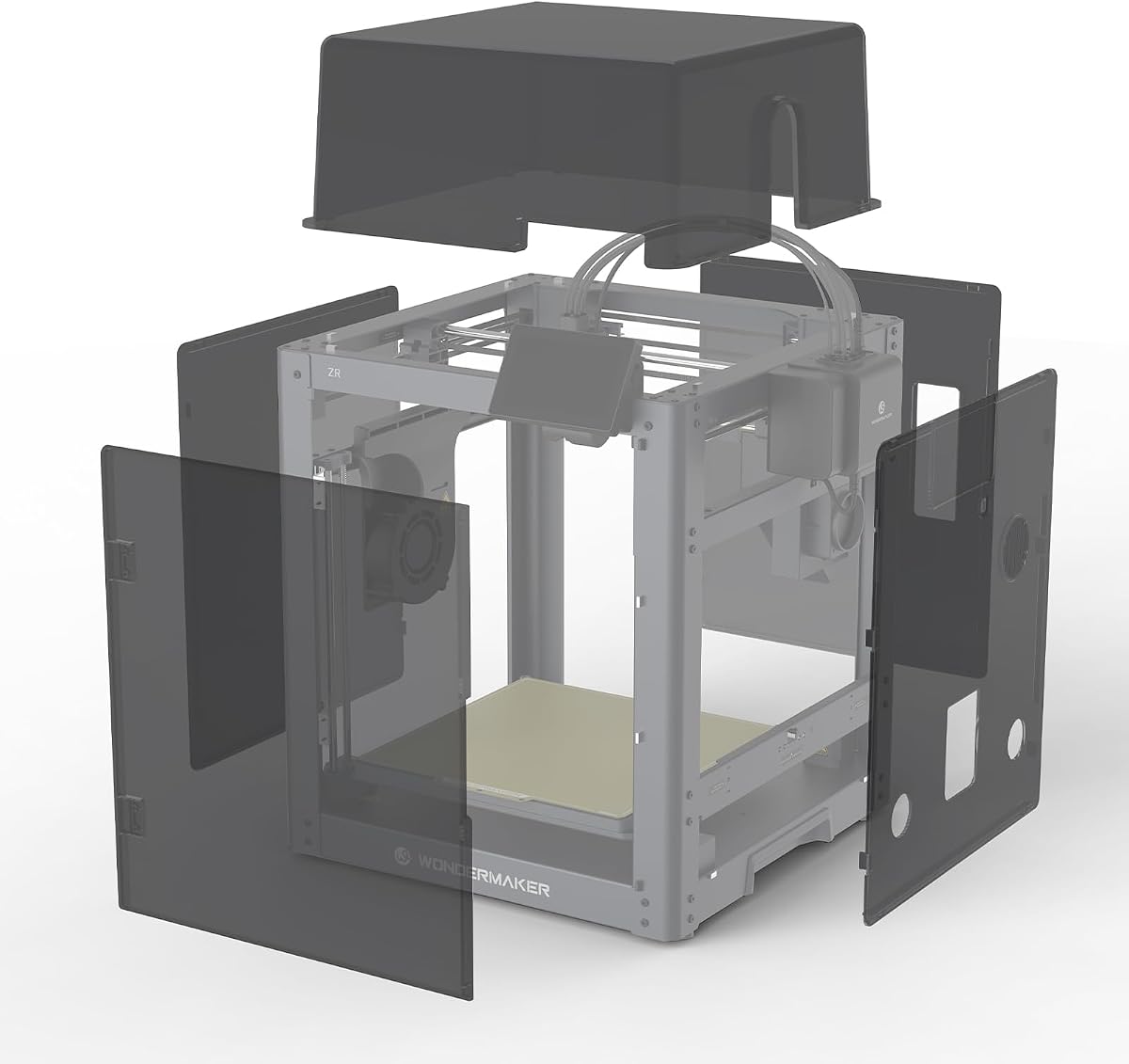
SainSmart presents a premium enclosure designed specifically for the ZR printer. Its 4.5 rating highlights excellent filtration and stable temperature control for high-performance filaments.
We may earn a commission when you buy through this link, at no additional cost to you.
The built-in air filtration actively removes odors and particles, keeping the workspace cleaner. Magnetic access makes operation safe and simple without special tools required.
While tailored for one printer model, the filtration and noise reduction offer substantial value for professional users needing a clean quiet environment. Custom fit ensures perfect alignment.
Owners of the ZR printer will find this the ideal companion. It delivers premium features like active filtration that support sensitive materials like ABS and ASA safely.
A high-efficiency filtration fan with replaceable modules actively removes odors and fine particles for a cleaner workspace environment.
The enclosure is custom-fitted for the ZR printer, ensuring a perfect match with magnetic access for safe easy use.
We may earn a commission when you buy through this link, at no additional cost to you.
This multifunctional enclosure features a unique UV block window essential for protecting resin prints while monitoring progress. Its 4.5 rating highlights safety and durability for various printing needs.
We may earn a commission when you buy through this link, at no additional cost to you.
The 12V fan system allows speed control to manage airflow effectively. A three-layer filtration system absorbs harmful gases, providing a safer environment for enclosed printing sessions.
Though compatible with LCD printers, users may need to download files for adaptors to replace steel brackets. The stainless frame ensures a longer lifetime than typical iron frames.
For those mixing resin and ABS workflows, this model offers versatile protection. It stands out for its specific safety features that guard against UV exposure and fumes.
The UV block window protects resin prints from harmful rays while allowing visual monitoring of print progress and quality.
A 12V fan with speed control lets you adjust airflow according to specific needs for efficient fume management.
We may earn a commission when you buy through this link, at no additional cost to you.
This 700mm enclosure provides a complete kit with an 180 CFM fan, making setup straightforward for users. Its 4.4 rating reflects balanced performance for FDM and resin printers alike.
We may earn a commission when you buy through this link, at no additional cost to you.
The insulation lining raises internal temperatures by up to 15 degrees Celsius, ensuring stability in cold weather. Real-world reports confirm passive drying capabilities that lower humidity naturally over time.
While it includes the ventilation needed, the internal space limits Y-axis travel for certain printers. Users should check dimensions carefully to ensure their specific printer fits comfortably inside.
It is an excellent choice for those wanting a ready-to-use package without buying extras. The insulation and drying features add significant value for long-term filament and print quality.
Built-in insulation raises internal temperatures by 5 to 15 degrees Celsius creating a warm stable chamber for consistent printing.
Long-term use naturally lowers humidity to 20-35% offering passive drying protection for filaments stored inside the enclosure.
We may earn a commission when you buy through this link, at no additional cost to you.
FLASHFORGE offers a dedicated enclosure for the AD5M that allows users to customize the exterior style. Its 4.3 rating shows reliable performance in maintaining constant temperature for stable prints.
We may earn a commission when you buy through this link, at no additional cost to you.
The dustproof cover prevents contamination while isolating odors effectively. It enables the use of high-temperature filaments like ABS and PC by ensuring a stable thermal environment.
While stylish, it requires manual ventilation setup if needed for fume extraction. Users should verify compatibility carefully since it fits only the AD5M printer specifically.
This choice is best for AD5M owners seeking style and stability. It provides essential protection and temperature control to maximize the printer's potential safely.
The outside color and material can be tailored to your preferences to fulfill personalized needs and express a distinct personal style.
Maintaining a constant temperature during printing unlocks high-temperature filaments such as ASA and ABS effectively for stronger parts.
We may earn a commission when you buy through this link, at no additional cost to you.
This enclosure kit for the Adventurer 5M emphasizes safety and stability with DIY exterior customization. Its 4.2 rating reflects solid support for high-temperature filaments like ASA and PC.
We may earn a commission when you buy through this link, at no additional cost to you.
The optimized heat dissipation maintains a stable internal temperature while reducing noise significantly. It prevents pets and children from touching hot components, adding a layer of safety.
While the DIY design allows personalization, it is strictly for one printer model. Users looking for versatility may prefer larger generic enclosures over this specific fit.
Adventurer 5M owners will appreciate the tailored fit and noise reduction. It is a practical choice for creating a safer, quieter workspace around a specific machine.
Optimizes heat dissipation to maintain a stable internal temperature, enhancing print quality and supporting high-temperature materials like ASA and PC.
Reduces printing noise from 65 dB to 55 dB, making the printer quieter and more suitable for home and office environments.
We may earn a commission when you buy through this link, at no additional cost to you.
This enclosure is engineered for the Bambu Lab A1 Combo with AMS Lite. Its 4.4 rating highlights effective ventilation and noise reduction for a clean printing environment.
We may earn a commission when you buy through this link, at no additional cost to you.
The built-in ventilation kit quickly removes smoke and dust, reducing health risks. LED lighting improves visibility to monitor prints efficiently in low-light conditions.
It is critical to verify if you have the AMS Lite because the enclosure is too short without the external spool attached. Users must check dimensions carefully to ensure proper fit.
For A1 Combo owners, this enclosure delivers reliable performance. It balances size, lighting, and ventilation to support constant temperature and safety effectively.
Equipped with a ventilation kit with an 8025 fan, which can quickly remove the smoke and dust generated during operations.
Built-in LED lights provide bright, clear visibility inside the enclosure, making it easy to monitor prints and spot issues.
We may earn a commission when you buy through this link, at no additional cost to you.
This multifunctional large kit offers a robust solution for both ABS and resin printers. Its 4.5 rating reflects strong features like UV blocking and durable stainless steel construction.
We may earn a commission when you buy through this link, at no additional cost to you.
The 12V fan system with speed control provides effective fume extraction. A three-layer filtration system absorbs harmful gases, improving the working environment significantly during operation.
It is essential to note that steel fan brackets may need replacement for optimal use. Users should verify size compatibility carefully before ordering to avoid fit issues.
For versatile printing needs involving resin and ABS, this kit provides comprehensive protection. It stands out for its durable frame and safety-focused ventilation features.
Updated with high quality stainless steel pipes instead of iron to keep the frame stainless, longer lifetime, and with larger view window.
The enclosure is designed with a 12V fan filter system to prevent smoke and fumes buildup during printing effectively.
We may earn a commission when you buy through this link, at no additional cost to you.
Sovol provides a metal and tempered glass open enclosure designed specifically for the SV08. Its 4.1 rating indicates solid protection for ongoing prints against interference.
We may earn a commission when you buy through this link, at no additional cost to you.
The glass material ensures high visibility while keeping heat stable to reduce warping and lifting issues. Exhaust features help prevent odors from entering your home or office environment.
While open, it still isolates noise and dust effectively. However, the open design may not retain as much heat as fully closed units for sensitive ABS materials.
This is ideal for SV08 owners wanting visibility and basic protection. It supports ongoing printing stability with a durable build that balances heat and airflow.
The enclosure isolates the printer from the surrounding environment, effectively reducing the noise of fans and motors running at full speed.
Stable ambient temperatures can significantly reduce printing issues such as warping and lifting, especially when printing with materials that are sensitive to temperature changes.
We may earn a commission when you buy through this link, at no additional cost to you.
Selecting the right enclosure requires balancing size, ventilation, and material quality. Review these factors to ensure your enclosure supports high-temperature ABS printing safely.
Measure your printer dimensions carefully before purchasing to ensure the enclosure fits. Consider future upgrades and allow extra space for tools and filament spools inside.
Always verify internal space dimensions against your printer's footprint to avoid fit issues.
Look for enclosures with dedicated ports for exhaust fans. Proper ventilation is critical for removing harmful fumes when printing ABS safely in home environments.
Ensure the enclosure includes or supports a ventilation kit to maintain air quality.
Insulated materials help maintain a stable internal temperature reducing the risk of warping. Thermal insulation is essential for consistent ABS prints especially in colder rooms.
Check for warming layers or insulated fabric in the product description.
Fire-resistant materials are vital for safety during long printing sessions. Avoid flammable fabrics that could pose risks with high-temperature hotends.
Verify fireproof and dustproof certifications for peace of mind.
A fully enclosed cover helps block noise from fans and motors significantly. This feature is valuable for printing in shared spaces like offices or bedrooms.
Look for specific decibel reduction claims in product details.
Transparent or UV-blocking windows allow you to monitor prints without opening the enclosure. This ensures you can spot issues like layer adhesion problems quickly.
Ensure the window is durable and scratch-resistant for longevity.
Some enclosures come with exhaust kits and fans while others require separate purchases. A complete kit simplifies setup and ensures you have all necessary components.
Check if ducting fans and filters are included before buying.
Integrated LED lighting strips improve visibility inside the enclosure for monitoring. This helps quickly identify filament jams or print failures in low-light conditions.
Prioritize models with built-in illumination for better control.
Install the enclosure around your printer ensuring all zippers seal tightly to maintain temperature. Check that the ventilation fan is connected securely to an exhaust port.
Regularly clean the filters and dust screens to maintain proper airflow. Replace filter modules as recommended to keep fume extraction effective over time.
Monitor internal temperature during first prints to ensure stability. Adjust fan speeds or insulation if needed to prevent overheating or excessive heat loss.
Yes, an enclosure is highly recommended for ABS because it maintains a stable ambient temperature to prevent warping and cracking. It also contains harmful fumes ensuring safety during high-temperature prints.
Most enclosures are simple to assemble like a tent. Position your printer inside seal all zippers and attach the ventilation fan to the exhaust port using the provided ducting.
Choose an enclosure that fits your printer with at least two inches of clearance on all sides. Ensure the internal dimensions accommodate your printer's height and width comfortably.
Yes, fully enclosed covers block sound transmission significantly. Many models claim noise reduction from 60 decibels to 40 decibels for quieter environments.
Regularly remove dust screens and vacuum or wash them as per manufacturer instructions. Replace filter modules when airflow decreases to maintain effective fume extraction.
Yes but ensure the enclosure has a UV-blocking window to prevent premature resin curing. Resin fumes may require a strong external ventilation system for safety.
Look for fire-resistant polyester or specialized thermal fabrics. These materials maintain heat effectively while ensuring safety during long ABS print runs.
Some enclosures include exhaust fans while others require separate purchases. Check product details carefully to see if ventilation components are included in the box.
The top three picks offer unique benefits whether you prioritize size ventilation or specific printer compatibility. The Large Ventilation Kit stands out for big printers while YOOPAI provides budget value for Ender 3 users.
Prioritize ventilation and insulation when choosing an enclosure for ABS. These features ensure consistent temperatures and safer air quality for reliable print results over time.
Prices and availability change frequently so verify current details before purchasing. Always check dimensions and ventilation needs to confirm the best fit for your specific setup.