
ASUS TUF Gaming F16
4.4Editor score
Intel Core 5 210H
RTX 4050 GPU
144Hz FHD+ display
Finding the right gaming machine means balancing power, portability, and price. The ASUS TUF lineup delivers military-grade durability alongside modern specs for competitive play and creative workflows.
We compared ten recent models across processors, graphics, and cooling systems. Each entry highlights real-world usage, thermal efficiency, and display fidelity to help you choose confidently.
Every pick shows core strengths, trade-offs, and target users. Prices shift frequently, so check current listings before deciding on the ideal model for your gaming and work needs.
4.4Editor score
5.0Editor score

5.0Editor score
As an Amazon Associate we earn from qualifying purchases.
This side-by-side overview lists every model tested, highlighting core specs like CPU, GPU, RAM, storage, and refresh rates to make quick comparisons easier.



This model stands out for its balanced mix of raw power and smart thermal management. It earned the top spot because it handles modern AAA titles at high frame rates while keeping heat in check.
We may earn a commission when you buy through this link, at no additional cost to you.
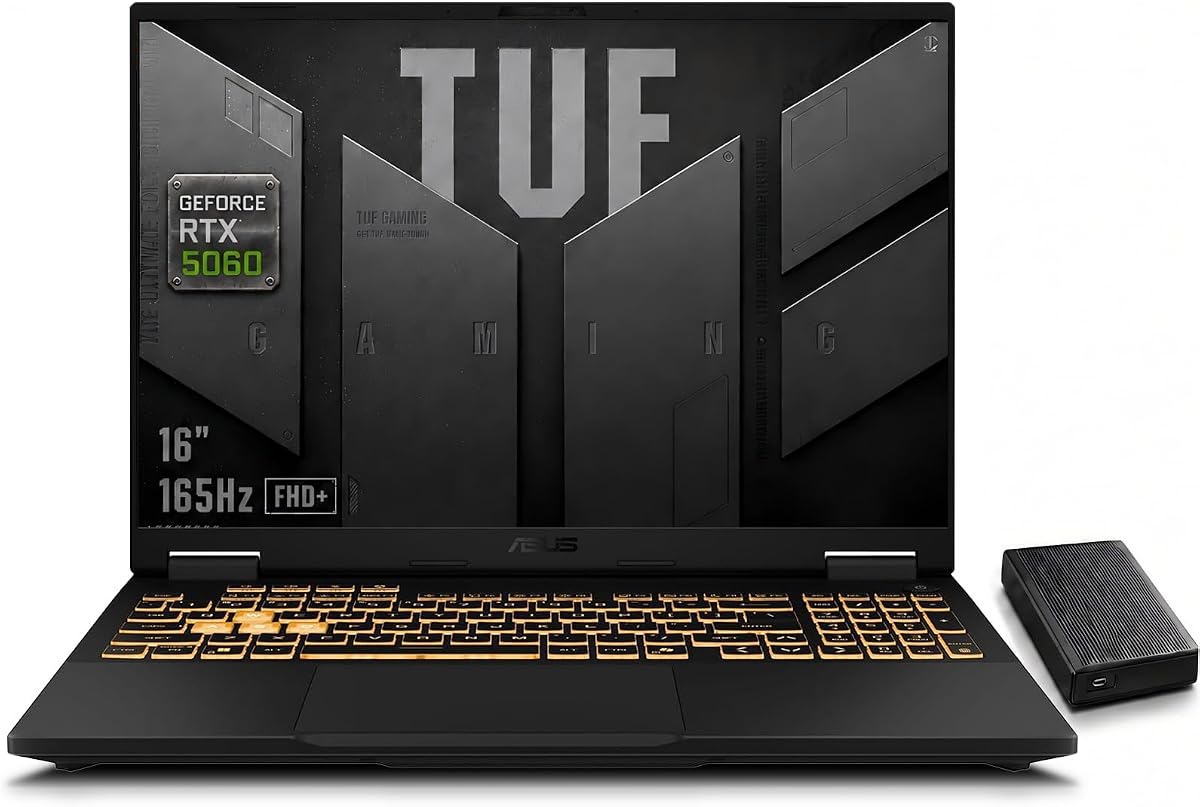
The 115W RTX 5060 delivers full-power performance with AI-enhanced DLSS 4 and advanced Ray Tracing. Paired with the Intel Core i7-14650HX, it crushes multitasking, streaming, and 4K video editing without choking.
While it ships with an extra external HDD, that adds weight if you travel often. Still, the trade-off is worth it for users who want massive local storage without paying for pricier 2TB internal options.
Buy this if you need a desktop replacement that also fits in a backpack. It offers the best overall value for competitive gaming and creative workflows among the models reviewed.
The 165Hz refresh rate and low response time eliminate motion blur in fast-paced FPS and racing titles, giving you a tactical edge during competitive matches.
Dual Arc Flow Fans and intelligent airflow optimization reduce thermal throttling, allowing the GPU to stay near peak clocks during extended gaming sessions.
We may earn a commission when you buy through this link, at no additional cost to you.
This entry captures the core TUF promise: durable, reliable gaming without overspending. It scored well for offering a quality screen and ample memory at a fraction of premium model costs.
We may earn a commission when you buy through this link, at no additional cost to you.
Powered by the Intel Core 5 210H and RTX 4050, it handles most modern titles at medium-to-high settings. The 144Hz display with Adaptive-Sync delivers smooth visuals without tearing or stuttering.
The downside is storage capacity; 512GB fills up fast. However, upgrading later is straightforward. The build quality and cooling design offset this limitation for budget-conscious buyers.
Ideal for students or casual gamers who prioritize display quality and portability. It brings TUF durability and modern GPU features to a more accessible price bracket.
The FHD+ panel covers 100% sRGB, ensuring vibrant colors for both gaming and media consumption without needing calibration.
MIL-STD-810H testing means the chassis withstands drops and vibrations, making it suitable for dorm rooms and travel.
We may earn a commission when you buy through this link, at no additional cost to you.
This version elevates the F16 line with workstation-grade memory and connectivity. It targets power users who run VMs, edit 8K video, or need maximum multitasking headroom.
We may earn a commission when you buy through this link, at no additional cost to you.
The 32GB DDR5-5600 ensures applications run smoothly even with dozens of tabs and background tasks. GDDR7 VRAM in the RTX 5060 supports higher-resolution textures and future-proofing.
While it weighs more, the flexibility from Thunderbolt 4 and extra M.2 slots justifies the size. It also ships with Windows 11 Pro, adding BitLocker and Remote Desktop for pros.
Choose this if your workflow demands every ounce of performance. It is the ultimate upgrade for professionals who also game at high settings.
Two RAM slots and two M.2 slots give you full control to upgrade storage and memory as your needs grow.
Thunderbolt 4 delivers 40Gbps speeds, ideal for fast external SSDs and high-resolution docking stations.
We may earn a commission when you buy through this link, at no additional cost to you.
This AMD-based model brings strong multi-threaded performance and USB4 connectivity. It suits creatives who need fast I/O and reliable calling features alongside gaming capabilities.
We may earn a commission when you buy through this link, at no additional cost to you.
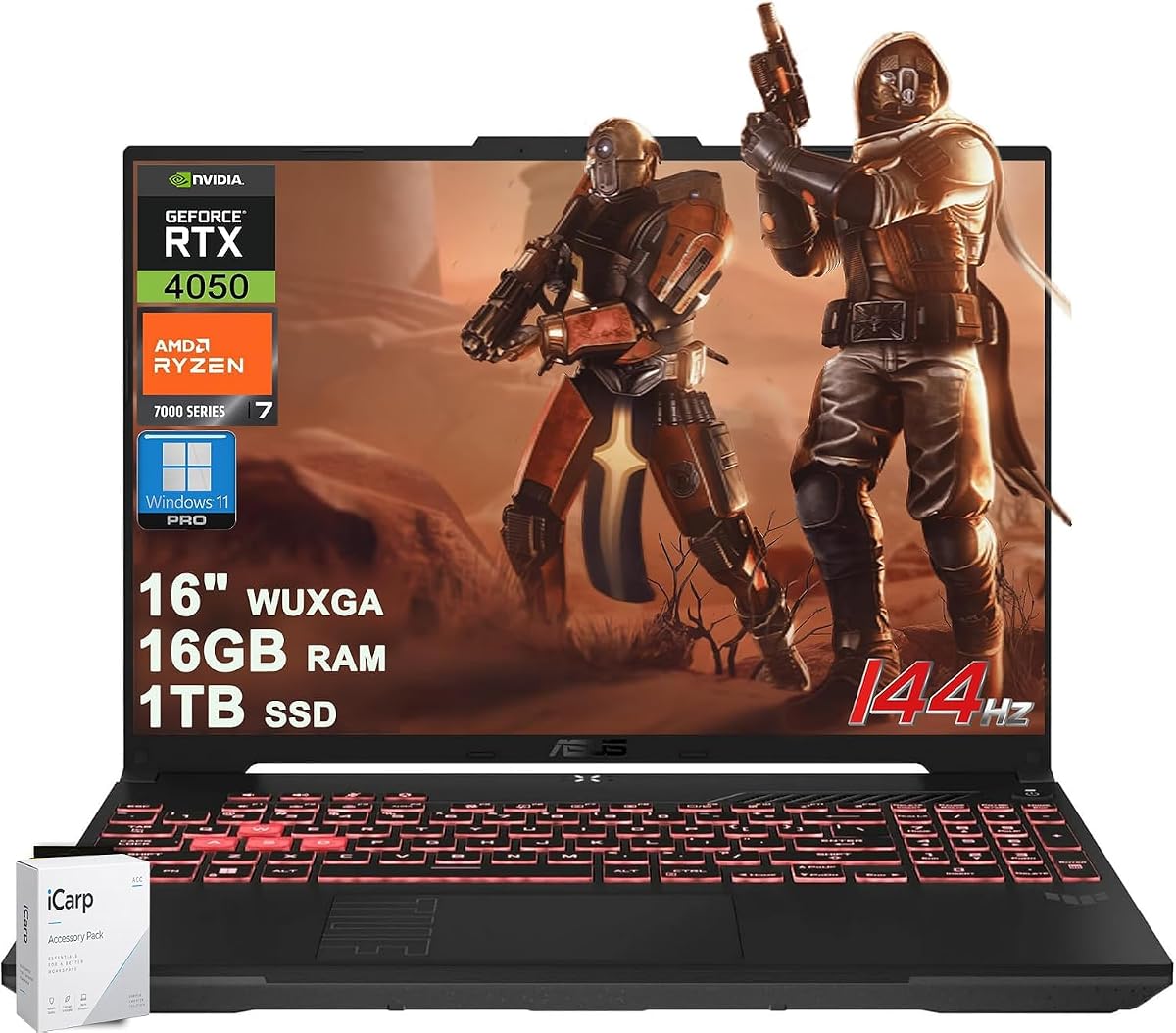
The Ryzen 7 7445HS handles rendering and streaming efficiently. With 1TB storage and 16GB RAM, it avoids immediate bottlenecks and offers Pro licensing for business use.
Battery life is decent but not class-leading. Still, the USB4 port and noise-canceling mic make it versatile for hybrid work and entertainment setups.
Ideal for users who prefer AMD architecture or need USB4 docking. It balances creative tools with gaming performance effectively.
The USB4 port supports data, power delivery, and display output, reducing cable clutter in your workstation.
Two-way AI noise cancellation filters background noise for both your voice and incoming calls during meetings.
We may earn a commission when you buy through this link, at no additional cost to you.
This edition prioritizes endurance with a massive 280Wh battery, allowing extended play or work away from an outlet. It targets users who value battery longevity alongside raw power.
We may earn a commission when you buy through this link, at no additional cost to you.
The full-power RTX 5060 and 32GB DDR5 make it a multitasking beast. Intelligent cooling ensures the system stays stable during long sessions without loud fan noise.
While the extra battery increases weight, it buys you flexibility. The included external drive simplifies backup workflows without extra purchases.
Best for power users who need reliability and endurance on the go. It combines high-end specs with thoughtful power management.
The enhanced battery capacity allows hours of streaming or gaming before needing a recharge.
Smart cooling adjusts fan speeds based on load, keeping the chassis cool during intense gameplay.
We may earn a commission when you buy through this link, at no additional cost to you.
This 14-inch model targets travelers who still want a high-res display and decent performance. It shines for light gaming and productivity thanks to unified memory architecture.
We may earn a commission when you buy through this link, at no additional cost to you.
The Ryzen AI Max+ 392 and quad-channel LPDDR5X handle productivity tasks smoothly. Unified design dynamically allocates memory between RAM and VRAM for better efficiency.
Gaming is limited to indie titles or low settings, but the screen quality and portability outweigh this for many buyers. It remains a strong hybrid choice.
Ideal for students or professionals who need mobility without sacrificing display quality. It bridges the gap between laptops and ultrabooks.
Dynamic memory allocation boosts graphics performance during gaming without sacrificing system RAM for apps.
Upgraded 97-blade fans and redesigned keyboard airflow help maintain performance in a compact chassis.
We may earn a commission when you buy through this link, at no additional cost to you.
This model serves as an accessible entry point into TUF gaming. It provides the essentials—144Hz display, DDR5 RAM, and a capable CPU—for those starting their gaming journey.
We may earn a commission when you buy through this link, at no additional cost to you.
The RTX 3050 handles indie and older titles well. While it lacks ray tracing horsepower, DLSS 3.5 and adaptive sync still deliver smooth visuals for casual play.
Build quality matches pricier models thanks to MIL-STD-810H tests. The main trade-off is GPU power, which limits high-end modern titles.
Buy this if you need a reliable, durable laptop for school and light gaming. It offers the TUF experience at a lower cost.
The 144Hz display with Adaptive-Sync minimizes tearing for smoother aiming and movement in shooters.
Rigorous testing ensures the device survives drops and temperature extremes, making it travel-friendly.
We may earn a commission when you buy through this link, at no additional cost to you.
This variant packs every useful connectivity option and audio enhancement. It suits users who need HDMI 2.1, USB4, and immersive audio without needing extra docks.
We may earn a commission when you buy through this link, at no additional cost to you.
The 32GB DDR5 and full-power RTX 5060 handle demanding tasks. Dolby Atmos and noise cancellation elevate calls and media, making it a versatile workstation.
Weight is a consideration, but the rich port selection reduces adapter clutter. It's a premium all-in-one solution for home or office.
Ideal for creators who need diverse connectivity and high fidelity. It brings maximum features in a single package.
HDMI 2.1 supports 4K gaming at high frame rates on external monitors without bandwidth limits.
Dolby Atmos speakers deliver rich soundscapes, enhancing both gaming and movie experiences.
We may earn a commission when you buy through this link, at no additional cost to you.
High reviews suggest consistent quality and satisfaction. It offers AMD performance at a reasonable cost, appealing to buyers who prefer AMD over Intel.
We may earn a commission when you buy through this link, at no additional cost to you.
The Ryzen 7 7445HS and 16GB DDR5 ensure smooth daily use and multitasking. Pro licensing adds remote access and encryption features useful for professionals.
Storage is modest but easily upgraded. Overall, it balances price, performance, and durability well for general gaming.
Choose this if you want AMD power and a solid warranty track record. It is a reliable choice for mid-range gaming.
Windows 11 Pro includes BitLocker and Remote Desktop, offering secure access from anywhere.
Balanced CPU and GPU pairing avoids bottlenecks for 1080p gaming and productivity.
We may earn a commission when you buy through this link, at no additional cost to you.
This model brings Intel gaming power to a budget tier. It works well for light to moderate gaming, relying on efficient cooling and a sharp display.
We may earn a commission when you buy through this link, at no additional cost to you.
The 100% sRGB screen and 144Hz refresh rate provide vivid, smooth visuals. Core 5 efficiency keeps heat and noise manageable during daily use.
The main limitation is 8GB RAM; upgrading is recommended for modern workflows. Still, the cost savings make it a strong starter option.
Buy this if you want Intel features without overspending. It is the most affordable route to TUF durability and modern GPUs.
The 210H delivers balanced power for gaming and productivity without excessive heat or noise.
16:10 aspect ratio adds vertical space, improving productivity when coding or browsing multiple windows.
We may earn a commission when you buy through this link, at no additional cost to you.
Use these factors to narrow options based on budget, performance needs, and portability requirements.
Select an HX-series CPU and full-power GPU for AAA gaming and creative workloads. For casual titles, mid-range options like Core 5 or Ryzen 5 suffice with RTX 4050.
Prioritize models that match your workload to avoid overpaying or bottlenecks.
Look for at least 144Hz refresh rates with 100% sRGB coverage for accurate colors. Higher refresh rates reduce motion blur in competitive titles.
Choose 16:10 panels for more vertical workspace when multitasking.
16GB DDR5 is the sweet spot for gaming; 32GB helps for video editing or VMs. Ensure the laptop has free M.2 slots for future SSD expansion.
Aim for 1TB SSD if you install large games locally.
Models with Arc Flow Fans and anti-dust filters stay quieter under load. Check reviews for thermal throttling reports to confirm sustained performance.
Intelligent cooling systems help extend hardware lifespan.
Gaming laptops vary from 4 to 10 hours unplugged. Larger batteries add weight but improve mobility for on-the-go sessions.
Consider total weight and charger size if you travel often.
USB4 and HDMI 2.1 enable high-speed docking and 4K external displays. Wi-Fi 6E ensures low-latency online play.
Verify enough USB-A and HDMI ports to avoid dongles.
MIL-STD-810H tested models resist drops and harsh conditions. Robust chassis and hinge designs improve long-term reliability.
Invest in durability if you move frequently or work in varied environments.
Windows 11 Pro adds BitLocker and Remote Desktop for business use. Look for comprehensive warranties and local support options.
Check if the laptop includes useful utilities like AI noise cancellation.
Update your GPU and chipset drivers regularly from the ASUS website to ensure stability and performance. Use the Armoury Crate app to customize fan profiles and RGB lighting for better thermal control.
Clean air vents and anti-dust filters every few months using compressed air to prevent dust buildup. Keep the laptop on a hard surface to maintain airflow and avoid overheating during gaming sessions.
Calibrate the display and adjust power settings to balance performance and battery life when unplugged. Store the device in a padded bag and avoid extreme temperatures to prolong hardware lifespan.
The ASUS TUF F16 with RTX 5060 and 165Hz display is ideal for competitive gaming. It delivers high frame rates, low input lag, and efficient cooling for consistent performance during intense matches.
Most TUF models include accessible RAM and M.2 slots for upgrades. Check the specific SKU, but many allow swapping DDR5 modules and adding a second SSD for expanded storage.
Gaming on battery typically lasts 3 to 5 hours depending on the model and settings. For best results, plug in during intense sessions and optimize power settings for better endurance.
Windows 11 Pro adds BitLocker encryption and Remote Desktop, which are valuable for business users. For casual gaming, Home is sufficient, but Pro enhances security and manageability.
Models with USB4 or Thunderbolt 4 can support external GPU enclosures. However, most TUF units already include strong internal GPUs that reduce the need for eGPUs.
Most TUF laptops feature matte anti-glare panels that reduce reflections. This improves readability and reduces eye strain in brightly lit environments during long sessions.
The ASUS TUF F16 with RTX 5060 leads for performance, while budget-friendly F16 models with RTX 4050 provide great value. A16 options suit those who prefer AMD architecture.
Prioritize display refresh rate, GPU wattage, and memory size to match your gaming and workload demands. Ensure enough ports and cooling headroom for long-term satisfaction.
Prices and stock change often, so check current listings for the latest discounts and availability. Choose the model that best fits your budget and performance goals today.